Powering Up and Configuring the System 49
Enabling Config Mode
After confirming system components, enable Config mode.
S6L systems have two basic operating modes, Config mode and Show mode.
• Use Config mode to accomplish tasks such as setting up your system (assigning Stage I/O), configuring options, loading Show
files, and installing software such as plug-ins and system updates.
• Use Show mode when mixing performances.
To enable Config mode, do one of the following:
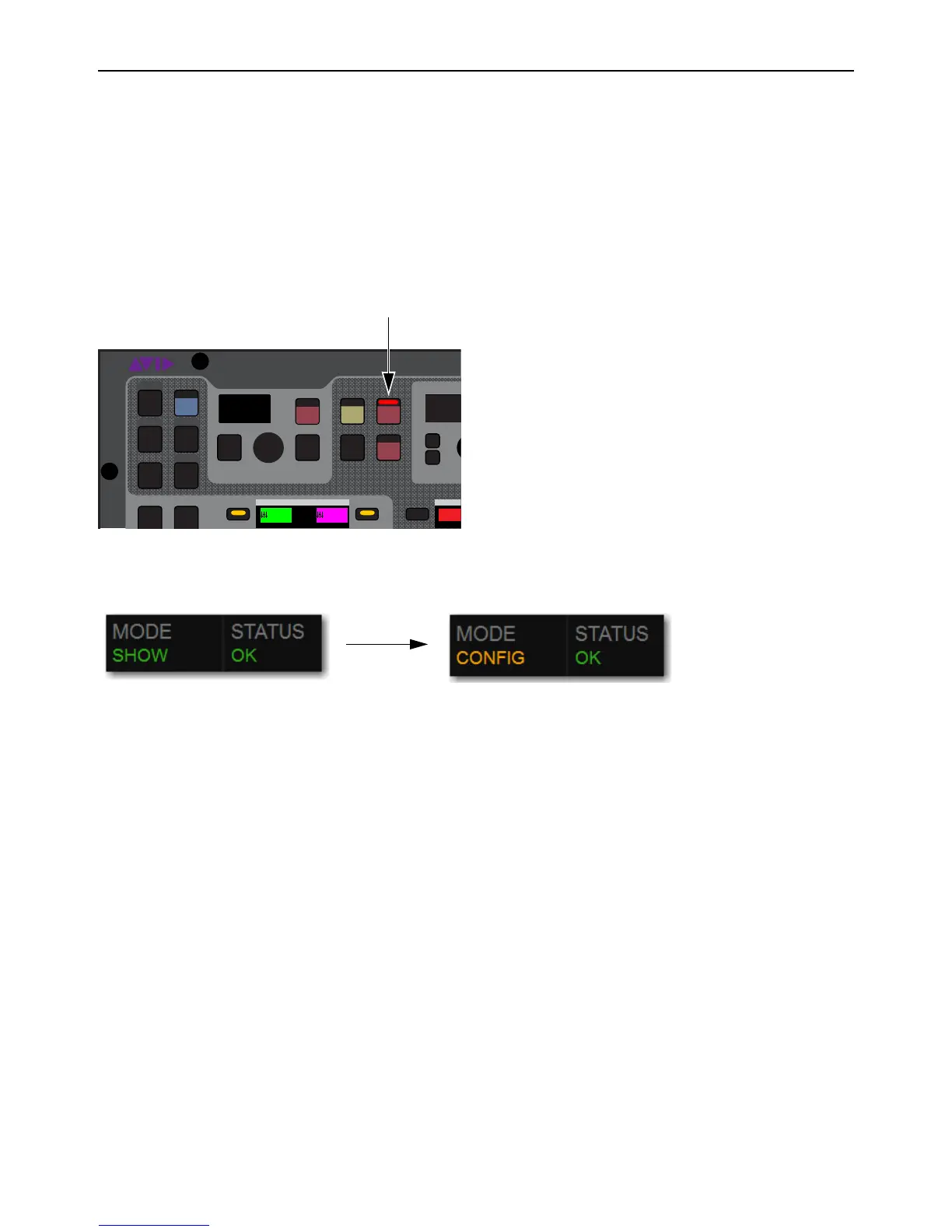
1 Press Config on the S6L control surface. The Config switch lights, and Config is indicated in the Mode box in the on-screen
Status Bar.
• Or, On-screen, double-tap the
Mode box in the Status Bar, located in lower-right hand corner of the screen, so that Config is
shown. The
Config switch also lights.
2 Proceed to Assigning Stage I/O Units.
Config switch on the S6L control surface (left) and the Mode box showing Config
Mode box showing Show mode enabled (left) and Config mode enabled (right)
VENUE | S6L
Home Config
VCAsLayouts
Recall
Store
In
Sel
SNAPSHOTS
Talk
Back
Multi
Select
Multi
Assgn
Default Fine
OK Cancel
Over
Write
Preview
ASSIGNABLE
SHIFT
ALT
CTRL
ESC
Inputs/Outputs
Mute Group
M1
001/011
reset all inputs
Ch 1-16
1-16
Aux 1-8
1-8



 To Next Page