Powering Up and Configuring the System 52
Identifying Stage I/O Units
It can be helpful to identify each Stage I/O unit in the Available Devices list before assignment.
To identify Stage I/O units:
1 Make sure your system is in Config mode.
2 On the external screen, go to the Options > Devices page and locate the Available Devices column. All connected and powered
on Stage I/O units are shown in this column.
3 In the Available Devices column, select the top-most Stage 64 so it is outlined in blue. The blue outline indicates that device is
targeted for connection, and is targeted in the Information area of the Devices page.
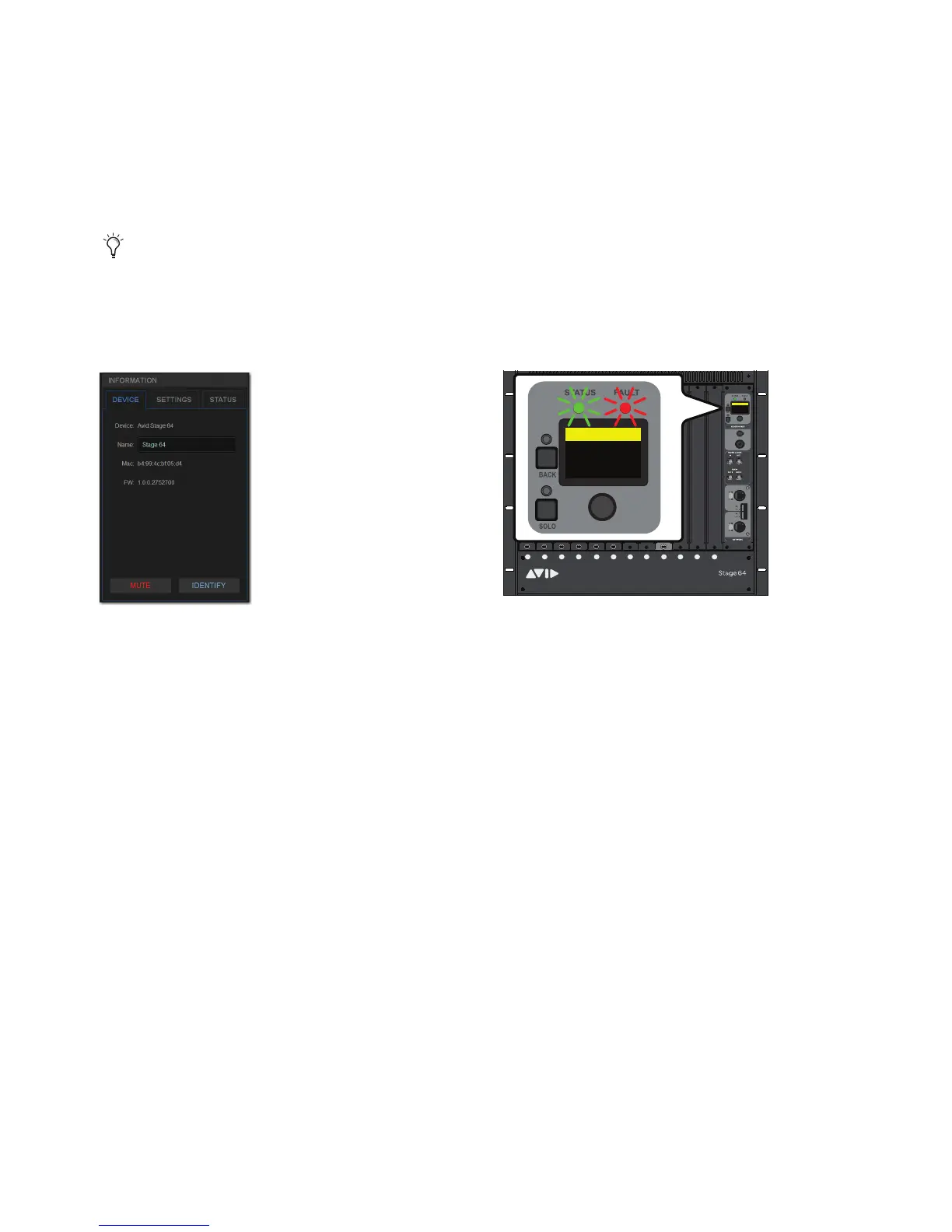
4 In the Information area, select the Device tab so it is highlighted in blue, then select the Identify button to latch it on.
The
Identify button on-screen flashes, and the Status and Fault LEDs on the front panel of the corresponding Stage I/O unit flash.
5 Select Identify again to turn it off.
If any connected Stage I/O units do not appear in the Available Devices section, check network and power connections.
The Identify button (left) and flashing Status and Fault LEDs on the corresponding Stage 64 (right)
ABCD E FGH JKL M
1
2
3
4
5
6
7
8
SIG +48V
SIG +48V
SIG +48V
SIG +48V
SIG +48V
SIG +48V
SIG +48V
SIG +48V
INPUT
SRI-192
1
2
3
4
5
6
7
8
SIG +48V
SIG +48V
SIG +48V
SIG +48V
SIG +48V
SIG +48V
SIG +48V
SIG +48V
INPUT
SRI-192
1
2
3
4
5
6
7
8
SIG +48V
SIG +48V
SIG +48V
SIG +48V
SIG +48V
SIG +48V
SIG +48V
SIG +48V
INPUT
SRI-192
1
2
3
4
5
6
7
8
SIG +48V
SIG +48V
SIG +48V
SIG +48V
SIG +48V
SIG +48V
SIG +48V
SIG +48V
INPUT
SRI-192
1
2
3
4
5
6
7
8
SIG +48V
SIG +48V
SIG +48V
SIG +48V
SIG +48V
SIG +48V
SIG +48V
SIG +48V
INPUT
SRI-192
1
2
3
4
5
6
7
8
SIG +48V
SIG +48V
SIG +48V
SIG +48V
SIG +48V
SIG +48V
SIG +48V
SIG +48V
INPUT
SRI-192
SIG MUTE
MUTE
MUTE
MUTE
MUTE
MUTE
MUTE
MUTE
SIG
SIG
SIG
SIG
SIG
SIG
SIG
OUTPUT
SRO-192
1
2
3
4
5
6
7
8
Home >
<empty-name> 96k
Net OK Mon On
HW OK MADI On
Home >
<Stage 64> 96k
Net OK Mon On
HW OK MADI On



 To Next Page