IFD500 Series Pilot Guide
Map Subsystem 4-27
Strikes” key. A WX-500 Lightning sensor test is only available in
maintenance mode.
Use the bottom right knob to adjust altitude slices for icing, winds,
and turbulence. Note that the knob will only adjust the weather
product slice if the product is being displayed and is valid; otherwise
it still controls the map range and view.
Choices may include “METARS”, “AIR/SIGMETS”:
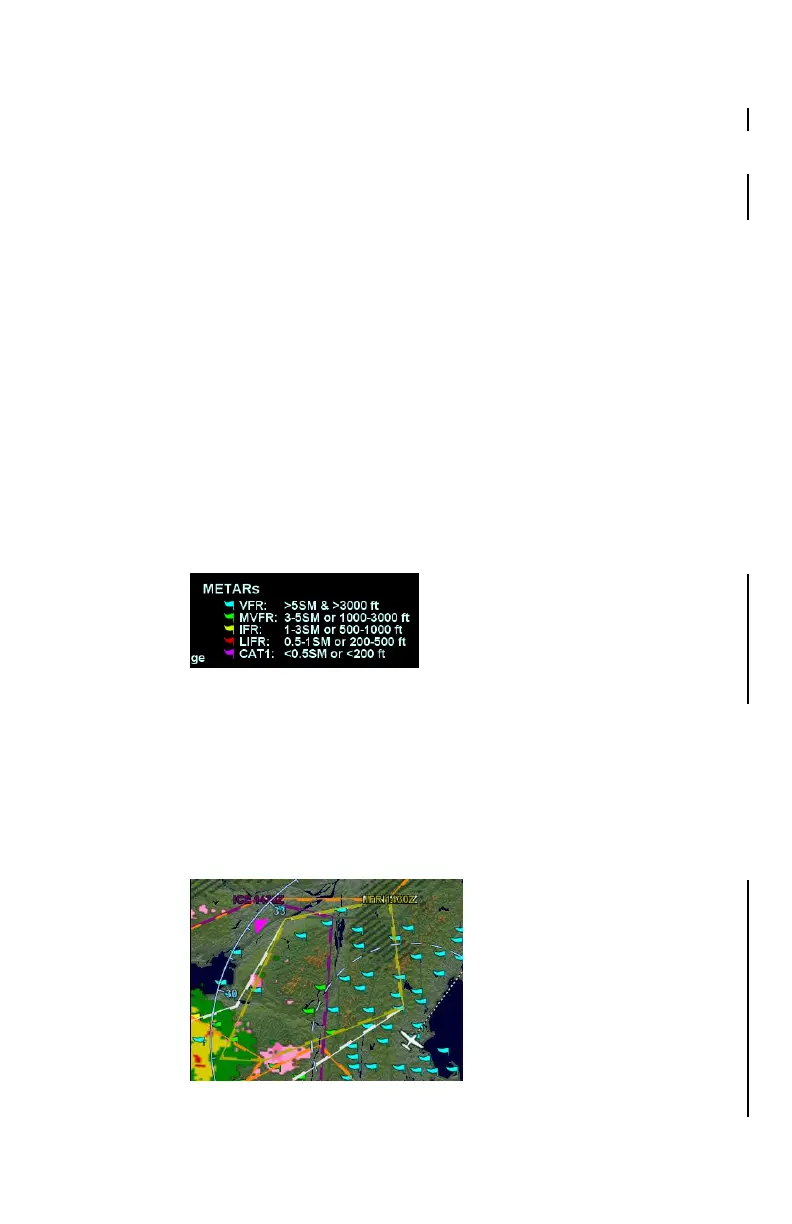
METARs – These are available in both text and graphical
formats and represent recent surface weather observations.
Text METARs are presented on the “Info” tab of the “FMS”
page. The graphical METARs are color-coded flag symbols
that summarize a recent surface weather observation and
can appear as overlays on the Map and embedded in the
flight plan on the Flight Plan tabs and Nearest tabs. These
flags allow an overview of general weather conditions in an
area.
Graphical METAR Legend
AIRMETs and SIGMETs (US only) – These are areas where
the National Weather Service has issued advisories for
various types of hazardous weather. They are depicted on
the Map page along with an abbreviated description of the
hazard, such as “ICE” (icing), “MTN” (mountain obscuration),
or “IFR” (instrument flight conditions).
AIRMETs and SIGMETs Detail MAP Page



 To Next Page