IFD500 Series Pilot Guide
5-4 Aux Subsystem
SATELLITE RADIO TUNING
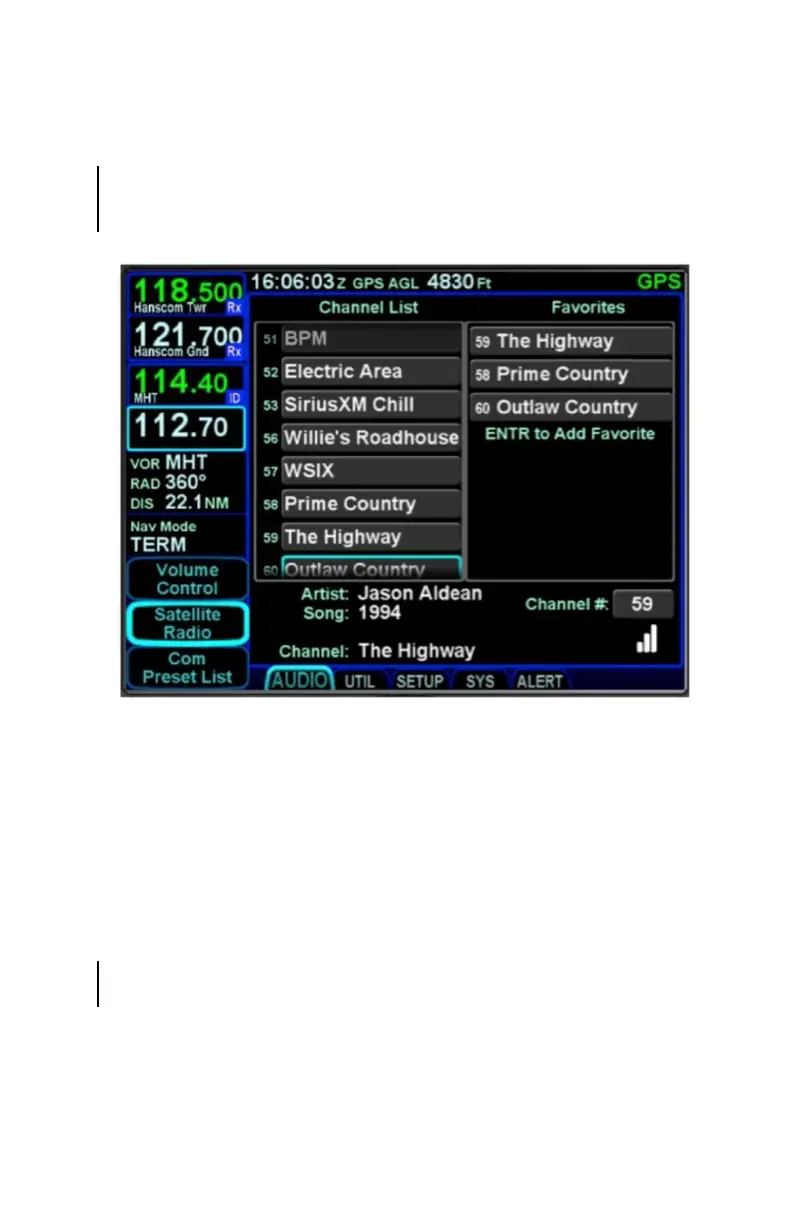
When a compatible audio-capable satellite radio system is
installed, a “Satellite Radio” LSK is displayed along the left edge
of the display.
Satellite Radio Selection and Favorites
The page is divided into three parts. The left side of the page is a
full channel list of all available satellite radio channels. The right
side of the page is a numbered list titled “Favorites” and
represents the satellite radio channels that have been
programmed into a preset list for faster access. The bottom of
the page contains a datablock indicating the artist, song, channel
name and number, audio signal strength and a Quick Go To link
to enter in a desired satellite audio channel.
To load a channel into the Favorites list, scroll the available
channel list in the left column either via touch scroll or turning
either bottom right knob counter-clockwise until the desired
channel is highlighted and press the “ENTR” key on the bezel to
push that channel into the next available Favorites list slot.



 To Next Page