IFD500 Series Pilot Guide
System Overview 1-23
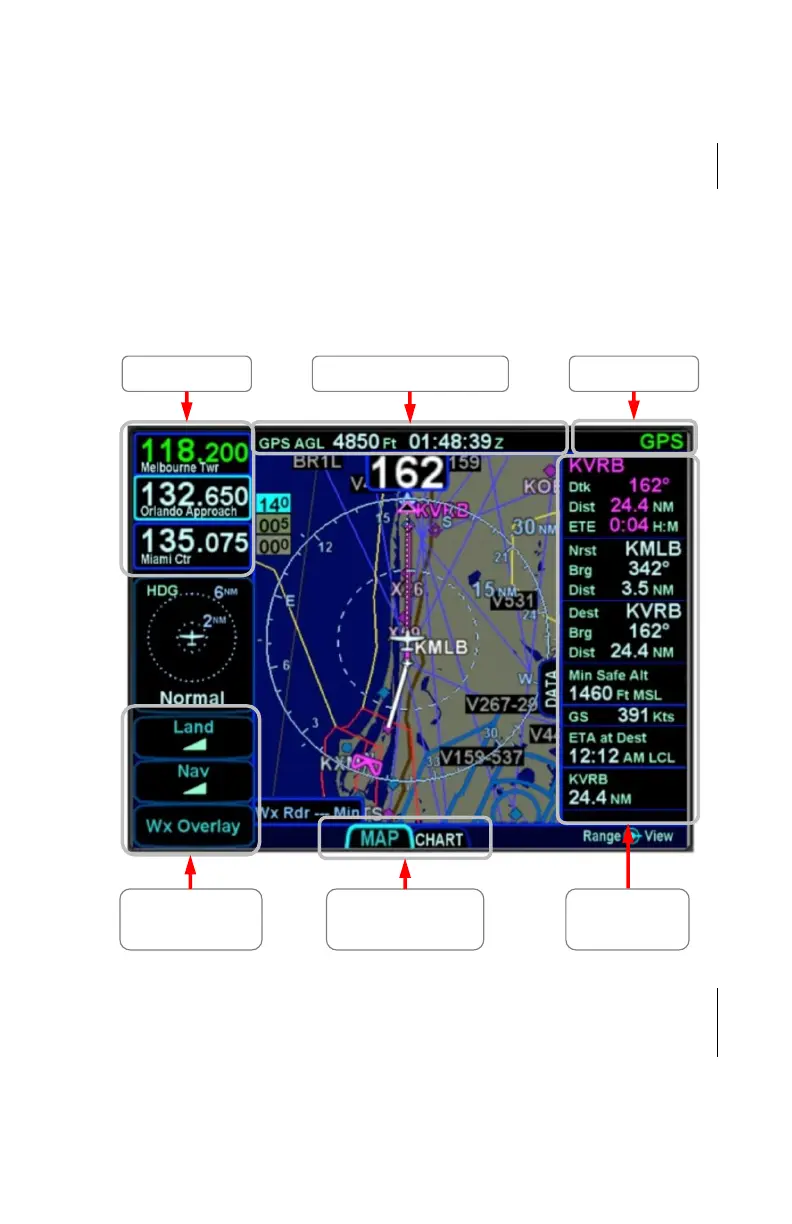
PAGE LAYOUT AND FORMATS
The context-sensitive line select keys, top datablocks and
navigation source knob indication, and bottom edge set of page
tabs are always displayed on every page. The IFD540 and
IFD550 will also show radio frequencies in the upper left corner.
The frequencies to be shown are configurable. For the IFD510
and IFD545, that area can be configured to show other
datablocks just like those on the right side of the page.
Page Layout (IFD540 Shown)
Each page has a number of associated tabs. To select a tab
using the page key, press the left or right side of the key to move
left or right, respectively, among the tabs until the desired tab is
selected. To select a tab using the touchscreen, just touch the
Com/Nav Block Configurable datablocks Nav Source
Context sensitive
Line Select Keys
(LSKs)
Configurable
datablocks
Page Tabs



 To Next Page