7.7 Uploading Your Scanned Image to a Network Server
Important:
Before saving your scanned image to a network server, you
need to first setup an account to access the network file
servers such as FTP, Microsoft SharePoint, Google Docs, or a
shared folder in the network.
To upload your image to the network,
1. Make sure your account and folder information have been
filled in the “Scan To Configuration” dialog box.
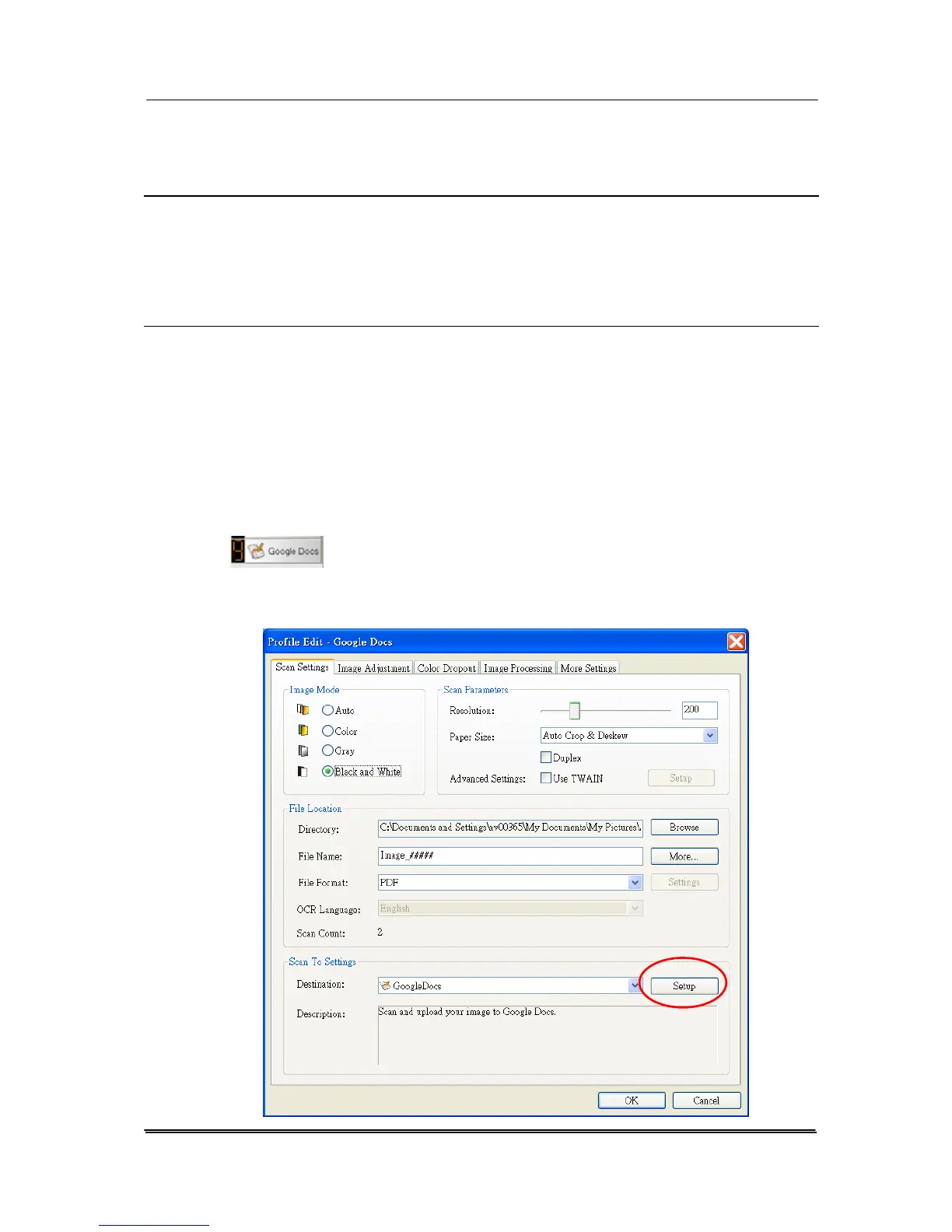
a. Click the Button icon to prompt the Button panel.
b. Choose your desired network file server which you wish to
save the image. For example, button number 9, Google Docs
(
).
c. Right-click button 9 to prompt the Profile Edit dialog box as
shown in below.
7-10



 To Next Page