EasyManua.ls Logo

Avision Multifunction Scan Center - The Connection Ports; 2 Installing Your Machine; Minimum Configuration Requirements

Avision Multifunction Scan Center
135 pages
Print Icon
To Next Page IconTo Next Page
To Previous Page IconTo Previous Page
Loading...
4
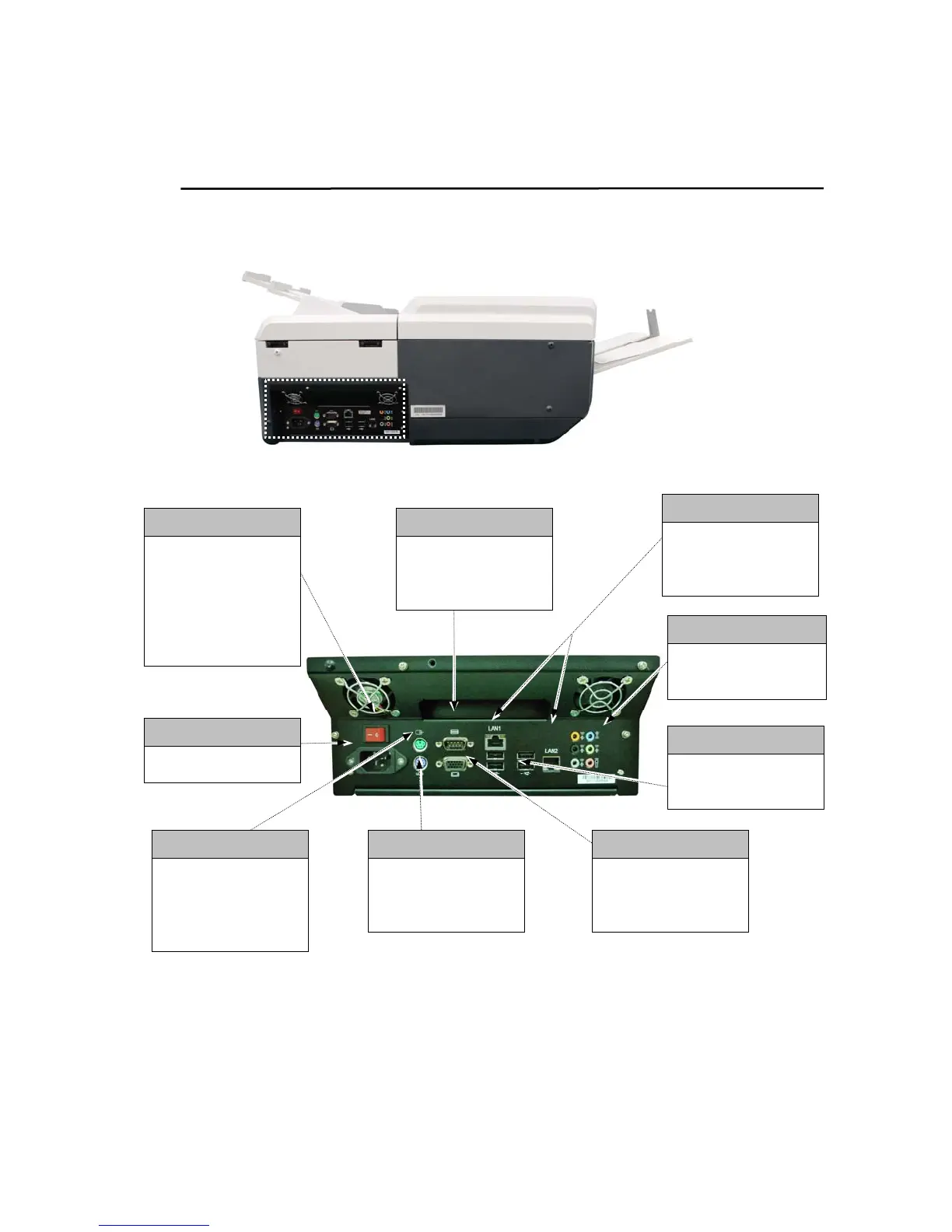
The Connection Ports
COM Ports
Connect the product
to an external
keyboard.
Keyboard Port
Connect the product
to an additional PS 2
keyboard if required.
USB Port (x4)
Connect the product
to USB devices..
LAN Port
Connect the product
to network with a
LAN cable.
Main Power Switch
The main power
switch of the
product.
To turn on the
product, press
「l」
.
Power Receptacle
Plug the power cord.
PS/2 Mouse Port
Connect the product
to an additional
mouse (PS/2) if
required.
Audio Ports (x6)
Connect the product
to audio devices.
Monitor Port
Connect the product
to an external
monitor if required.

Table of Contents

Related product manuals