36
Sending Your Document to E-mail Addresses
Basic E-mail Operation
To Send a Scanned Image as an attachment to an Email Address:
1. Place your document(s) with text FACE DOWN in the ADF or FACE DOWN on
the glass.
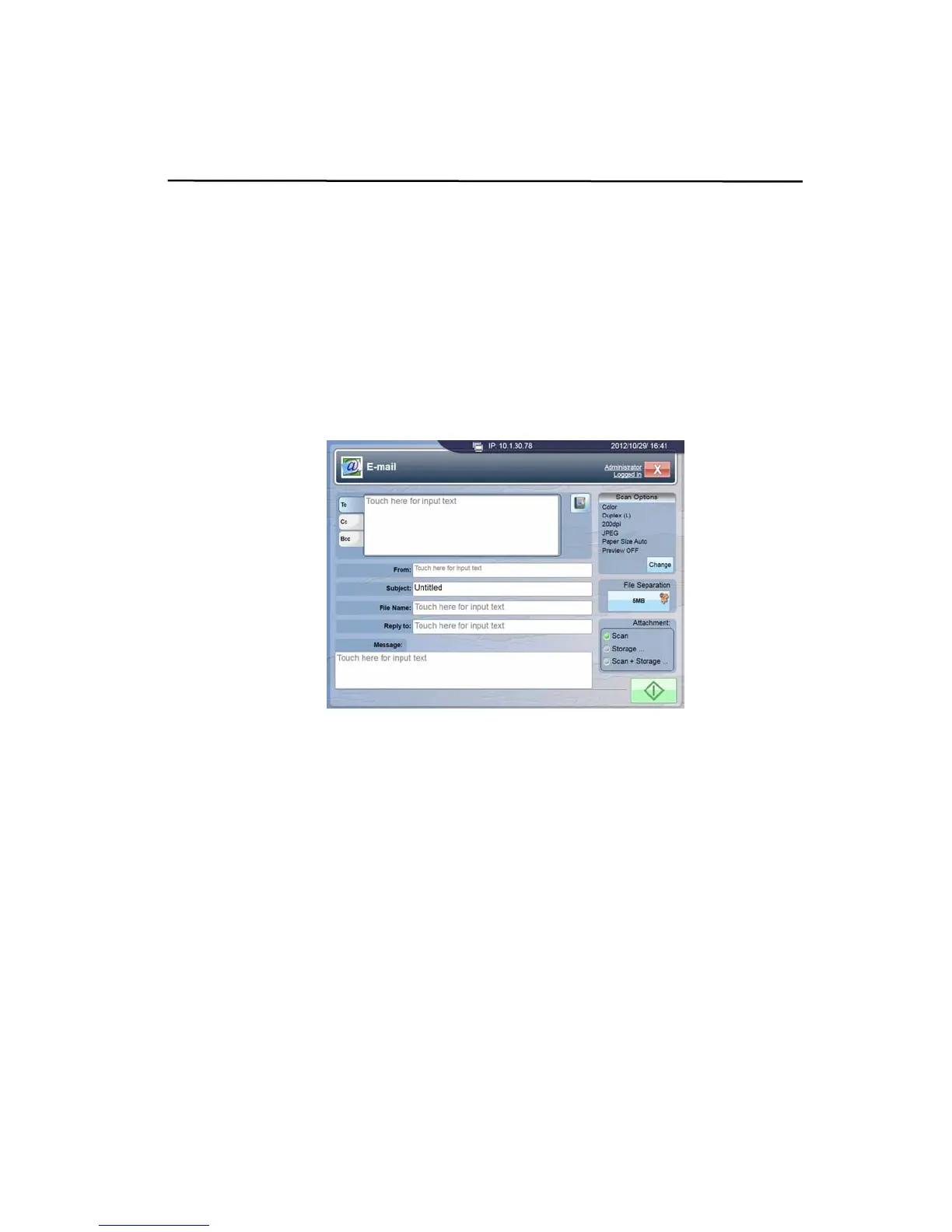
2. Tap the [E-mail] button on the touch panel to open the following [E-mail]
window.
3. To enter e-mail addresses with their relevant information:
a. Tap the [To], [Cc], or [Bcc] tab from the E-mail window respectively.
b. Tap the [Touch here for input text] field to bring up the virtual keyboard
to type in your email address. Press Enter to type the next e-mail address
if you have an additional email address.
c. Tap Next and enter the From address, Subject of your e-mail, File Name
of the scanned document, Reply to address, or e-mail Message
respectively.
d. When you are done, tap Done to return to the [E-mail] window.



 To Next Page