1
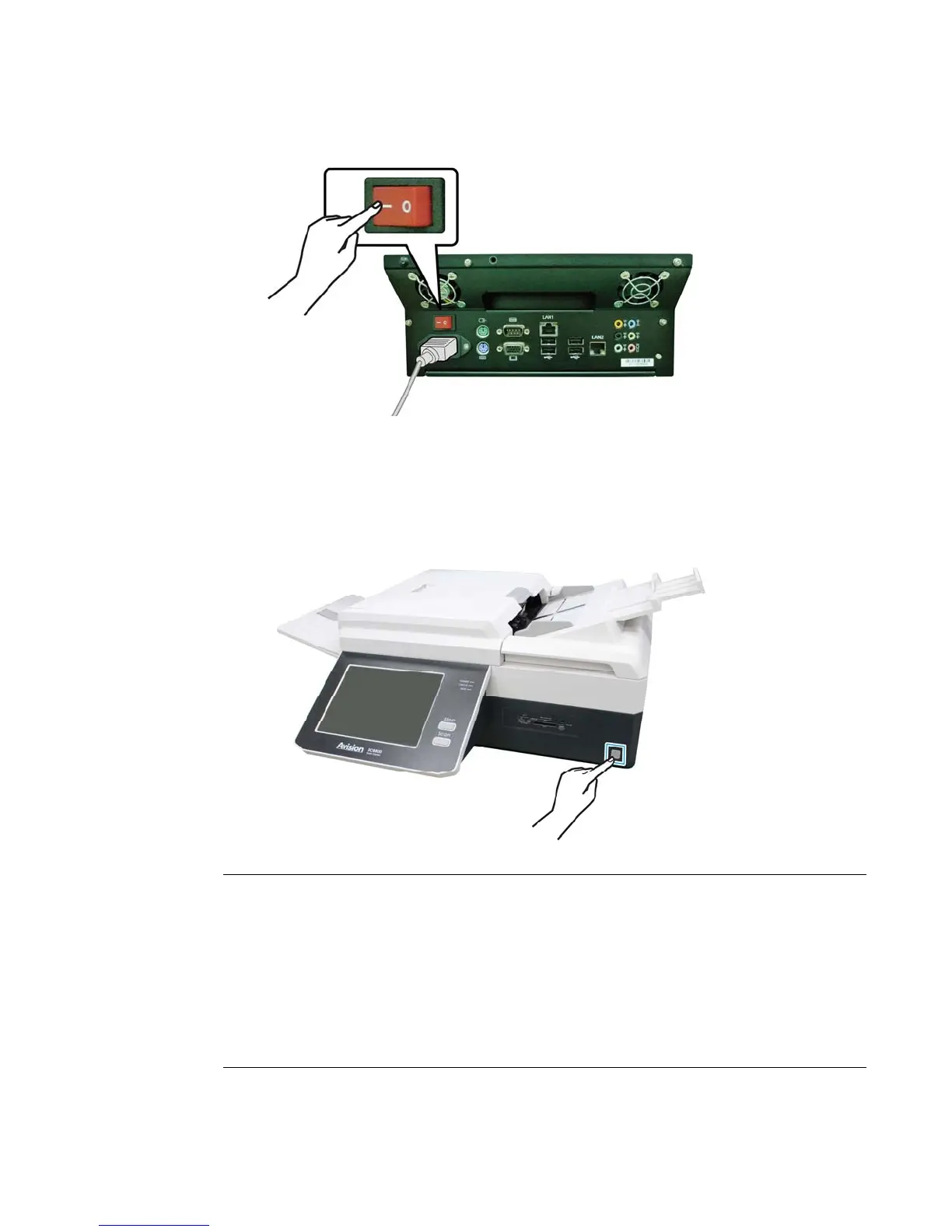
3. Press the [-] side of the main Power Switch.
4. Press the [Power] button on the lower right corner of the product. The
product is turned on, and the Power LED lights in green.
After showing the
booting up message, the LCD Touch Panel prompts the preset ready status.
Note:
1. If you turn off the product by pressing the main Power switch while the
touch panel has not been completely shut down, this may cause damage to
the product.
2. If the product will not be used for a long time, press the [0] side of the
Power Switch to turn off the power. Then unplug the product from the
power outlet.
3. To wake up the product in the sleeping mode, simply short press the [Scan]
or the [Stop] button on the control panel.



 To Next Page