26
Output Printer
Use the Output Printer feature to add a printer for the product.
To add a printer for the product:
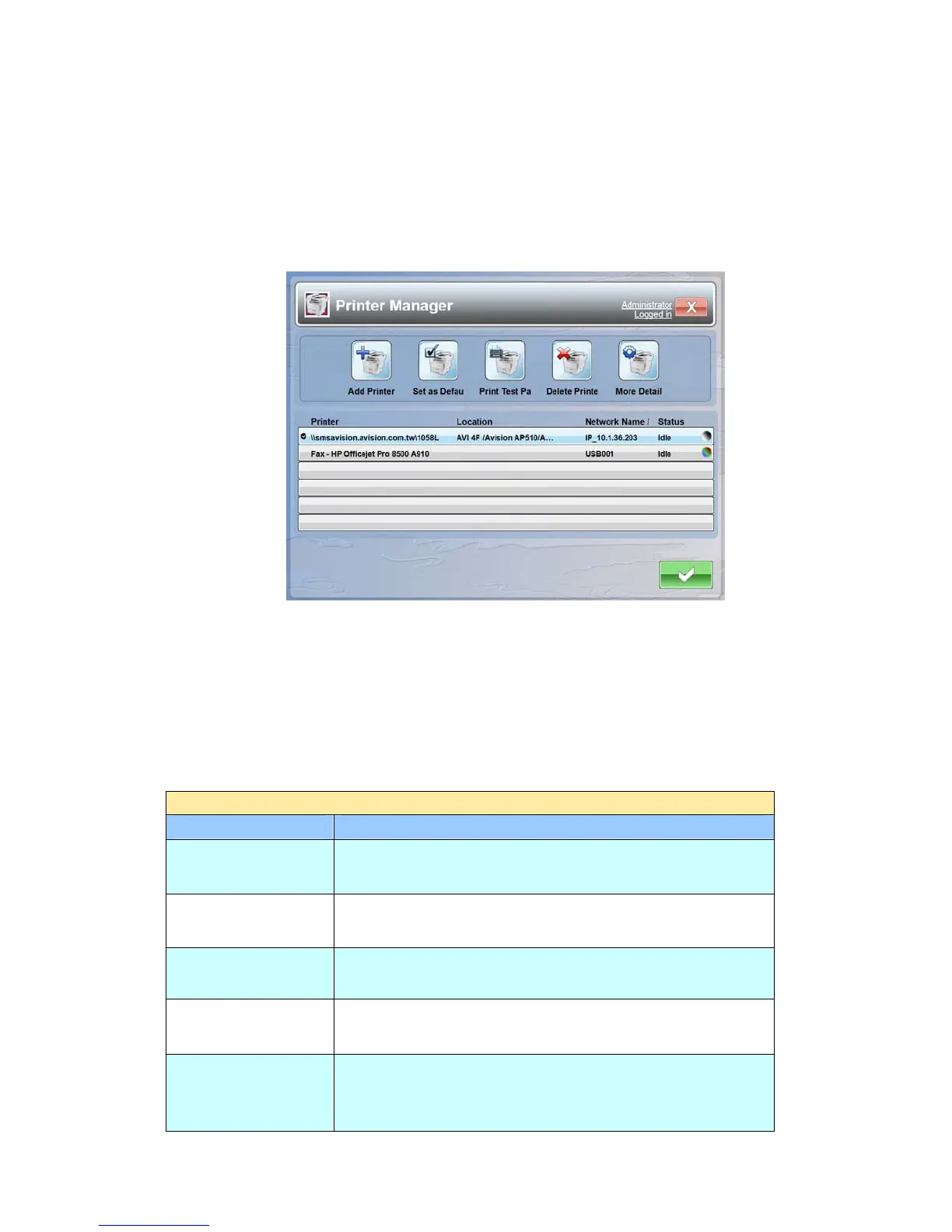
1. Tap the [Output Printer] button to open the following Printer Manager.
2. Tap the [Add Printer] button.
3. Select Browse for a printer to list all available printers in the same domain
section and choose a printer, or Add a printer by name and enter a desired
printer path with its login name and password to specify a printer you want.
Options for Printer Manager
Printer Manager
Item Description
Add Printer
Adds a printer for the product.
Set As Default
Checks to specify a default printer.
Print Test Page
Prints a test page from the chosen printer.
Delete Printer
Deletes the chosen printer.
More Detail
Displays the chosen printer’s information such as
name, location, IP, status, color, default, and Duplex.



 To Next Page