4
To print a document from the public folder,
1. Tap the [Storage Print] button at the bottom-left corner of the touch panel.
2. Select the [Public Folder] button and enter your PIN number (If necessary)
from the pop-up dialog box, and tap OK.
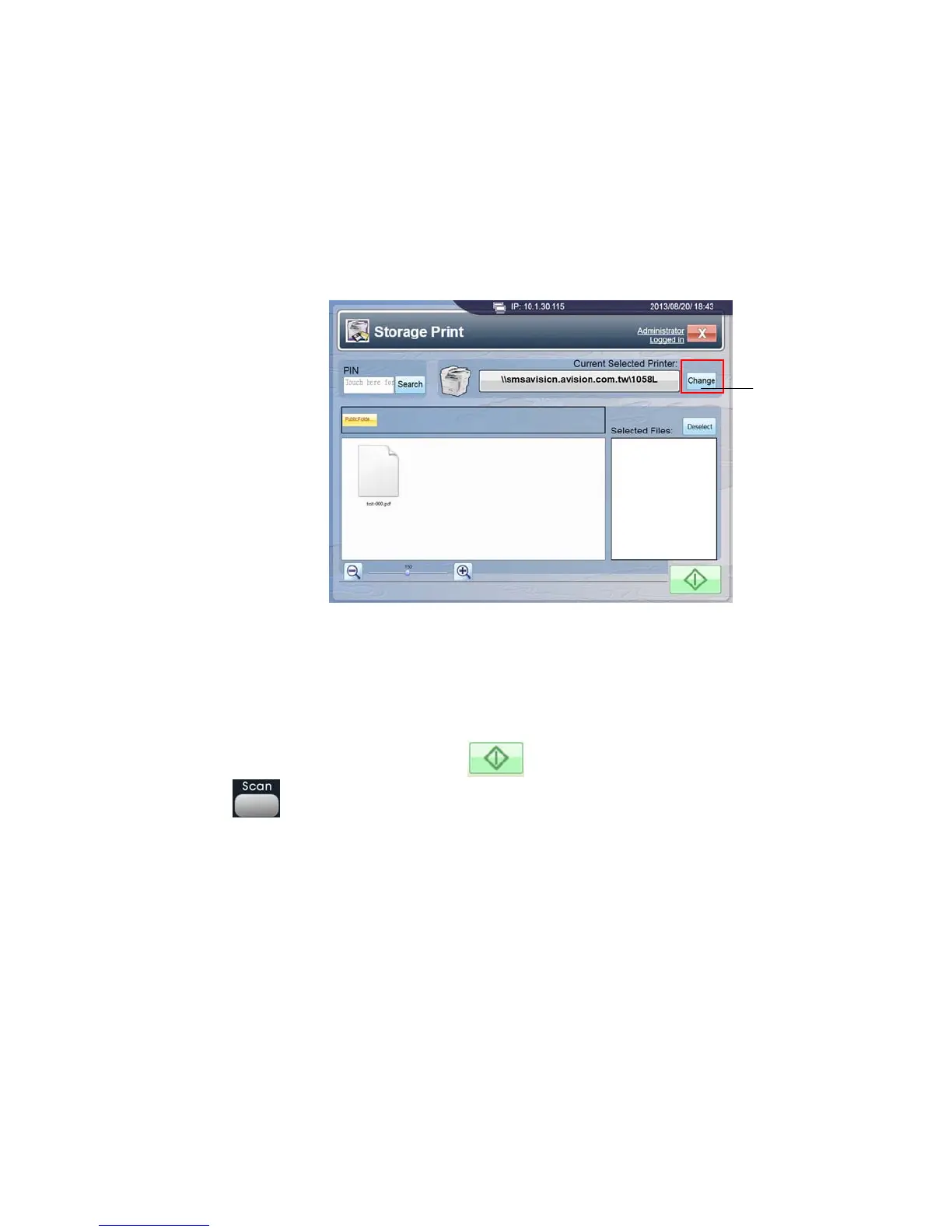
3. Storage Print screen pops up on the touch panel, as shown below:
4. Select your designated printer by tapping [Change].
5. Tap and select a file from the graphical interface displaying all files in your public
folder. (If your PIN numbers are forgotten, search your desired PIN number from
the [PIN] dropdown menu. To cancel your selection, simply tap the [Deselect]
button.)
6. Tap either the [Start] button (
) on the touch panel or the [Scan] button
(
) on the control panel.
7. The selected file will be printed out from your designated printer.
Select Printer



 To Next Page