5
To create a new shortcut button via the Touch Panel,
1. Tap the [Login] button (
) to bring up the administrator Login screen
since you need the administrator privilege to create a shortcut button. Enter your
login name and password respectively in the Login Name and Password field via
the soft keyboard, and then tap OK.
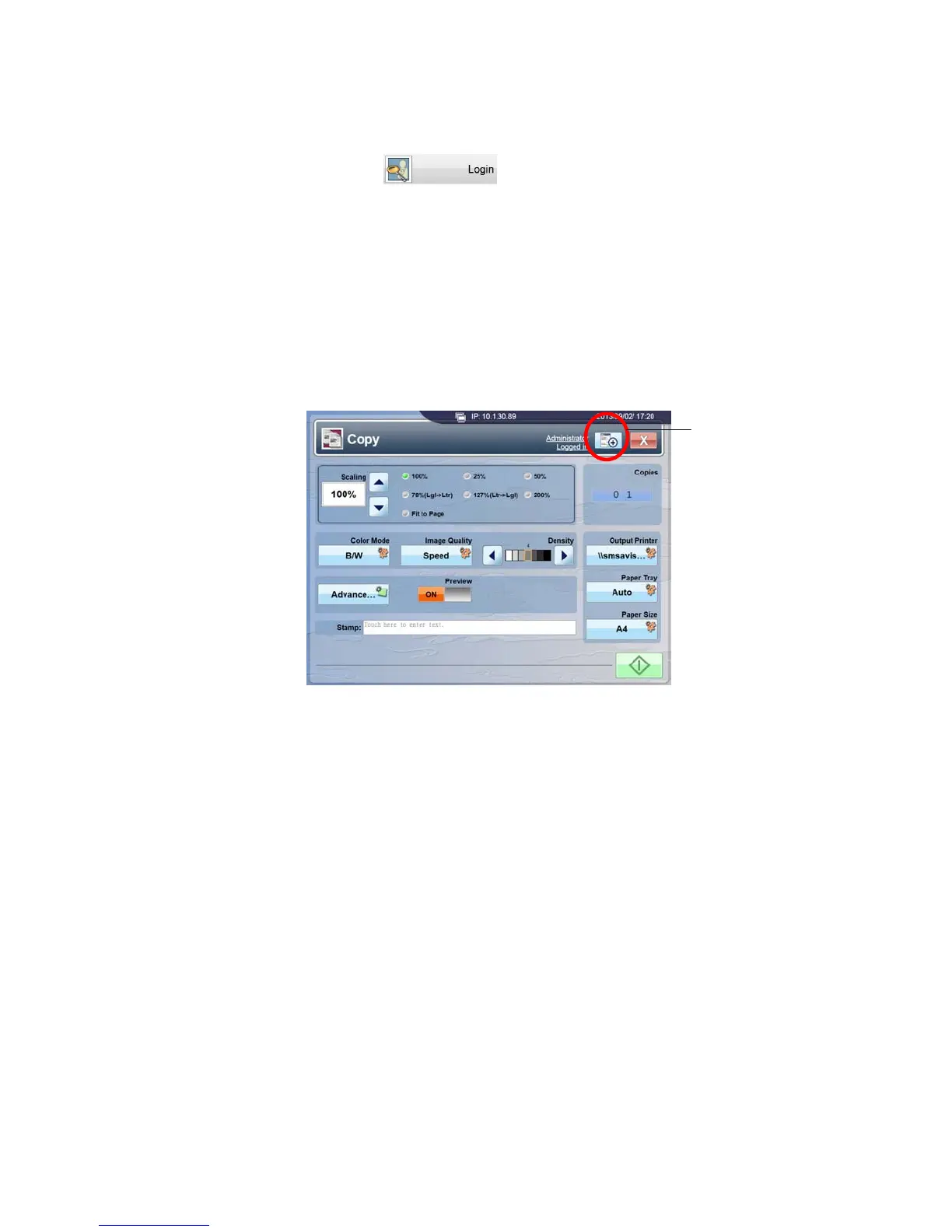
2. Tap Copy, E-mail, or Filing on the touch panel to open the Copy, E-mail, or Filing
window. The [Add A New ShortCut] button is shown near to the upper-right corner
on the touch panel screen. The following is an example screenshot of the Copy’s
touch panel screen.
3. Enter or modify specific settings on Copy, E-mail, or Filing window to meet your
custom need.
Add A New
ShortCut Button



 To Next Page