10
Ports and Interfaces
USB Ports
The FRITZ!Box has two USB ports, which can be used to inte-
grate USB devices in your home network like USB printers or
USB storage media. The connected USB devices can then be
used simultaneously by all network devices in the home net-
work of the FRITZ!Box.
If you connect a USB modem for mobile broadband Internet
(UMTS/HSPA), the FRITZ!Box can establish Internet connec-
tions via the mobile communications network.
Media Server for Music, Images, and Video in the Home
Network
As a media server the FRITZ!Box makes music, video and im-
age files available throughout the entire home network. With
suitable playback devices in the home network of the
FRITZ!Box you can even play back the media files when the
computer is turned off.
Your music, video and image files can be stored on a USB
storage medium connected to the FRITZ!Box.
The playback devices or programs, for instance computers or
television sets, must support the UPnP AV or DLNA standard.
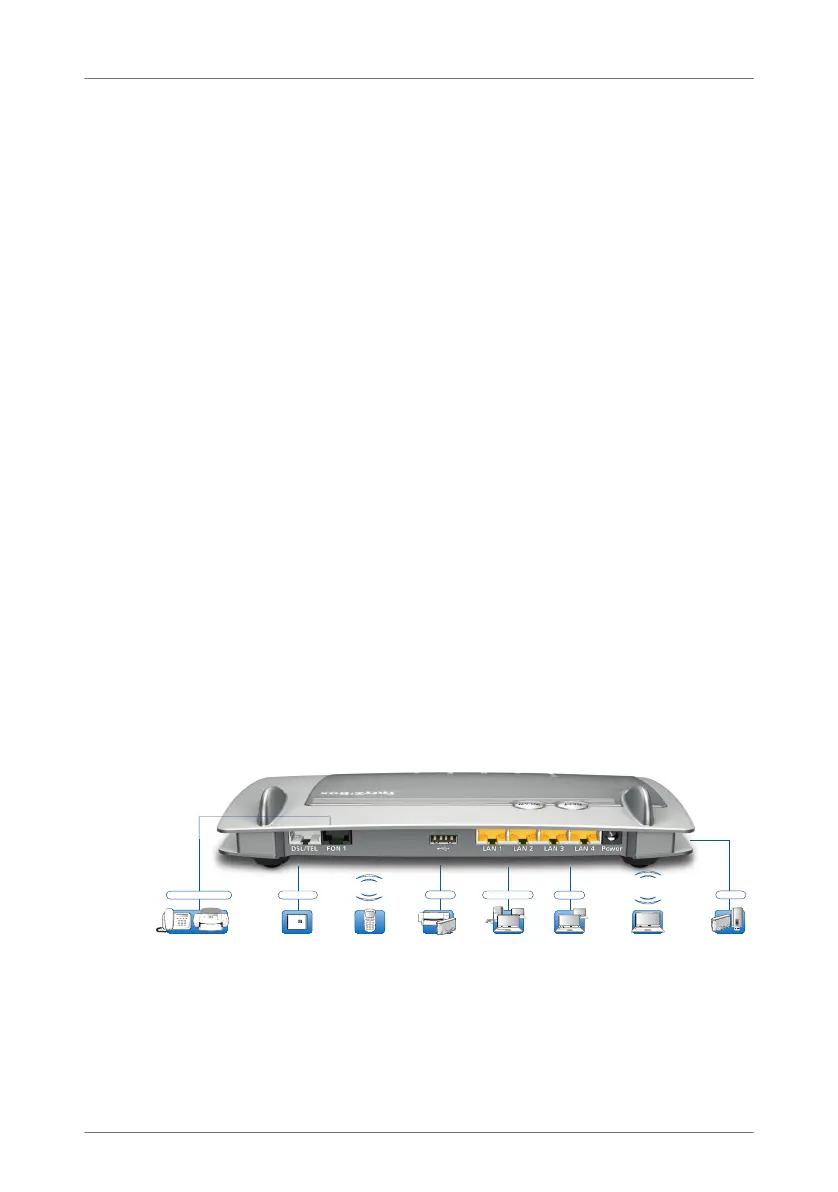
1.2 Ports and Interfaces
Possibilities for connecting the FRITZ!Box
FRITZ!Fon or other
DECT telephones
DECT
and USB devices
USB 2.0
Analog telephone
Analog telephone,
fax, answering machine
Notebook, smartphone,
video/TV Streaming
WLAN
2.4 GHz/5 GHz
LAN, 100 MBit/s,
PC, game console
2 x LAN
LAN, 1 Gbit/s,
PC, network
2 x Gigabit-LAN
Printer,
storage media
USB 2.0
with telephone line
(analog)
DSL/VDSL
FRITZ!Box_7360-en.fm Seite 10 Mittwoch, 15. Februar 2012 5:21 17



 To Next Page
 Loading...