64
AvMap G7 Farmnavigator – User Manual
are drawn in your oce using Google Heart™ software.
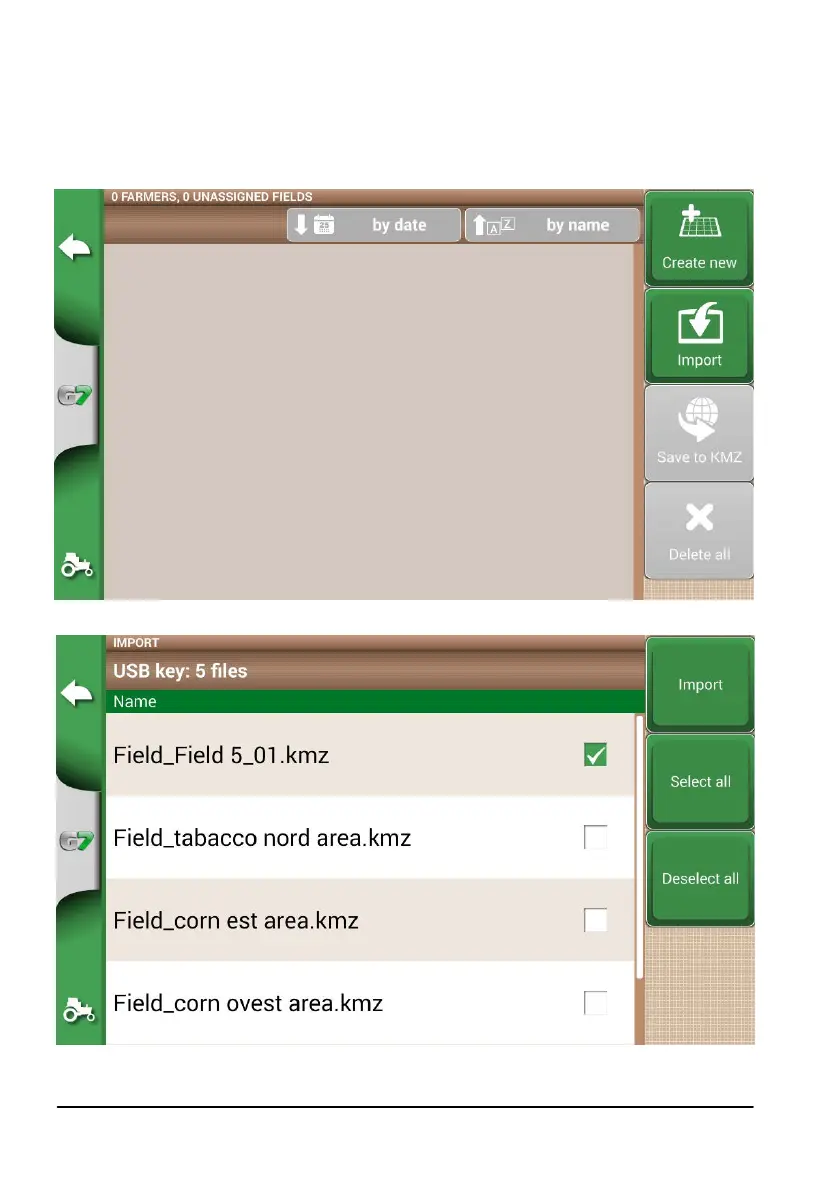
Create a new folder called “Import” and put it in the USB stick. Inside the folder “Import”, copy the
KMZ les you want to import. Connect the USB stick to G7 Farmnavigator using the supplied cable.
1. Tap “DATABASE” > “FIELD”> “Import”;
2. Select the le that you need to import;
Figure 5.2.a KMZ le import access menu
Figure 5.2.b File KMZ selection



 To Next Page