27
AvMap G7 Farmnavigator – User Manual
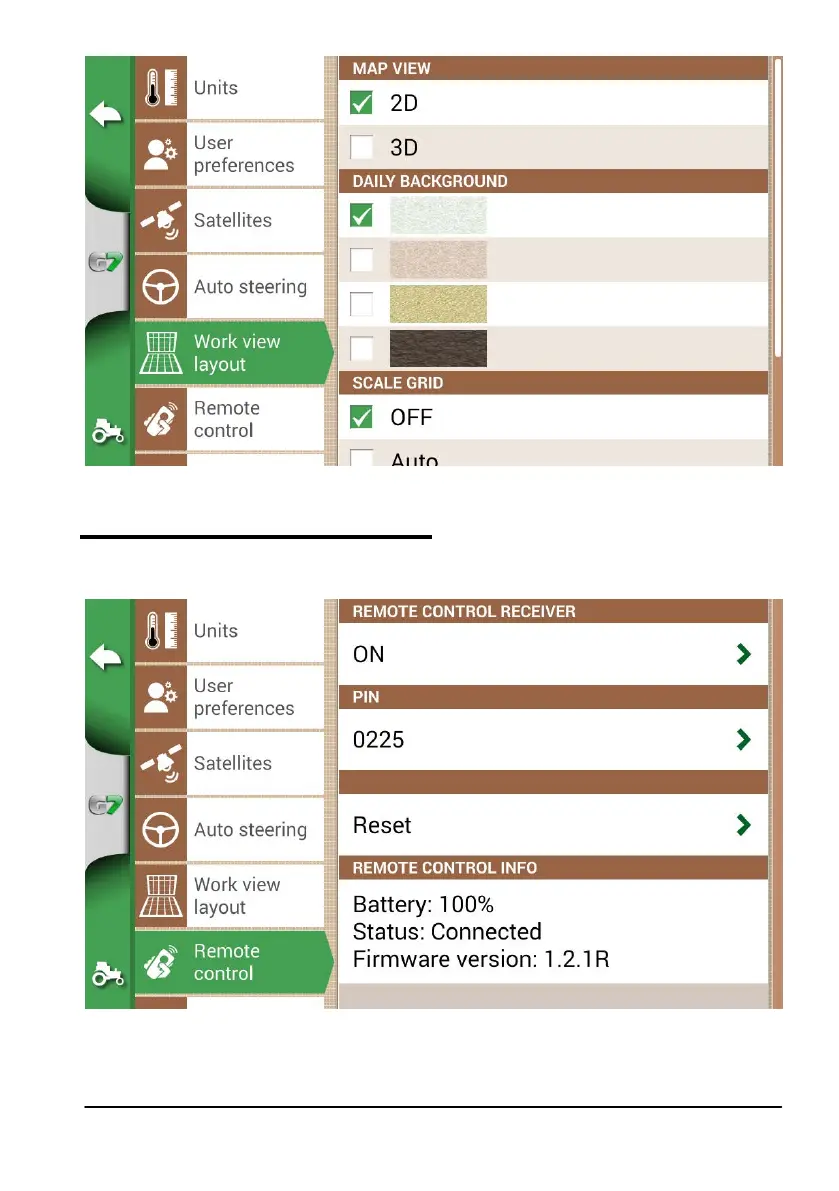
Figure 2.4.f Work view layout conguration page
2.4.7 Remote control (for G7 Plus only)
Remote control menu allows you to congure the supplied remote control.
1. Select “SETTINGS” > “Remote control”
Figure 2.4.g Remote control setting page
Remote control allows you to have a quick access to the main functions, such as opening the main menu,



 To Next Page