3-4
Chapter 3. MOUNTING AND WIRING
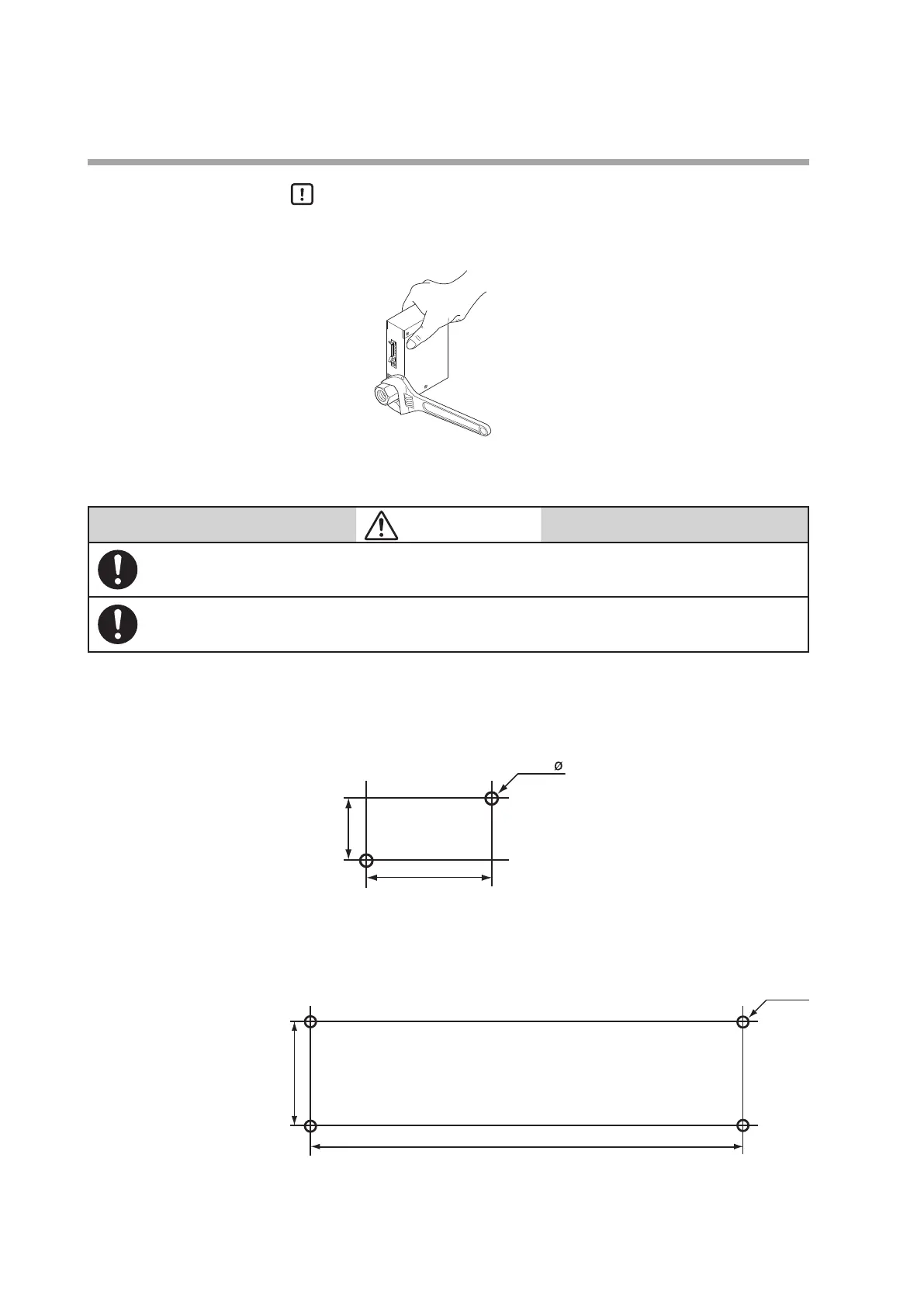
Handling Precautions
•
Do not hold the top part of the main unit with your hand. Doing so might
deform the case.
•
Take special care not to damage the connector latches.
z
Installation procedure
CAUTION
Mount securely in order to prevent vibration. Otherwise, equipment failure could result.
Mount the device horizontally. Do not mount it with the display facing down. Doing so might
cause measurement error or equipment failure.
z MQV9200/9500/0002/0005/0020/0050
Install the device with two M4 screws using the mounting holes on the base of the
device.
unit: mm
30
z MQV0050(J, K)/0200/0500
Install the device with four M4 screws using the mounting holes on the base of the
device.
unit: mm
110



 To Next Page