User’s Guide 4-11
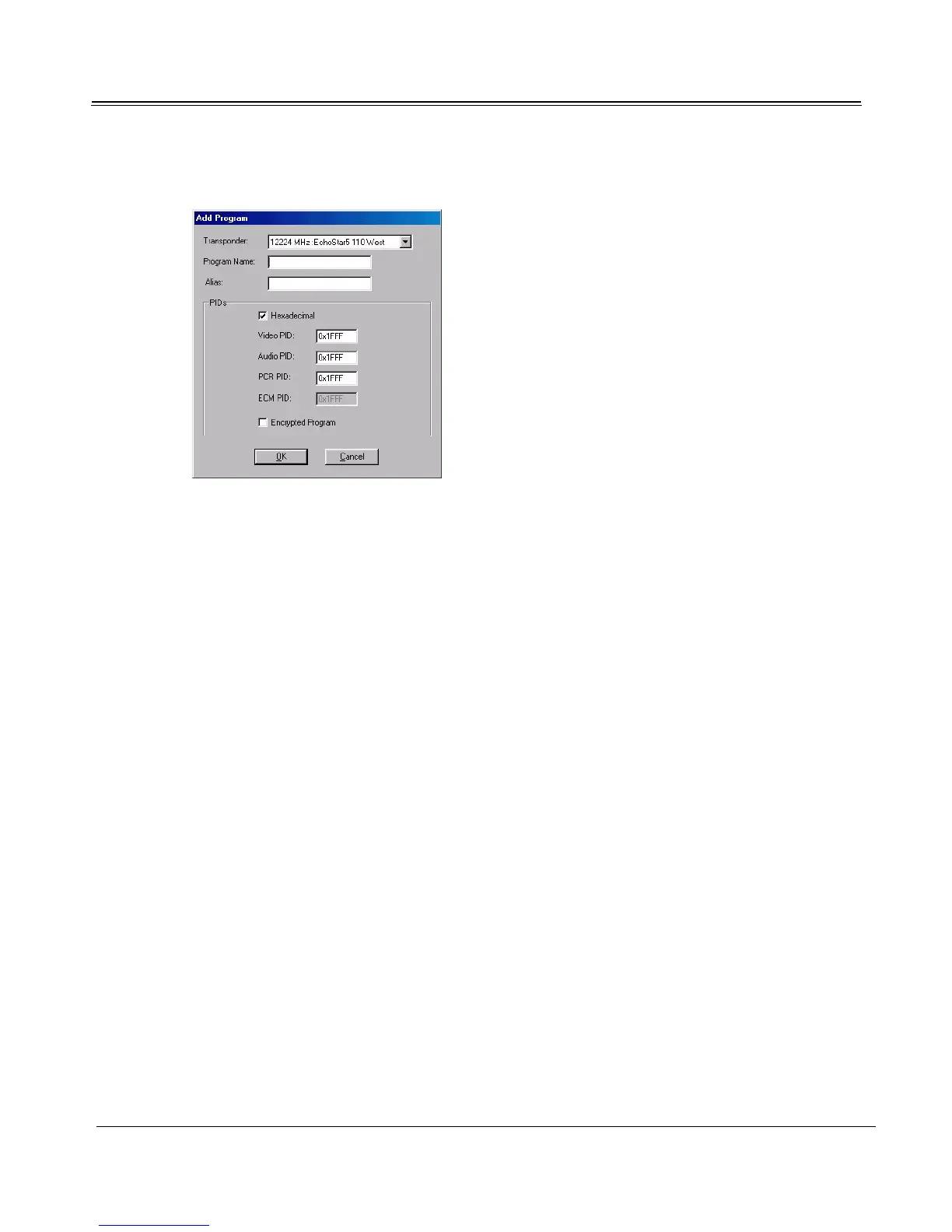
2. The Add Program or Edit Program dialog appears.
3. Select the program’s transponder from the drop-down list. If the transponder is not listed, click
Cancel to return to the Program Management dialog, and add the transponder’s channel. (See
“Adding an Individual Channel” on page 4-6.)
4. Manually add or edit the Program information and PIDs; consult your service provider for more
information. If you want to designate an alias by which to title the program in TV4PC, enter it in
the Program Name field.
5. Click OK.
6. Click Close to close the Program Management dialog.
Data Services
Use the Data Services dialog to configure high-speed Internet or multicast from a service provider. To
set up Data Service, see “Adding New Data Service” on page 5-5. To view the Data Services dialog:
1. Launch Setup4PC.



 To Next Page