User’s Guide 5-7
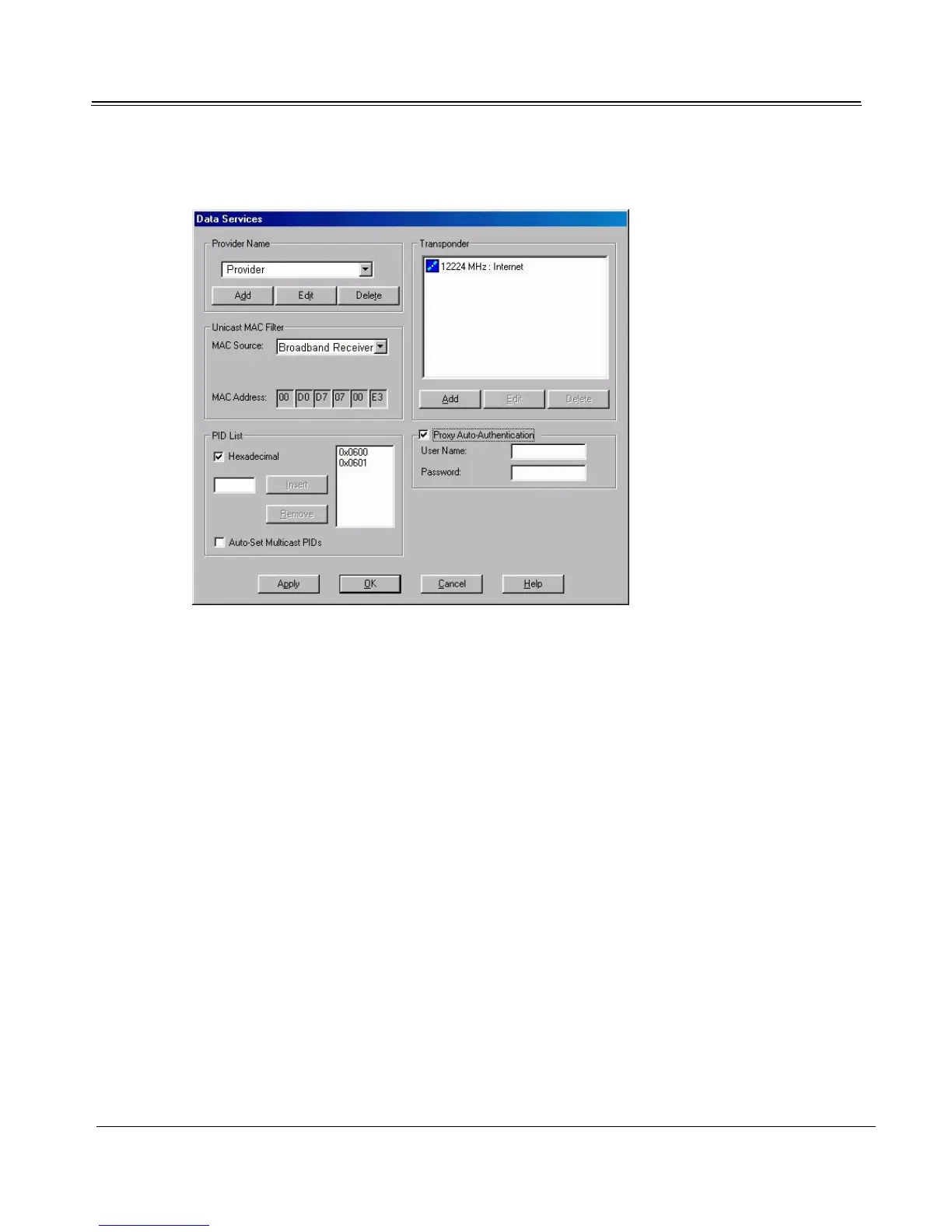
3. Click the Data Services button.
4. Under the Provider Name drop-down list, click Add and add the data service provider’s name to
the list.
5. Select the data service provider’s name from the Provider Name list.
6. Configure unicast and multicast; add data transponders if necessary.
Configuring Unicast
Receiving data requires a unicast MAC address. The new data service may use one of four methods for
determining MAC address; therefore, the method must be specified. At the Data Services dialog, con-
figure the service provider’s particular MAC addressing scheme.
1. On the Data Services dialog, under Unicast MAC Filter, select your data service provider's MAC
addressing scheme from the MAC Source drop-down list.
Dial-up IP Select this option if your Internet/data service access is through a
dialup connection. If this option is selected, Sky2PC calculates the
MAC address from the IP address established by your dialup ISP.
Network Device Select this option if your Internet/data service access is through a
LAN. If this option is selected, Sky2PC calculates the MAC address
from the IP Address of the Network Interface Card.



 To Next Page