User’s Guide 5-5
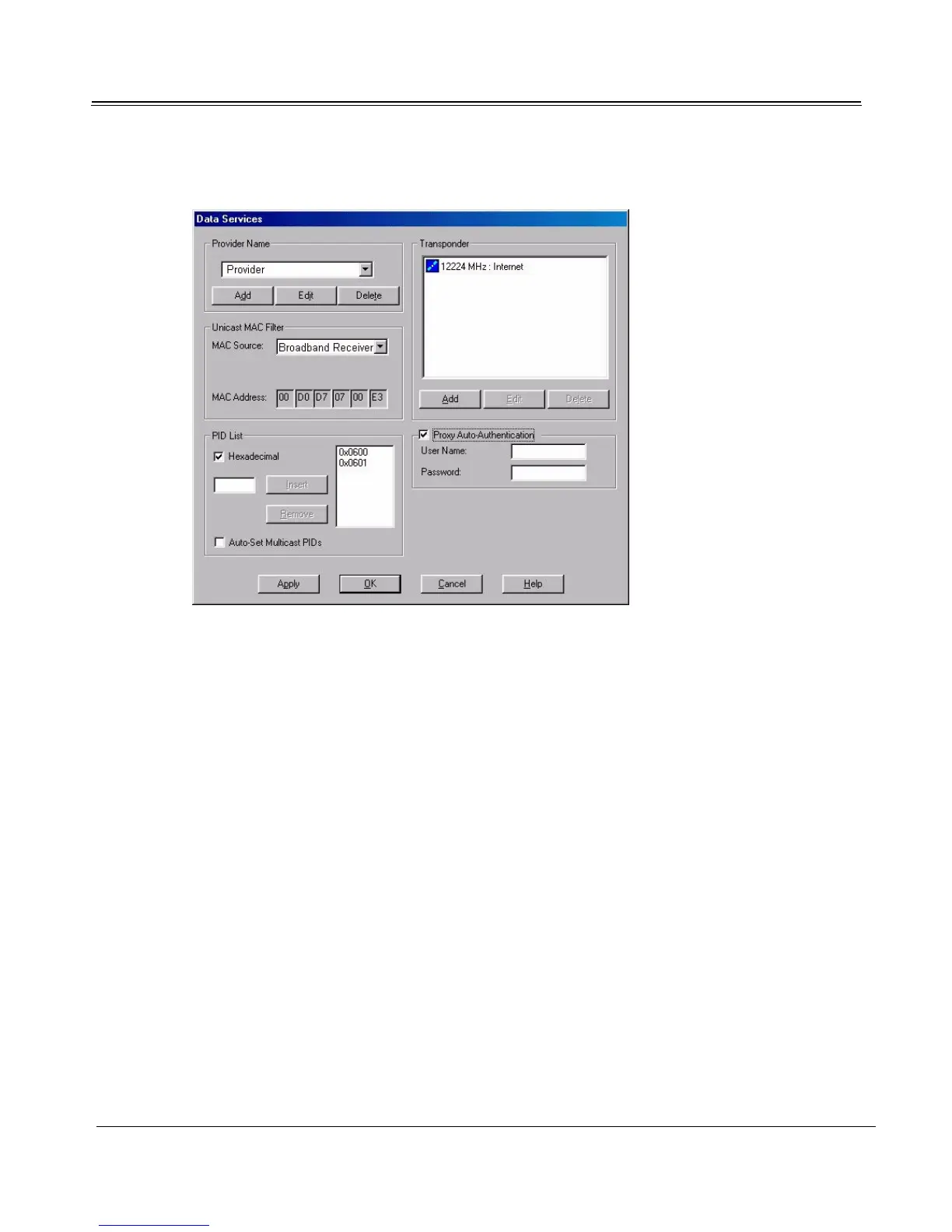
2. Click the Data Services button.
3. Select the Proxy Auto-authentication checkbox, and enter your User Name and Password.
4. Click OK to exit the Data Services dialog.
Adding New Data Service
Launch the Data Services dialog to set up additional Internet and data services when data service set-
tings have not been pre-installed by the data service provider. Configure unicast, multicast, and add data
channels as needed.
Important: If the new service uses the proxy server, be sure to configure the Sky2PC proxy after adding
the data service.
To add new data service:
1. If the data service is on a new satellite, first perform a Search and Scan of the new satellite. (See
“Search and Scan Feature” on page 4-7.)
2. Launch Setup4PC:



 To Next Page