User’s Guide 1-3
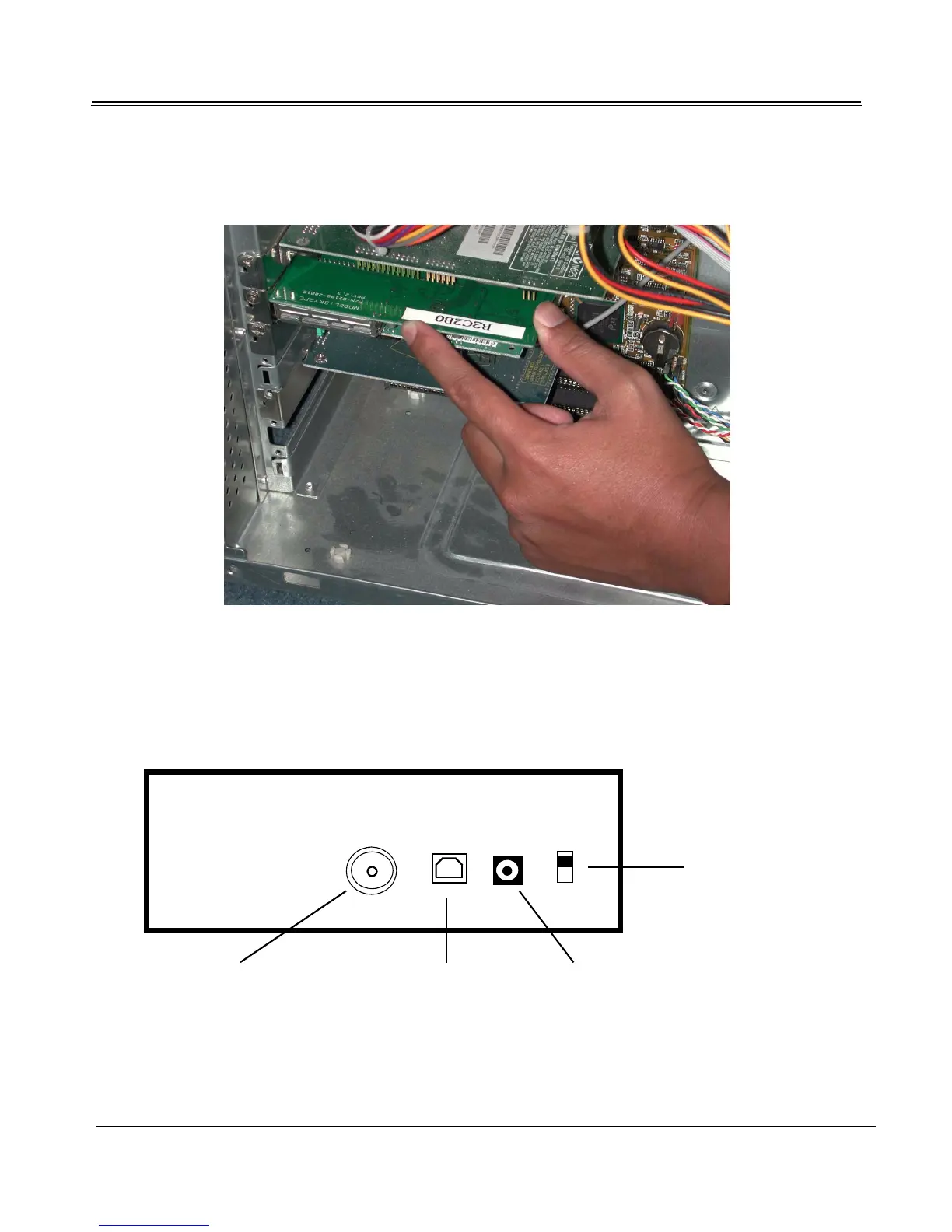
3. Insert the Sky2PC digital receiver card firmly into the PCI slot.
4. Tighten the installation screw on the PCI card.
5. Replace the side panel of your computer.
USB Box Installation
1. With the USB box off and the PC on, connect the power adapter cord from the USB box to the
wall outlet.
ON
OFF
Coaxial Cable Connection USB Port
Power Adapter Cord Connection
ON/OFF Switch



 To Next Page