User’s Guide 1-11
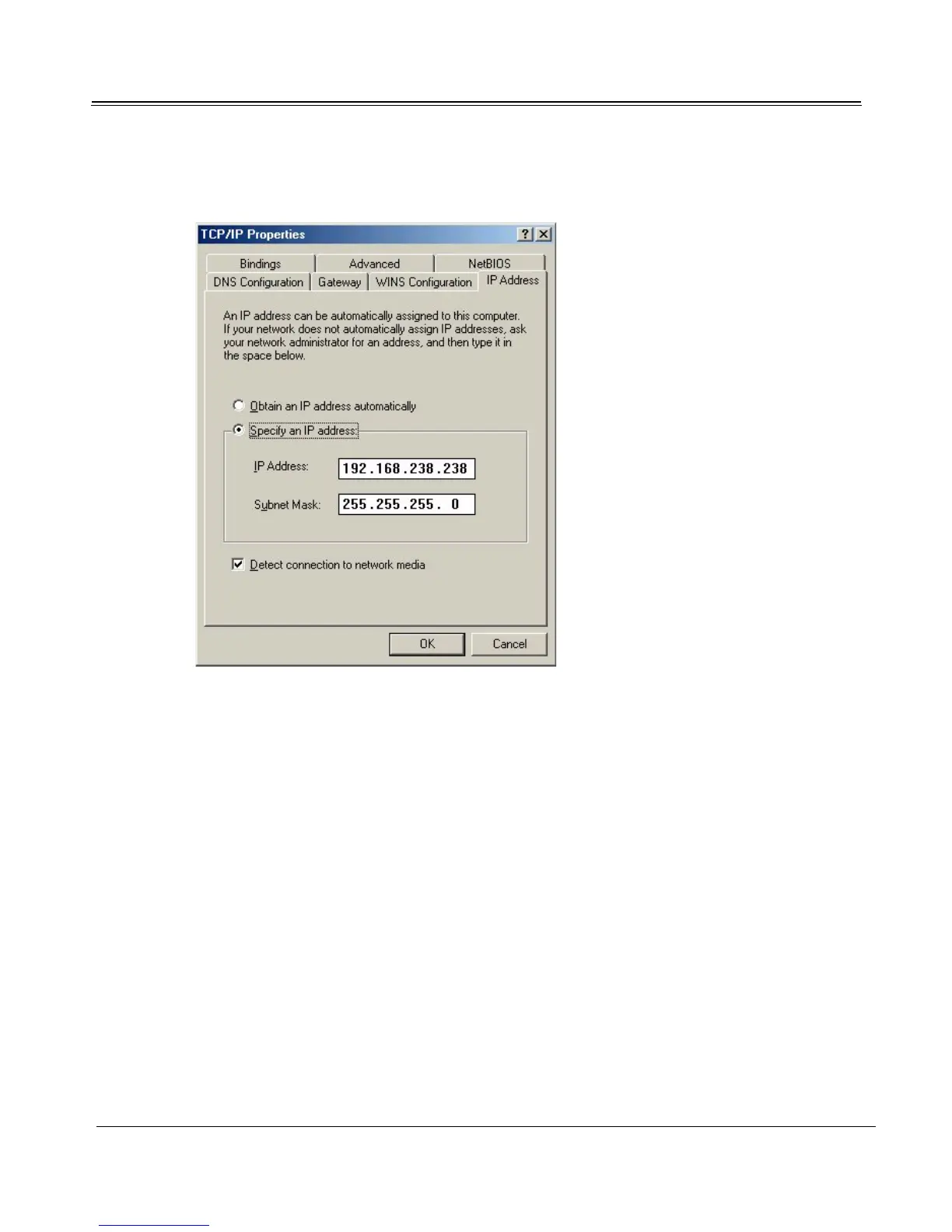
8. Click the IP Address tab. Select ‘Specify an IP Address,’ and enter the IP Address and Subnet
Mask exactly as shown. Click OK.
You have installed the Sky2PC driver and are now ready to install the software applications. See
“Installing Software Applications” on page 1-18.
Windows NT 4.0 (PCI only)
When you insert your installation CD and start your computer for the first time after installing the
Sky2PC card, Windows NT displays a dialog that says it has detected a PCI Network Controller. This is
how the operating system identifies the Sky2PC digital receiver card.
1. Open the Windows NT Control Panel and double-click the Network icon to launch the Network
control panel.



 To Next Page