User’s Guide 4-13
3. Click the Data Services button
Monitoring the Tuner and Performance Statistics
Use the Transponder status dialog to observe and control the tuner or to monitor digital receiver perfor-
mance statistics such as error rates:
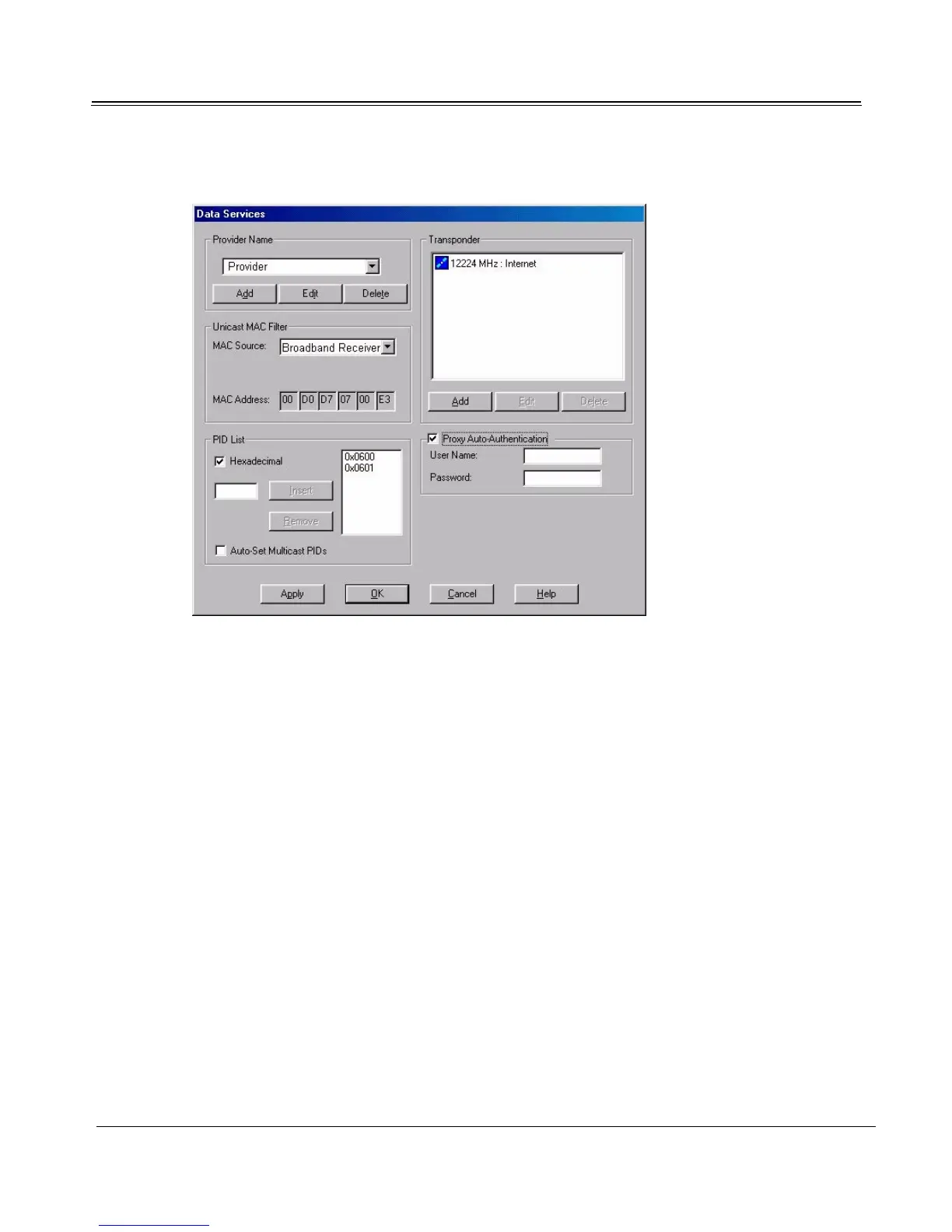
Provider Name Selects the high-speed Internet or data service you wish to
configure.
Unicast MAC Filter Configures addressing for unicast (conventional Internet)
service.
PID List Configures program identification filters for unicast and
multicast data streams.
Transponder Adds, deletes, or edits unicast or multicast data channels.
Transponder List Displays (or adds/edits) the data channels available from the
selected provider.
Proxy Auto-Authentication Participating service providers only: Automatically enters
your User Name and Password when your computer com-
municates with a data transponder's proxy server over the
Internet.



 To Next Page