0024-9551 Revision 1
21
PCA
®
400 User Manual
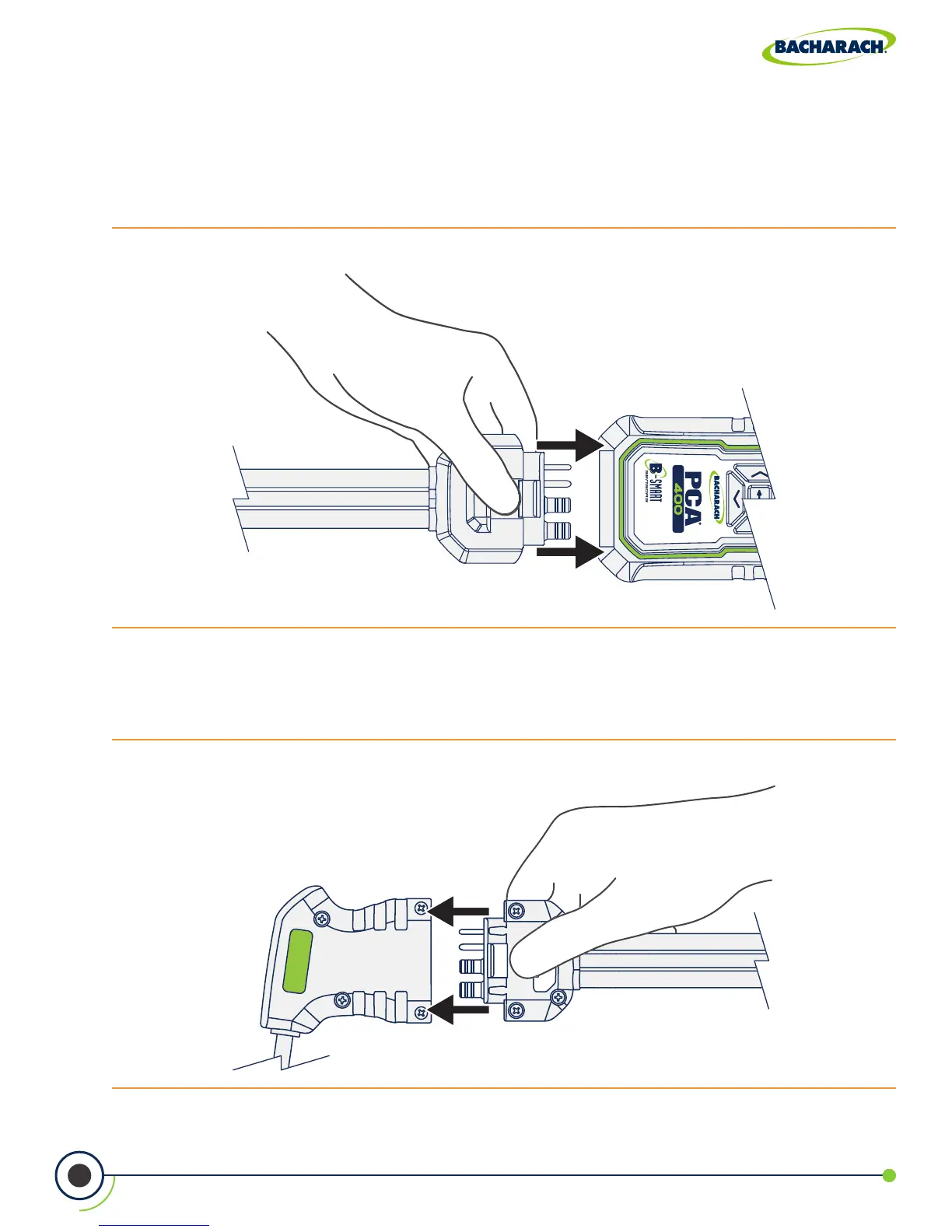
Fig. 3-4: Insert Blue Quick-Connector into Probe Handle
Fig. 3-3: Insert Gray Quick-Connector into Analyzer
3.1.3 Connecting Probe Assembly
1. Connect Analyzer to Sample Line
Firmly insert the gray quick-connector into the base of the analyzer. Users will hear a click
once a secure connection has been made.
2. Connect Probe to Sample Line
Firmly insert the blue quick-connector into the base of the probe handle. Users will hear a
click once a secure connection has been made.


 To Next Page
 Loading...




