0024-9551 Revision 1
39
PCA
®
400 User Manual
Metro Hospital
Logging
Duration 5 Minutes
Interval 5 Seconds
Available Logging
Locations
475/500
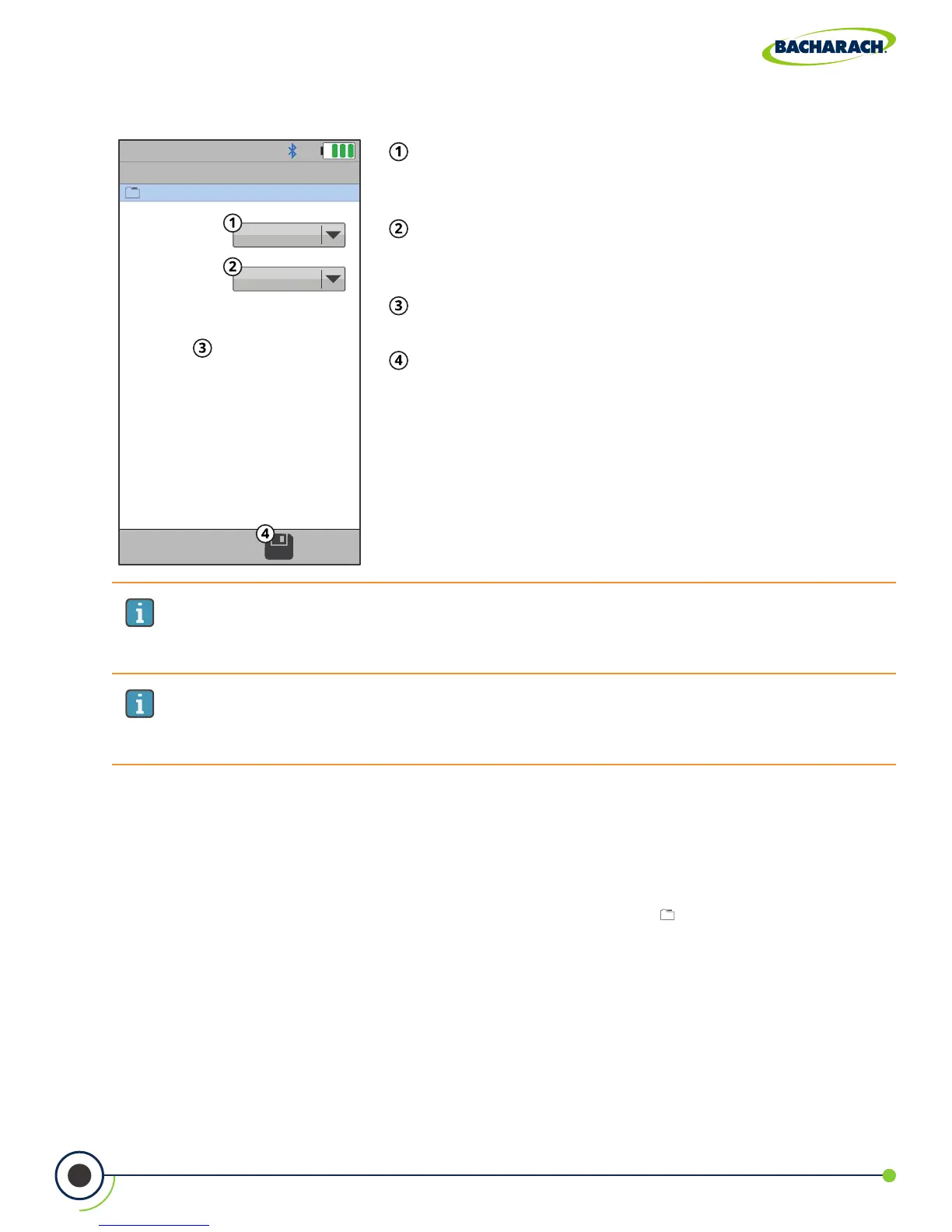
Fig. 4-5: Data Logging Settings
Duration - total duration of the combustion test
(5-minutes, 10-minutes, 15-minutes, 30-minutes, 1-hour,
2-hours and 5-hours).
Interval - time elapsed in between logged results
(5-seconds, 10-seconds, 15-seconds, 1-minute, 5-minutes
and 10 minutes).
Available Locations - remaining memory for logged
results.
Save - save changes to Data Logging Settings and
return to the Combustion Test screen.
IMPORTANT: The amount of memory available of storing new data is displayed in
the LOGGING screen (maximum of 500 locations). If previous sessions are stored and
additional memory is needed, clear the memory.
IMPORTANT: Before turning ON data logging and starting the data logging
process, the analyzer should already be setup to perform a combustion test. See
Setup (Section 3.1) for more information.
4.12 Memory File Management
The PCA
®
400 allows users to save up to 500 test records to the analyzer’s internal memory.
Recalling Saved Test Data
f To recall individual test data records: Main Menu Memory ( ) select desired analysis
results based on date / location



 To Next Page