0024-9551 Revision 1
40
PCA
®
400 User Manual
Acme Powerplant
PCA 400
Default
Acme Powerplant
USA Motorworks
Metro Hospital
Boiler 1
Burner 1
Boiler 1
Boiler 2
Memory Configuration
10/06/17 02:50:32 PM
10/06/17 02:55:32 PM
10/06/17 03:00:32 PM
10/06/17 03:05:32 PM
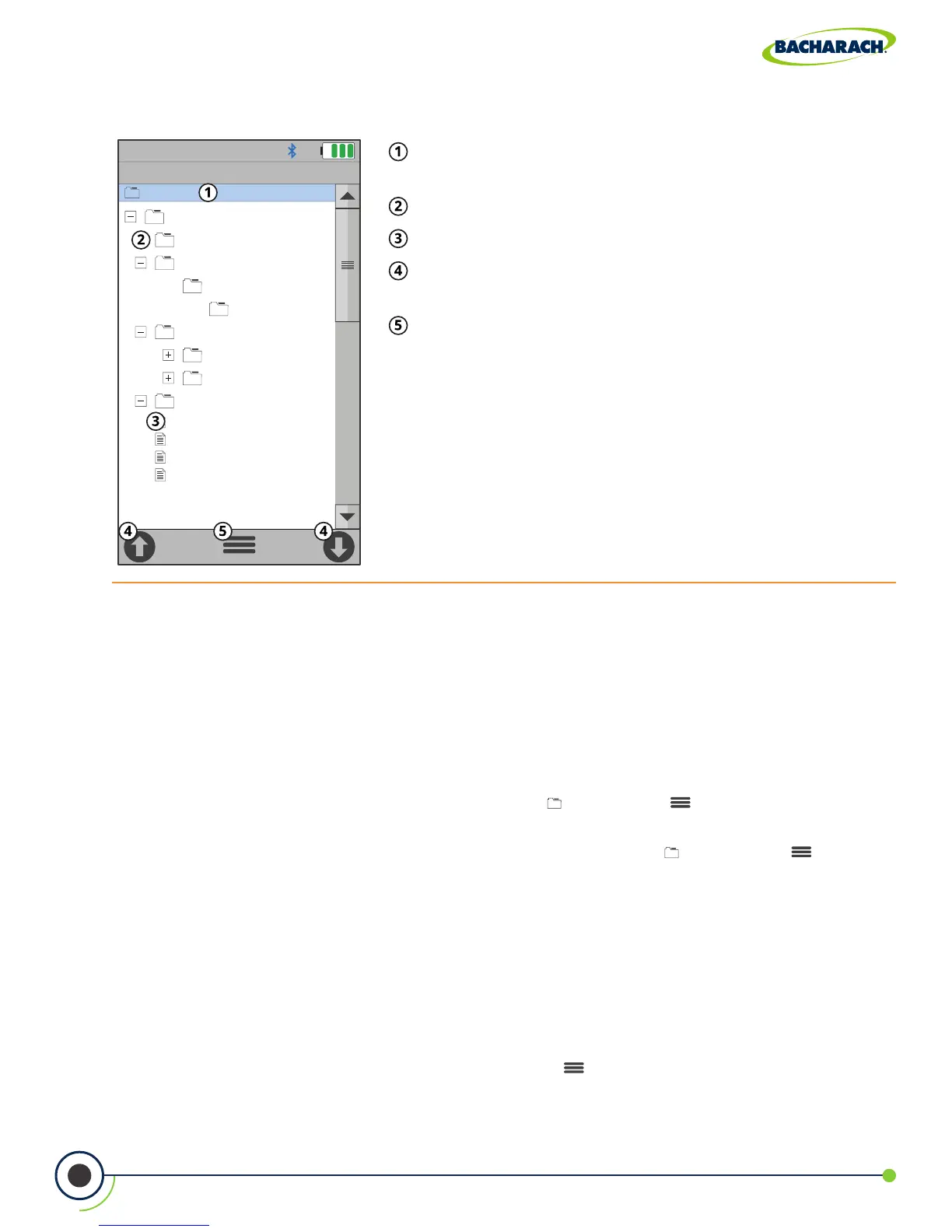
Fig. 4-6: Recalling Memory
Folder / Memory Location - targeted Folder / Memory
Location where data will be saved.
Directory
Saved Test Results
Navigation Arrows - scrolls to the 10 previous or next
10 les / records.
Options - displays additional settings / conguration
(Target, Edit, Add Folder, Delete All, Delete Files, Expand,
Collapse).
Navigating Memory
When viewing a directory, users can the buttons to open and close sub-directories.
Users may also use the Navigation Arrows (Figure 4-6) on the touch interface to quickly scroll
through saved records.
Clearing Memory
When all memory locations in the directory are full, they must be manually deleted in order
to store new data.
f To delete test records: Main Menu Memory ( ) Options ( ) select Delete Files
conrm by selecting Yes
f To delete folders and test records: Main Menu Memory ( ) Options ( ) select
Delete All conrm by selecting Yes
4.13 Fresh Air Purge without Removing Probe
The PCA
®
400 allows users to manually purge the analyzer with fresh air in order to keep
the electrochemical sensors from overranging.
Turning On Purge Pump
f To start the 60-second Fresh Air Purge: Options ( ) Fresh Air Purge select Yes



 To Next Page