0024-9551 Revision 1
13
PCA
®
400 User Manual
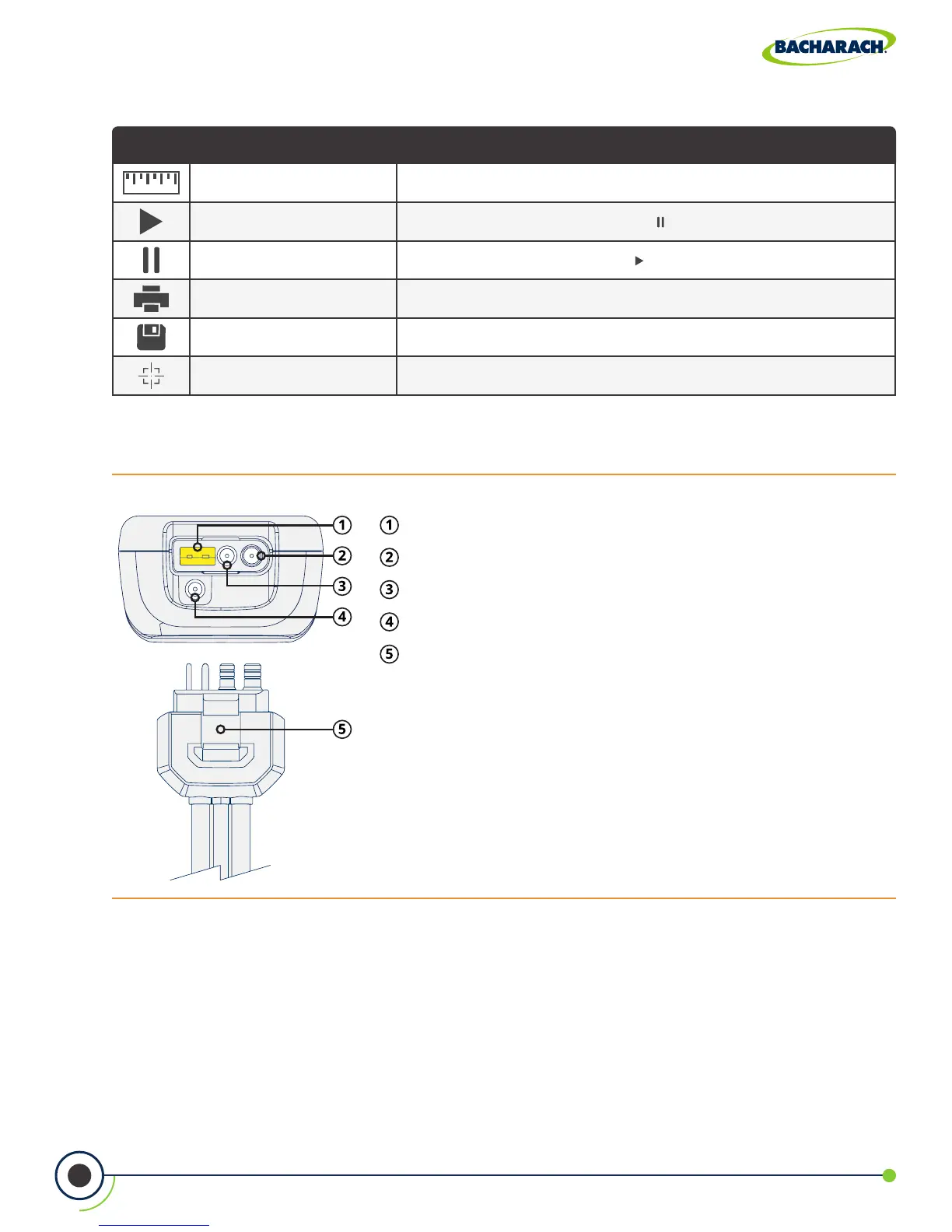
Icon Name Description
Measure Touch to select test to perform (combustion, pressure, temperature)
Turn On Pump Touch to turn on pump; used with to toggle RUN / HOLD mode
Stop Pump Touch to stop pump; used with to toggle RUN / HOLD mode
Print Touch to print data to IrDA + Bluetooth
®
printer
Save Touch to save data to default selected folder
Calibrate Touch to perform calibration functions
Fig. 2-4: Sample Line Connection Port
Stack Gas Type-K Thermocouple / T-STACK Port
Gas Sample Port
Pressure High Side (+∆P) Port
Pressure Low Side (-∆P) Port
Quick-Connector - keyed to t specic components:
gray analyzer, blue probe handle.
Function Icons
2.1.4 Instrument Connections



 To Next Page