0024-9551 Revision 1
29
PCA
®
400 User Manual
Acme Powerplant
Pressure
Delta P
0.05 inwc
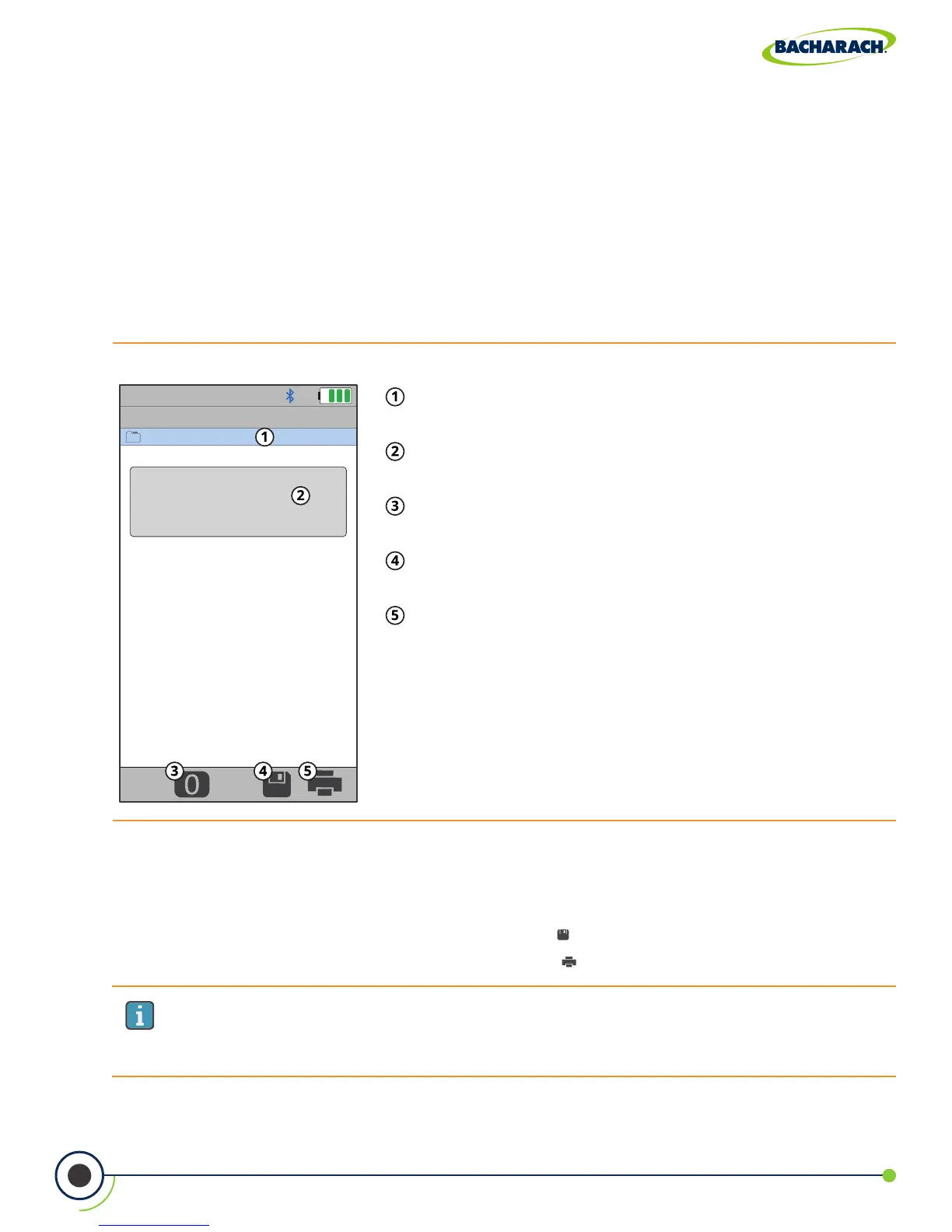
Fig. 3-12: Pressure Test Screen
Selected Folder / Memory Location - location where
data will be saved.
DierentialPressure- measured dierence between
Pressure High Side (+∆P) and Pressure Low Side (-∆P).
Zero Button - press to zero (calibrate) pressure
reading to ambient pressure.
Save - save pressure data to the selected folder /
memory location.
Print - print pressure data to IrDA / Bluetooth
®
printer(s).
IMPORTANT: Printing via Bluetooth
®
is diabled when the analyzer is connected to
the PCA
®
400 App. If you wish to print, disconnect from the mobile app or enable
IrDA communications.
5. Save / Print Readings
The PCA
®
400 is capable of saving active data to the analyzer’s onboard storage and / or
printing to the optional IrDA / Bluetooth
®
printer.
f To save pressure readings / report: press Save ( )
f To print pressure readings / report: press Print ( )
4. Insert Probe Tube into Measurement Area
After identifying the ue / exhaust stack, select a safe and convenient location from which
to take measurements.
f To measure draft: insert the probe tube into the ue / exhaust stack / measurement
area and observe the reading on the Pressure screen.
f To measure dierential pressure: connect sampling hoses to the +∆P and -∆P ports
and place the ends of the hoses into the measurement areas being compared. The
dierential pressure between the two areas will be displayed on the Pressure screen.
The dierential pressure reading will be positive if the pressure at the +∆P is higher than
that read at the -∆P and negative if it is lower than that read at the -∆P.



 To Next Page