0024-9551 Revision 1
31
PCA
®
400 User Manual
Metro Hospital
Temperature
Delta T
-5 °F
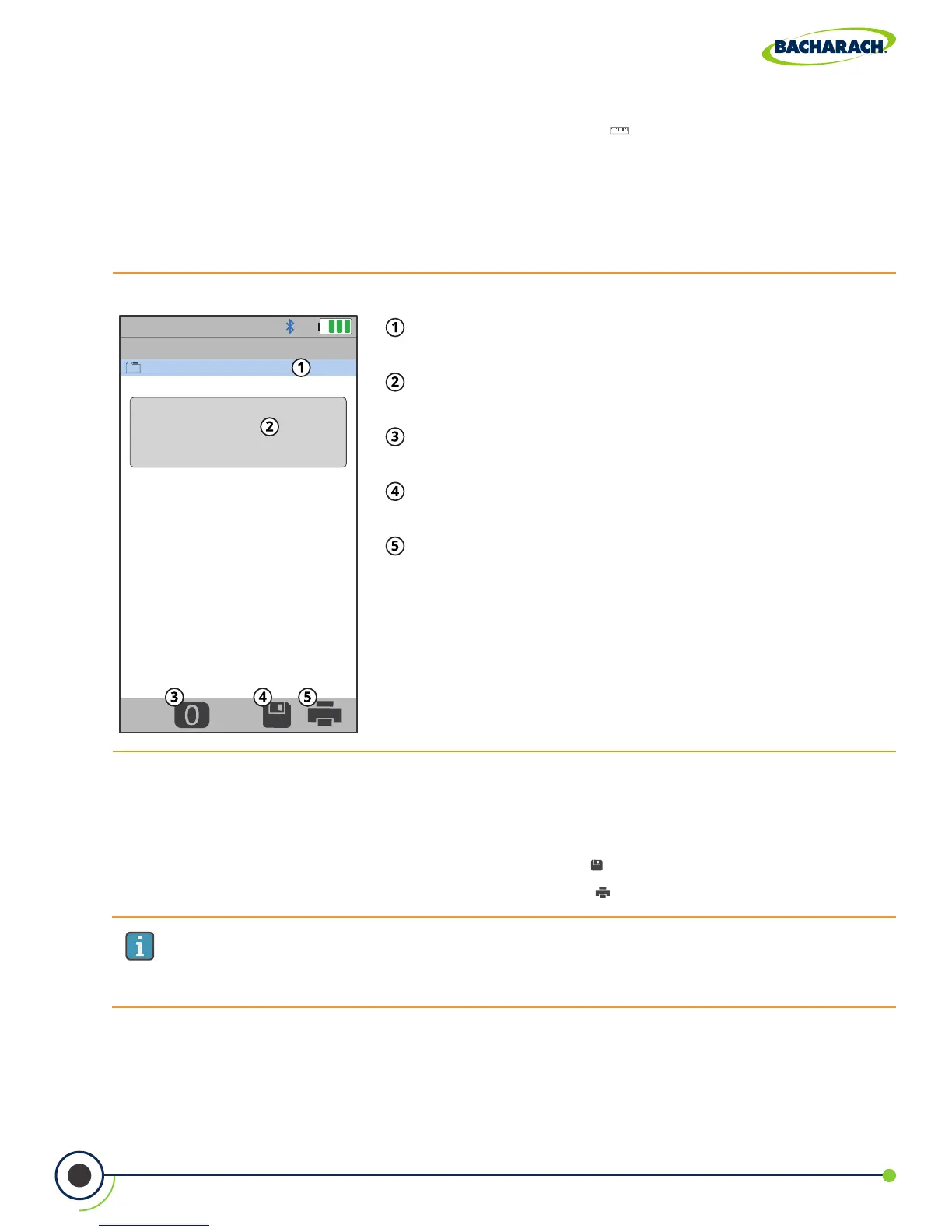
Fig. 3-14: Temperature Test Screen
Selected Folder / Memory Location - location where
data will be saved.
CalculatedTemperatureDierential- calculated
dierence between the measured T1 and T2.
Zero Button - press to zero (calibrate) temperature
reading in ambient temperature.
Save - save temperature data to the selected folder /
memory location.
Print - print temperature data to IrDA / Bluetooth
®
printer(s).
IMPORTANT: Printing via Bluetooth
®
is diabled when the analyzer is connected to
the PCA
®
400 App. If you wish to print, disconnect from the mobile app or enable
IrDA communications.
6. Save / Print Readings
The PCA
®
400 is capable of saving active data to the analyzer’s onboard storage and / or
printing to the optional IrDA / Bluetooth
®
printer.
f To save temperature readings / report: press Save ( )
f To print temperature readings / report: press Print ( )
3. Select Measurement Type
f To select Measurement Type: Main Menu Measure ( ) select Temperature
4. Zero Readings
If the analyzer is not displaying zero with both thermocouples exposed to the same
conditions, the temperature channels need to be zeroed
5. Insert Thermocouples into Measurement Areas



 To Next Page