2. Safety
On servicing
• Do not attempt to service this pr oduct yourself, as o pening or removing covers may expose you to dan gerous voltage p otentials
and r isk of electric shock.
• Refer all servicing to qualified service personnel.
• Attempts to alter the factory-set internal controls or to c hange other control settings not s pecially discussed in this m anual can
lead to permanent damage to the projector and cancellation of the warranty.
• Remove all pow er from the chiller and refer ser vicing to qua lified s ervice technicians under the following con ditions:
- When the power cord or plug is da maged or frayed.
- If liquid has bee n spilled into the equipment.
- If the product has be en e xposed to rain, water or o ther liquids.
- If the p roduct does not operate normally wh en the ope rating instructions ar e followed. Adjust only those controls that a re
covered by the operating instructions since improper adjustm ent of the other controls may result in dam age and will often
require extensive work by a qualified technician to restore the product to normal operation.
- If the product has been dropped or the cabinet has b een dam aged.
- If the product exhibits a distinct chang e in performance, indicating a need for service.
• Replacement pa rts: When replacement pa rts ar e required, be sure the service technician has us ed original Barco replacement
parts or authorized replacement parts whic h have the same characteristics as the B arco original part. Unauthorized substitu-
tions m ay result in degraded performance and reliability, fire, electric shock or other hazards. Unauthorized substitutions may
void w arra nty.
• Safety chec k: Upon c ompletion of any service or repairs to this projector, ask the service technician to perform safety checks
to determine that the pr oduct is in proper operating condition.
To prevent projector damage
•Theairfilters of the chiller mus t be cleaned or replaced on a regular bas is. C leanin
g t he booth or installation area would be
monthly-minimum. Neglecting this could result in disrupting the air flow inside the projector, causing overheating. O verheating
may lead to the projector shutting down d uring operation.
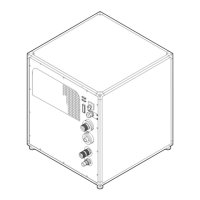
• The c hiller must always be ins talled in a manner w hich ensures free flow of air into its air inlets.
• In order to ensure that correct airflow is maintained, and that the ch iller complies with Electromagnetic Com patibility (EM C ) and
safety requirem ents, it should always be operated with all of it’s covers in plac e.
• Slots and openings in the cabinet are provided for ventilation. To ensure reliable operation of the product and to protect it from
overheating, these openings mus t not be blocked or cov ered. The openings should never be blocked by placing the p roduct
on a bed, sofa, rug, or other similar surface. This p roduct should never be placed near or over a radiator or heat register. The
device shou ld not be placed in a built-in installation or enclosure unless pro per ventilation is provided.
• Ensure that nothing can be spilled on, or dropped inside the chiller. If this does happen, sw itch off and remove a ll power from
the chiller. Do not operate the chiller again until it has been check ed by qualified service personnel.
• Do not block the chiller cooling fan or free air movement around the projector. Loose papers or o ther objects may not be near er
to the pro jector than 10 cm (4") on any side.
• Save t he original shipping carton and packing material. T hey will come in handy if you ever have to ship your equipm ent. For
maximum protection, repack your set as it was originally packed at the factory.
• Disconnect the power to the ch iller mains terminals before c leaning. Do not use liquid c leaners or aerosol cleaners. Use a
damp cloth for cleaning. Never use strong solvents, such as thinner or benzine or abrasive cleaners, since these will dam age
the cabinet. Stubborn stains may be removed with a c loth lightly dampened with m ild detergent solution.
• Take into account the rated max imum am bient temperature and humidity of both the ch iller and the p rojector it is connec ted to.
Always respect the most strict value of all connected devices.
Handling and transportation
• The staff ass igned to handling the load mus t have the required ability and experience and m ust be skilled in the use of the lifting
means adopted.
• Use lifting equipment of a capacity suitable to lift and move the load.
• The person authorized to handle the a ppliance will have to take the appropriate meas ures to gu arantee his/her own safety and
the safety of those directly involved. Plac e the pack age on a steady surface.
• When stacking pack ages, the specified limits should be observed to avoid sud den movem ents.
• Upon reception, eac h package must be inspected to verify the integrity and the exact quantity of its contents; in case of damaged
or missing items, contact the impor ter or the manufacturer directly to discuss the procedure to be adopted.
Safety Data Sheets for Hazardous Chemicals
For safe handling information on chemical produc ts, consult the Safety Data Sheet (SDS). SDSs are available upon request via
safetydatasheets@barco.com.
R5905866 ULC-30A 31/01/2018
7


 To Next Page