5. Physical installation
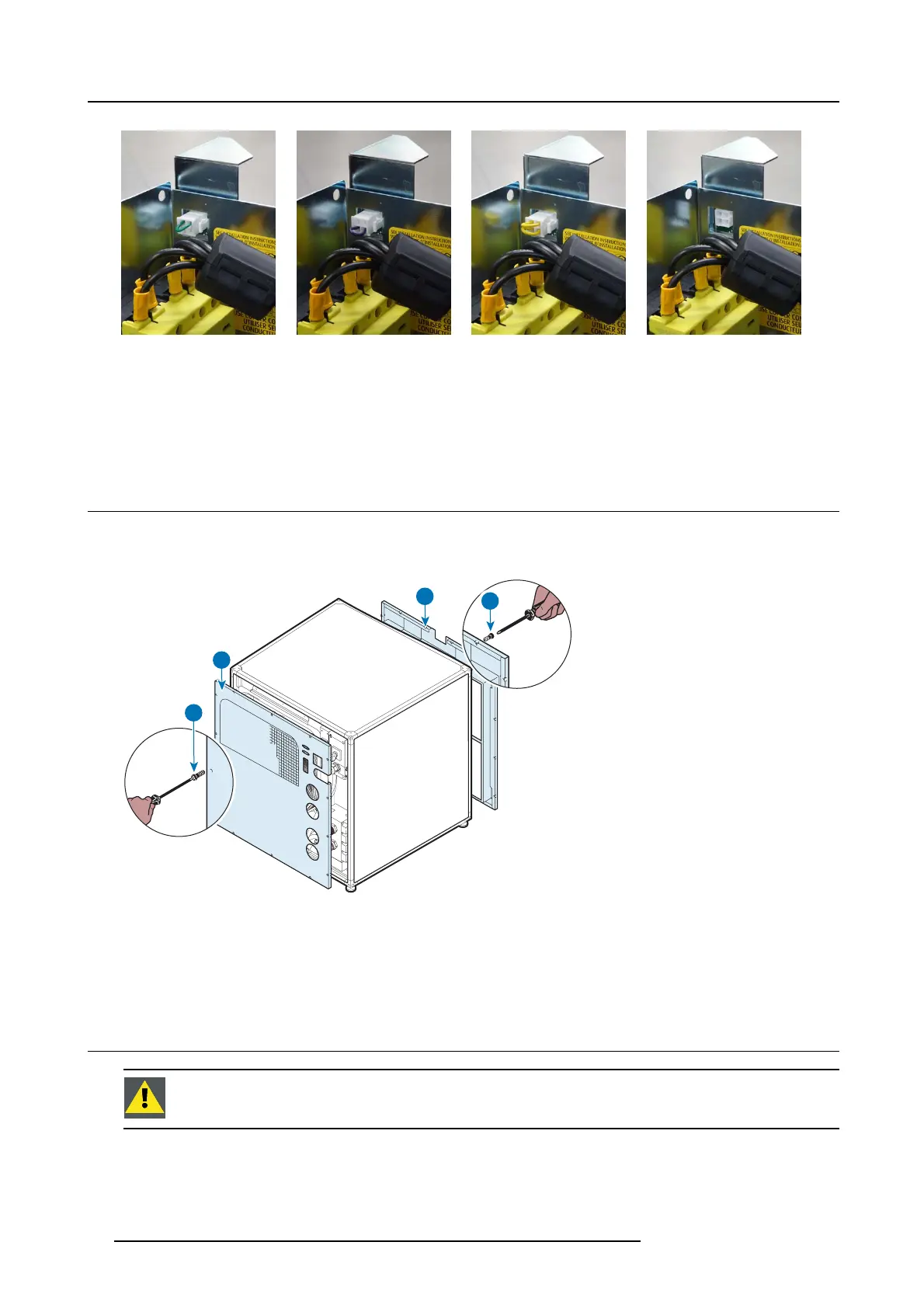
Image 5-25
Green strap
Image 5-26
Purple strap
Image 5-27
Ye llow strap
Image 5-28
No strap
- Green strap: only for ULC-30A cooling the green lasers (chiller address: 1).
- Purple strap: only for ULC-30A cooling the red, blue lasers and the DMD c ooling channels (chiller address: 2).
- Yellow strap: Reserved for f uture use (chiller address: 3).
- No s trap used: reserved for future use (chiller address: 0).
5.5 Mounting the fixed covers
How to mount
1. Put the fixed c over (D) back in place.
A
B
D
C
Image 5-29
2. Driveinthescrews(C).
3. Put the fixed c over (B) back in place.
4. Drive in the screws (A).
5.6 Connection of signal transmission cables
CAUTION: On ly u se the RS 485 cables provided by Barco. Do not use any other types of cab les.
What has to be done?
Next to connecting the hoses, the c omm unication port of the chillers mus t be connected with each other and with the c onnected
projector.
28
R5905866 ULC-30A 31/01/2018


 To Next Page