6. Starting up
6. STARTING UP
This chapter is intended for operators of the ULC-30A.
Overview
• Controls and signal lights
•Startingup
• End of work stop
6.1 Controls and signal lights
Description
ULC-30A functions mu st be operated from the control unit, except for electrical starting, an d ar e the responsibility of the owner.
A
B
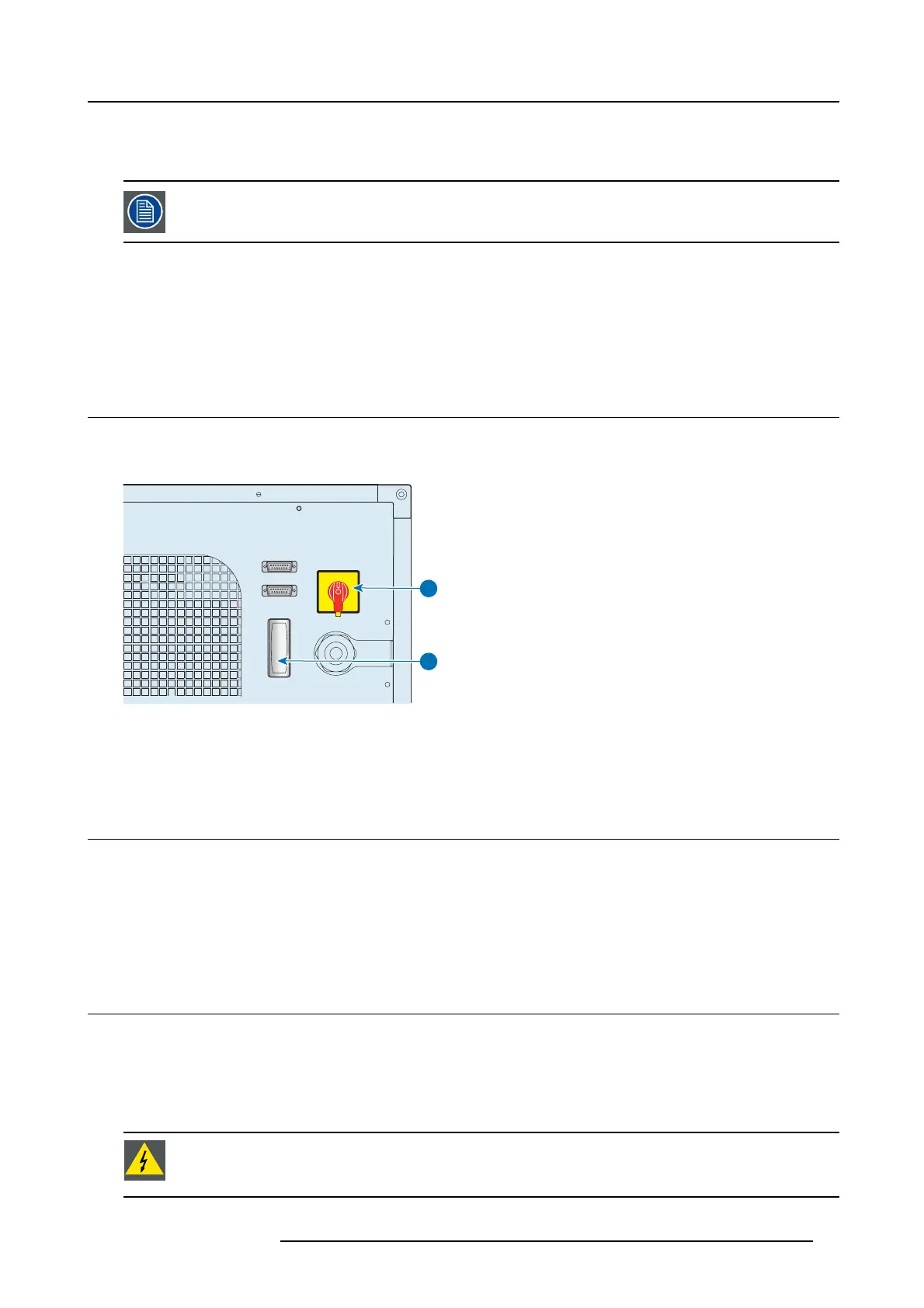
Image 6-1
A) Main disconnec t switch: it is us ed for c onnecting and disconnecting the power supply to the ULC-30A.
B) Indicator lamp (white light): indicates that
the p ower supply to the ULC-30A is enabled.
6.2 S tarting up
How to start up
1. Turn the main disconnect switch to the “I” position to ac tivate the main power supply.
2. The indicator lam p (B) lights up.
3. To start up the machine, act on the control unit and follow the recommended procedure.
6.3 End of work stop
How to proceed
1. To stop the ULC-30A, act on the control
unit and follow the recom mended p rocedure.
2. Once the stopping pr ocedure is completed, turn the main disconnect switch to the “OF F” position.
3. The indicator lamp (B ) will s witch off.
WARNING: Stopping in emergency conditions
To stop the appliance in the event of imminent danger (emergency stop), turn the main disconnect switch (A)
to the “OFF” position.
R5905866 ULC-30A 31/01/2018 31


 To Next Page