5. Physical installation
5.4 Address setting
WARNING: Switch off the power to the ULC-30A before opening the covers.
What should be done?
Depending the use of the ULC -30A, different straps should be mounted in order to have the projector comm unicate with the correct
chiller.
In a setup with tw o chillers:
• Chiller for G reen lasers: Mount the green strap
• Chiller for Red & Blue lasers + DMD cooling c hannels: Mount the purple strap.
In a setup with one chiller: Mount the purple strap.
The yellow strap is not used for the momen t and is reserved for future usa ge.
How to set the address
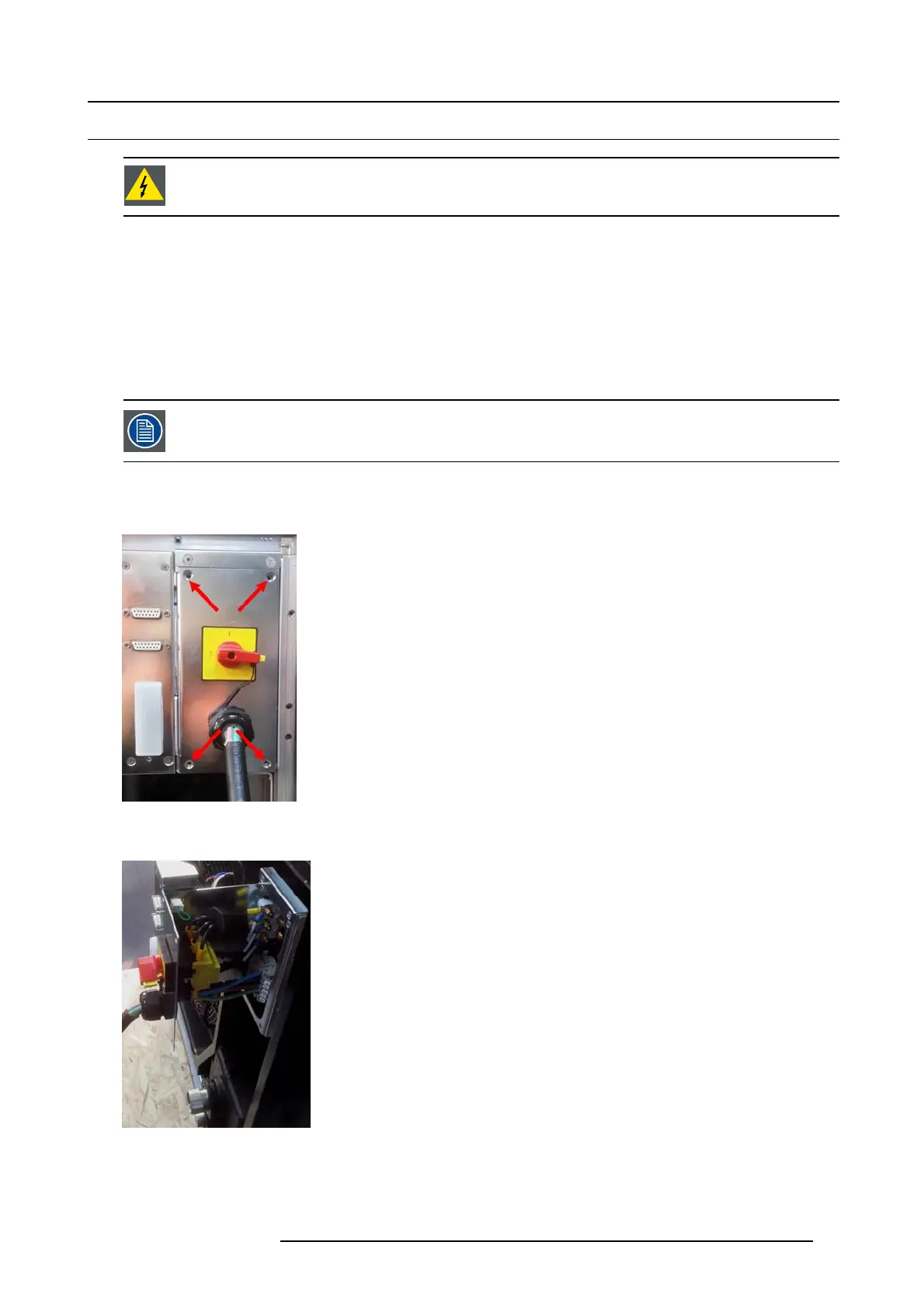
1. With the cover plate removed, turn out the 4 screws of the draw er.
Image 5-23
Loosen drawer screws
2. Slide out the drawer.
Image 5-24
Slide drawer
3. Mount the correct strap.
R5905866 ULC-30A 31/01/2018
27


 To Next Page