5. Physical installation
5.2.3 Preparing the installation of the expansion module
Necessary tools
• Allenwrench4mm
• Electric screwdriver (to remove front and back cover)
How to prepare the Chiller for installation of the expansion module
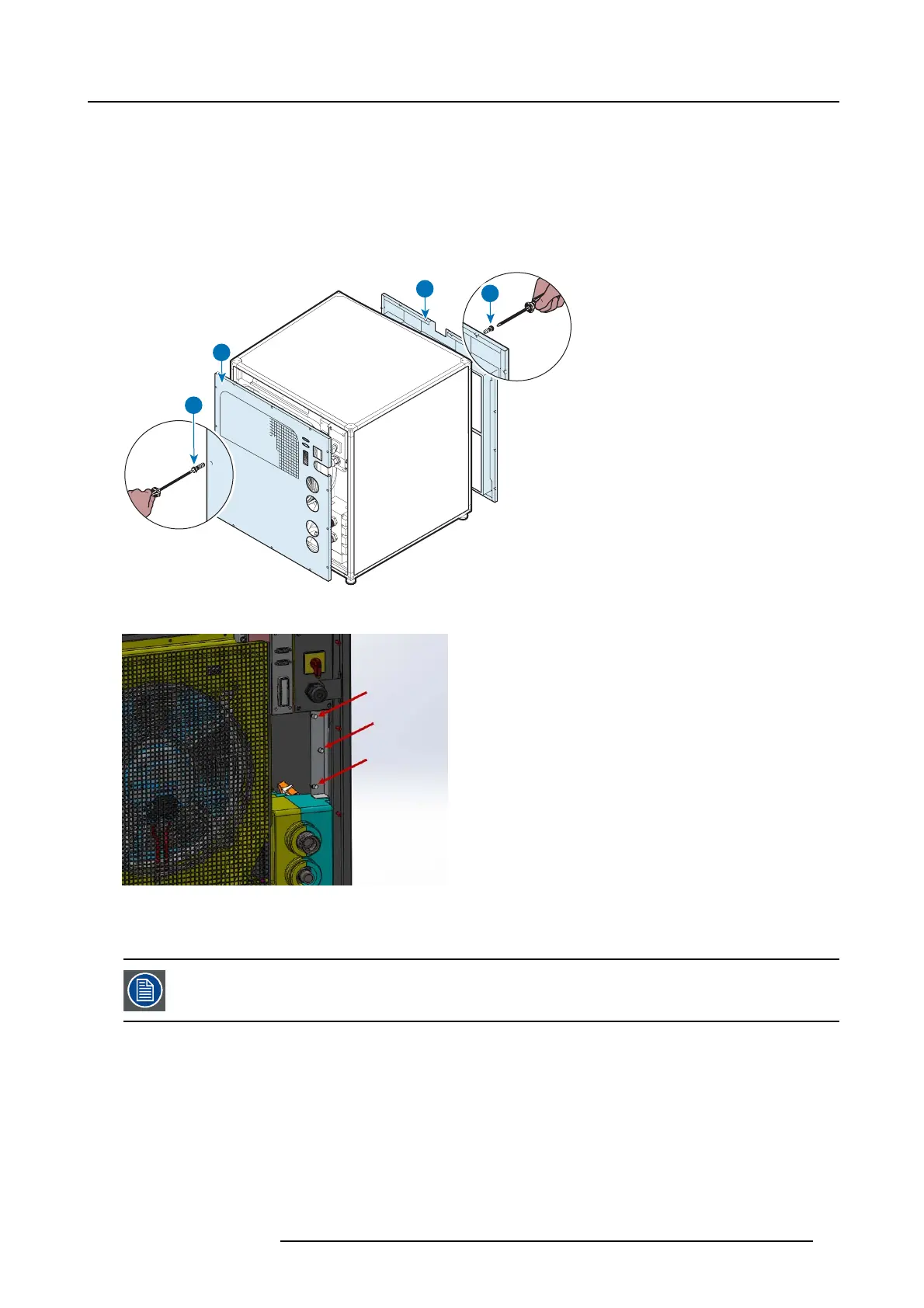
1. Loosen the screws (A an d C) to remove the front and back cov er (B and D).
A
B
D
C
Image 5-3
2. Remov e the three hex sc rews on the chiller frame.
Image 5-4
5.2.4 Removal of the fan unit
This procedure assumes the rear cover has b een removed. For more info, see "Co vers", page 12.
Necessary tools
Nut spa nner 8 m m
How to remove the fan unit?
1. Unplug the cable connector.
R5905866 ULC-30A 31/01/2018
19


 To Next Page