Storage, transport and start of operation
22
Instruction Manual PETRO 3003 VOLUTANK Gauging unit BA 140918
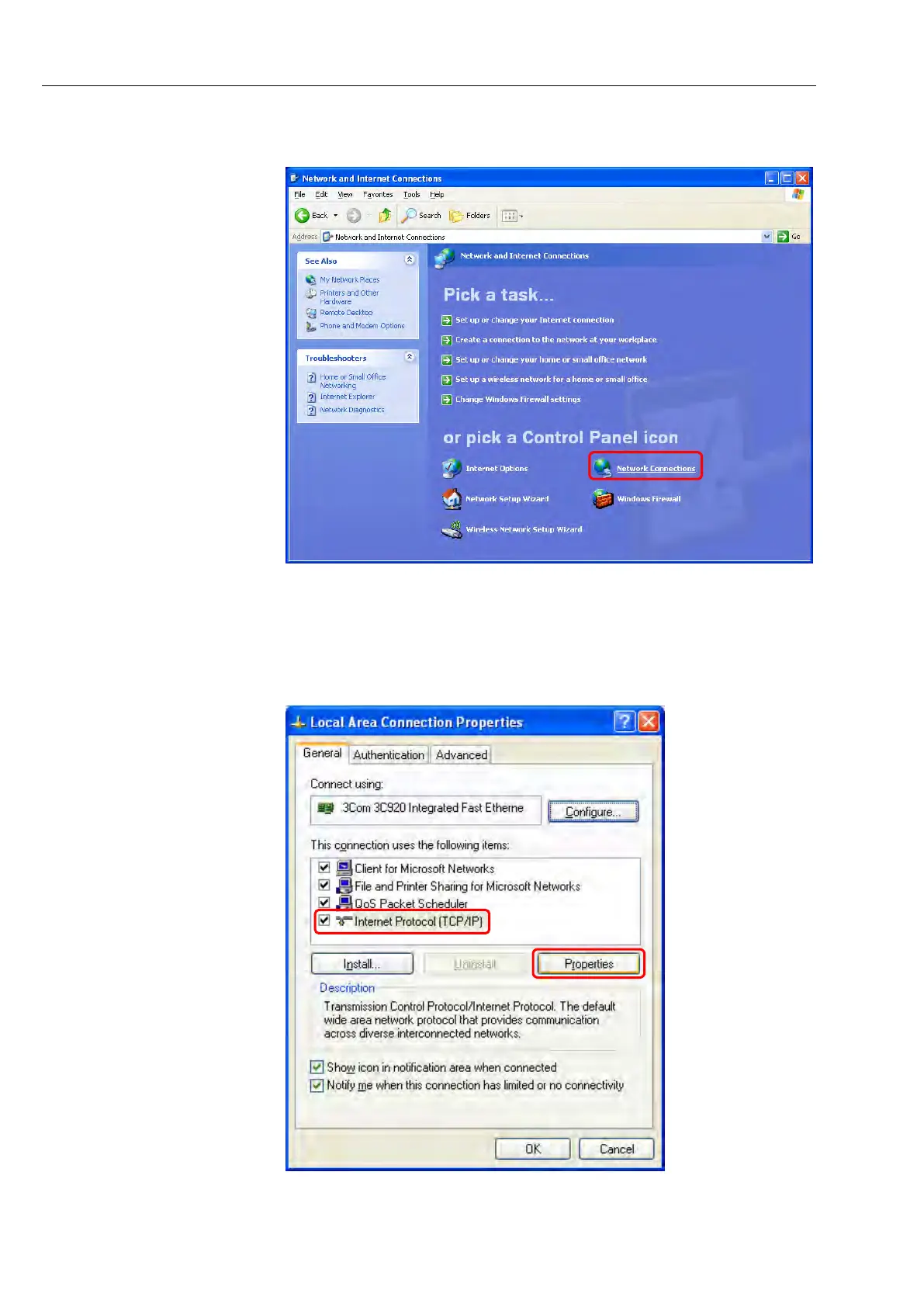
Click on "Network Connections" in the next dialog box.
Select "LAN Connection" (Ethernet cable connected directly) or "LAN Con-
nection 2" (Ethernet cable connected with USB Ethernet adapter) from the
list of all the network connections and right-click on "Properties".
A list of properties will be displayed. Select "Internet Protocol (TCP/IP)" and
click on "Properties".



 To Next Page