Storage, transport and start of operation
26
Instruction Manual PETRO 3003 VOLUTANK Gauging unit BA 140918
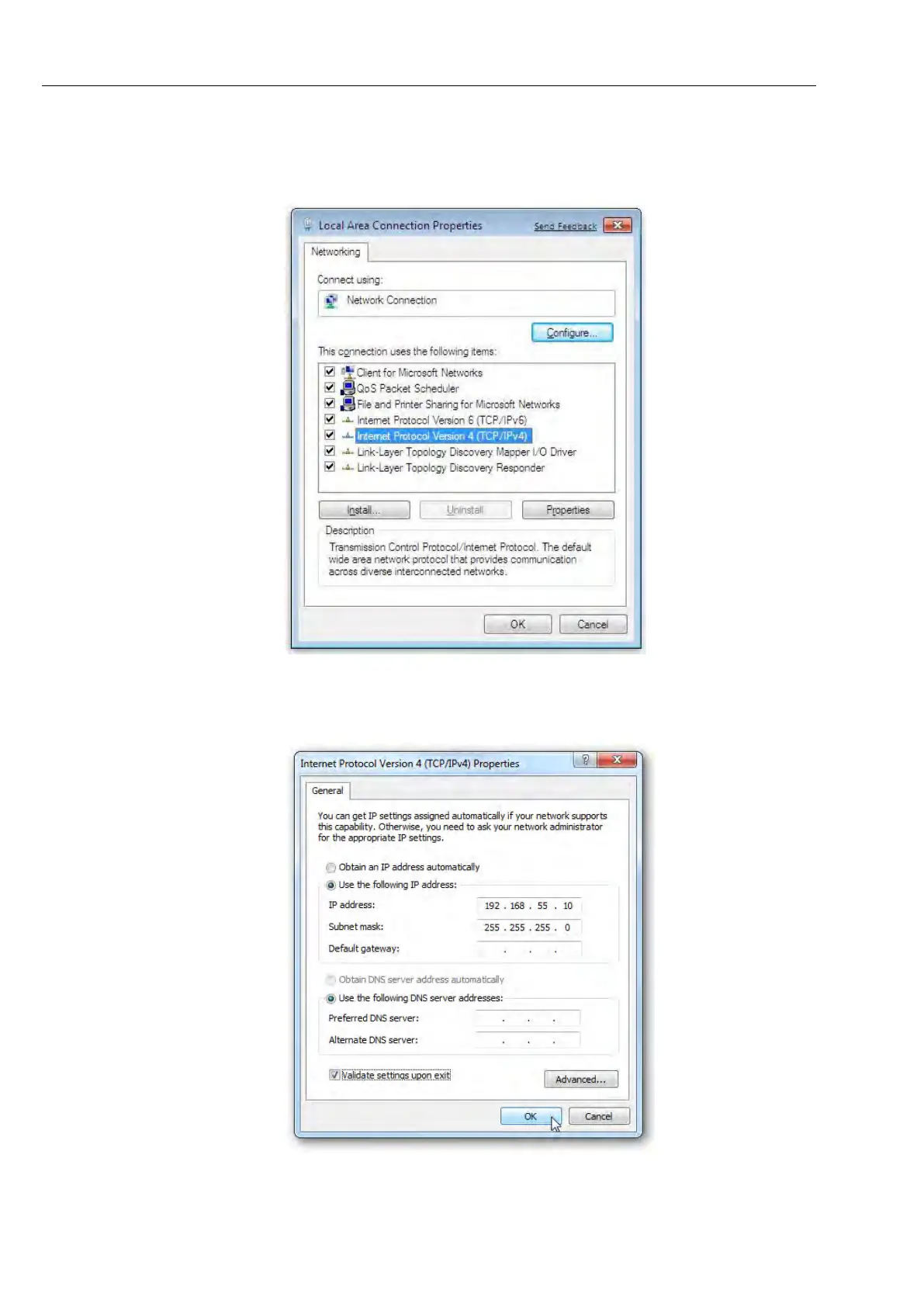
Now right-click on "LAN Connection" (Ethernet cable connected directly) or
"LAN Connection 2" (Ethernet cable connected with USB Ethernet adapter)
and select "Properties".
Go to "Internet Protocol Version 4 (TCP/IPv4)", open "Properties" and assign
the static IP address "192.168.55.10".
Press "OK" to confirm and save the settings and to close both dialog boxes.



 To Next Page