LensMounting7.
Notice
Avoid contamination of the sensor and the lens by dust and airborne particles when
mounting a lens to the device!
Therefore the following points are very important:
Install lenses in an environment that is as dust free as possible! ▪
Keep the dust covers on camera and lens as long as possible! ▪
Hold the camera downwards with unprotected sensor (or lter-, cover glass)! ▪
Avoid contact with any optical surface of the camera or lens! ▪
Cleaning(Coverglass/Housing)8.
Coverglass
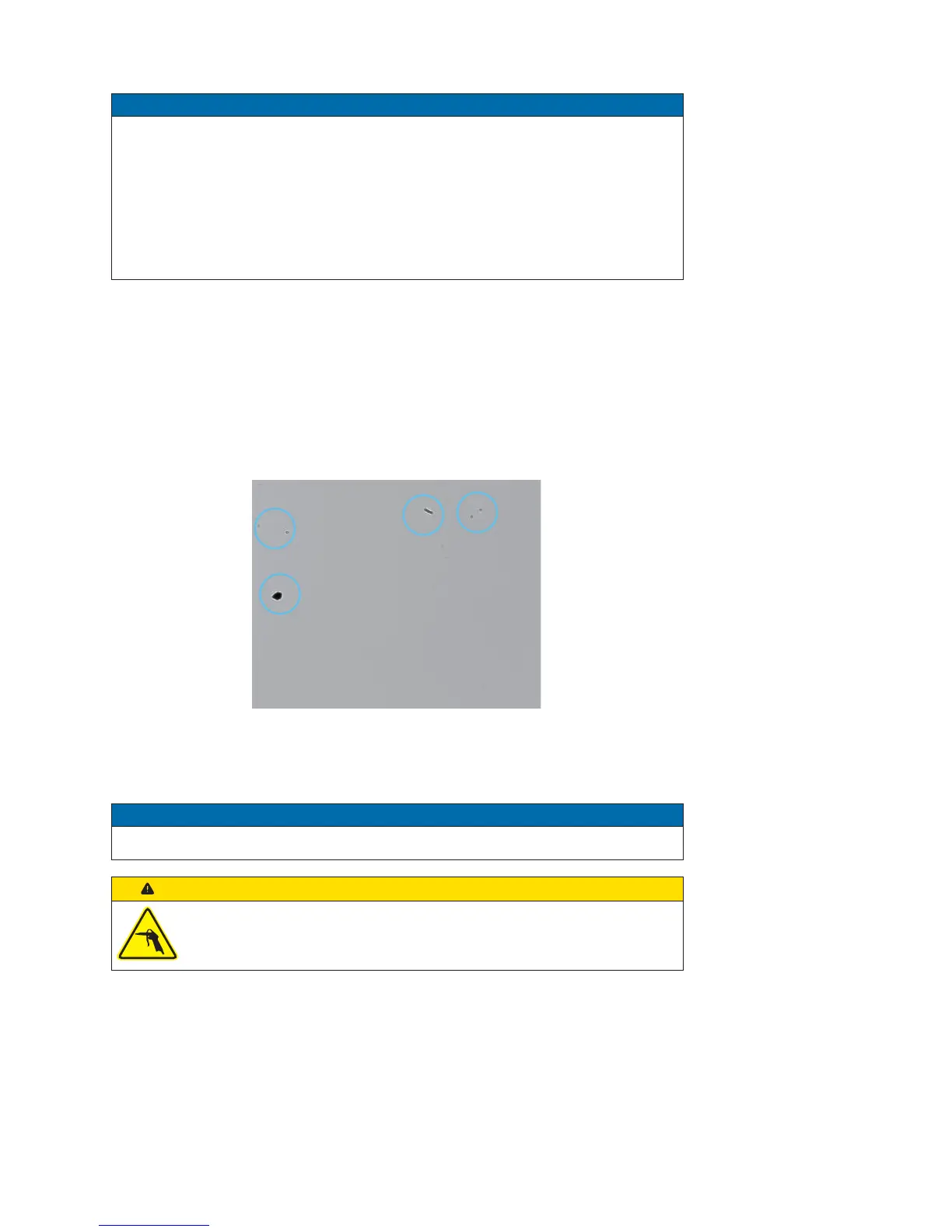
A cleaning of the cover glass is necessary if the recorded images look like the following
gure. In order to test the camera capture a homogenious image (test target may be a
white sheet of paper).
dust on the cover glass
CleaningInstructions
Notice
The sensor is mounted dust-proof. Do not remove the cover glass or a optical lter!
Caution!
Compressed air for cleaning.
Compressed air may push dust into the camera.
Never use compressed air for cleaning!
1. Unplug the camera from any power supply and data connection.
2. To prevent dust, follow the instructions mentioned in "Lens Mounting". Hold the
camera downwards. Uninstall the lens.
3. Use a soft, lint free cloth dampened with a small quantity of pure alcohol to
clean the cover glass/optical lter and the lens.


 To Next Page