67
7.1.3 Exposure Time
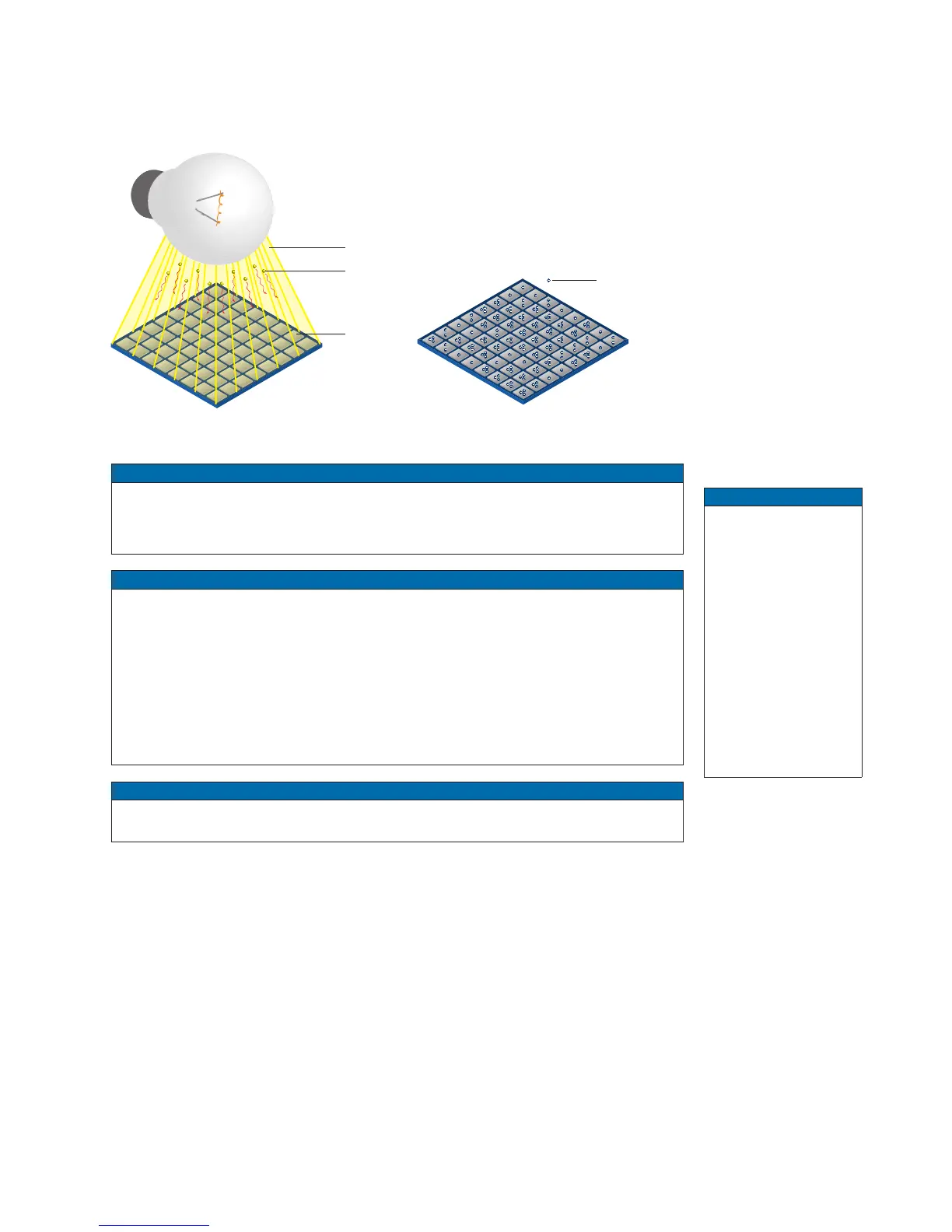
On exposure of the sensor, the inclination of photons produces a charge separation on
the semiconductors of the pixels. This results in a voltage difference, which is used for
signal extraction.
Light
Photon
Pixel
Charge Carrie
The signal strength is inuenced by the incoming amount of photons. It can be increased
by increasing the exposure time (t
exposure
).
Notice
Due to the sensor, xed pattern noise effects can occur at high exposure times. You
can counteract this by setting the gain to a value of approximately 1.5 and reducing the
exposure time accordingly.
Notice
In order to set a short exposure time for cameras with release 2.1, the Short Exposure
Time Enable feature must be enabled.
If the feature Short Exposure Time Enable is enabled and the exposure time is changed
e.g. from 20 μsec to lower than 15 μsec, this will change the internal parameters of the
sensors and the sensor needs to reinitialize.
This initialization sequence takes about 50 msec. This process is only necessary, if the
exposure range is changed. If the new exposure value is within the default exposure
range, no initialization is necessary.
Notice
It is not possible to use the Sequencer when the feature Short Exposure Time Enable
is enabled.
◄Figure25
Incidence of light
causes charge separa-
tion on the semiconduc-
tors of the sensor.
Notice
Only for cameras
with rolling shutter
sensors!
The modication of
the Exposure Time is
done by recongura-
tion of the sensor.
If the modication oc-
curs during a sensor
readout, the update
will be delayed until
the end of the current
readout.



 To Next Page