EasyManua.ls Logo

BCM RX170Q - RX170 Q Users Manual

BCM RX170Q
92 pages
Print Icon
To Next Page IconTo Next Page
To Previous Page IconTo Previous Page
Loading...
RX170Q User’s Manual
32 RX170Q User’s Manual
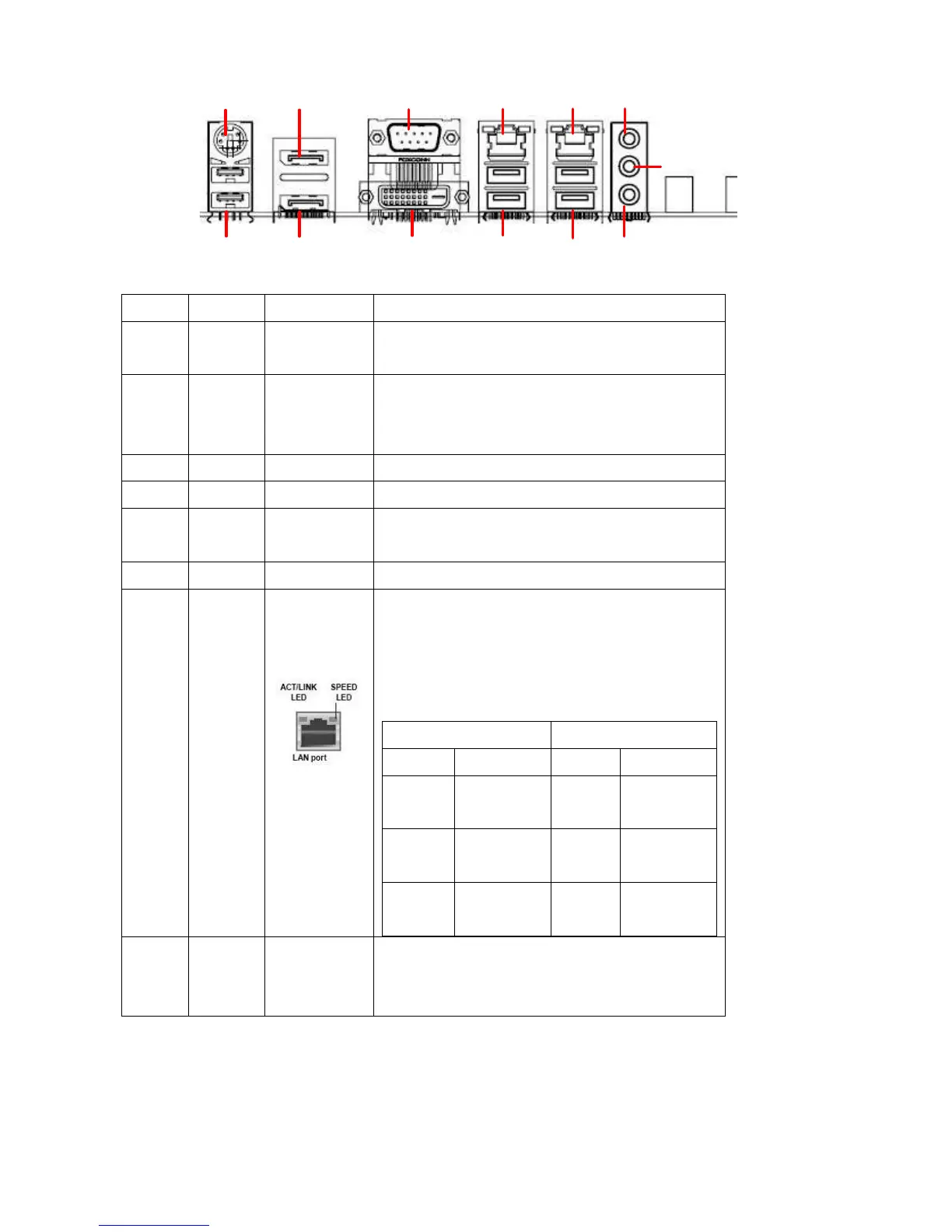
1
2 104
5
6
7
8
93 10
12
11
Item
Name
Function
Description
1
PS2
PS2
Connector
The connector is for PS2 Keyboard or Mouse
2
USB78
USB 2.0
Connectors
These two 2-pin Universal Serial Bus (USB)
ports are available for connecting USB 2.0
devices.
3
DP1
Display Port
The display port Connector
4
DP2
Display Port
The display port Connector
5
COM1
Serial COM
Port
The Serial COM port 1 supports
RS-232/422/485
6
DVI1
DVI port
The DVI port Connector
7
LAN1
Gigabit LAN
(RJ-45)
Connectors
This port allows Gigabit connection to a Local
Area Network (LAN) through a network hub.
Refer to the table below for the LAN port LED
indications.
ACT/Link LED
Speed LED
Status
Description
Status
Description
OFF
No link
OFF
10Mbps
connection
Orange
Linked
Green
100Mbps
connection
Blinking
Data
activity
Orange
1Gbps
connection
8
USB12
USB 3.0
Connectors
These two 4-pin Universal Serial Bus (USB)
ports are available for connecting USB 3.0
devices.

Table of Contents

Related product manuals