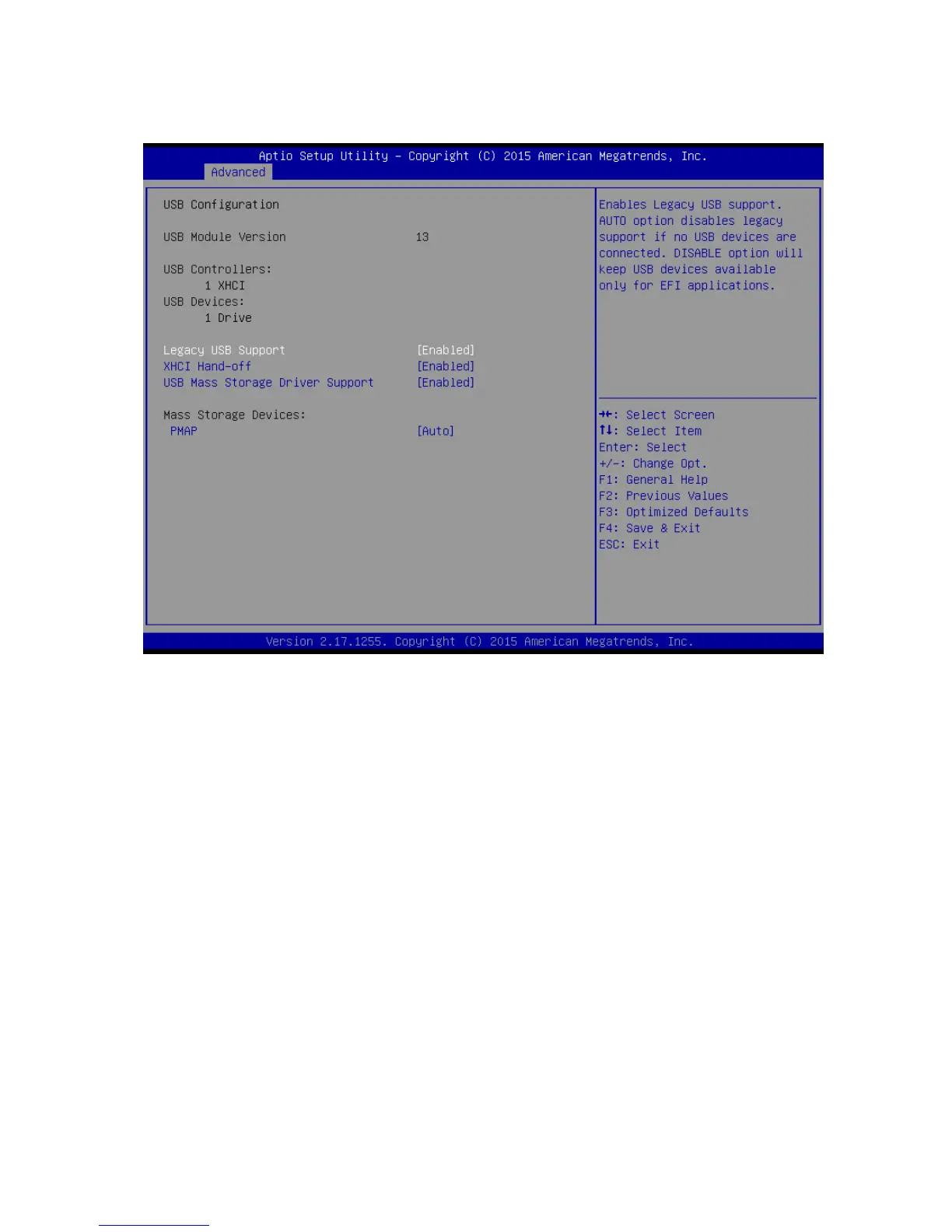
2.4.15 USB Configuration
USBConfiguration parameters
Legacy USB Support [Enabled]
Enabled Legacy USB Support. Auto Option disables legacy support if no USB devices are
connected. Disabled option will keep USB devices available only for EFI application.
Configuration options: [Disabled] [Enabled][Auto]
XHCI Hand-off [Enabled]
This is a workaround for OSes without XHCI hand-off support. This XHCI ownership change
should be claimed by XHCI drivers
Configuration options: [Disabled] [Enabled]
USB Mass storage Driver Support[Enabled]
Enabled or Disabled USB Mass storage driver support.
Configuration options: [Disabled] [Enabled]
PMAP[Auto]
Mass storage device emulation type. ‘Auto’ enumerates devices according to their media
format. Optical drives are emulated as ‘CDROM’, drives with no media will be emulated
according to a drive type.
Configuration options: [Auto] [Floopy][Forced FDD][hard Disk][CD-ROM]



 To Next Page