Page 16
www.becs.com 9487 Dielman Rock Island Ind Dr, St. Louis, MO 63132
Installation and Technical Manual Rev: H10
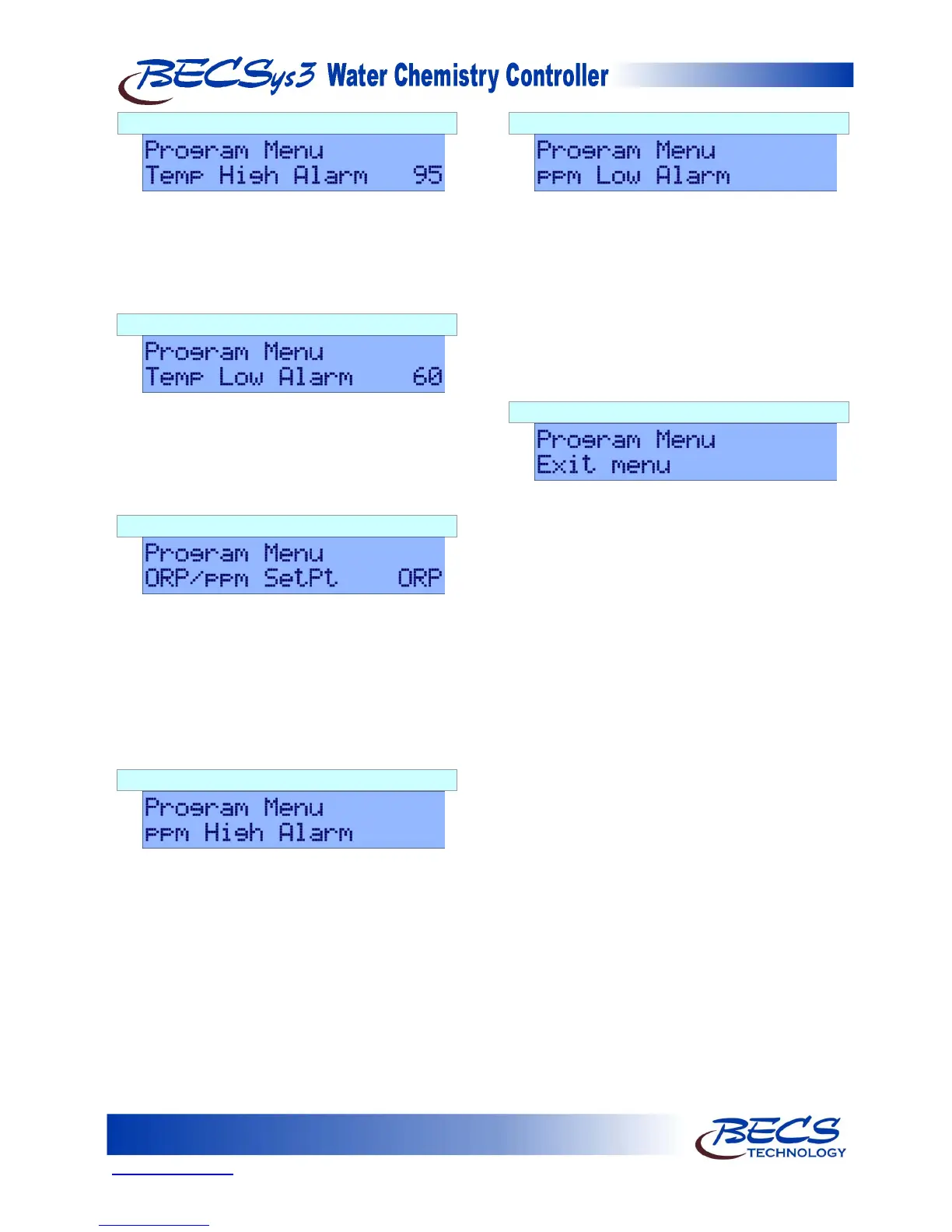
D – 1.7: Temperature High Alarm Point
Pressing the Down arrow displays Temp High
Alarm followed by the current temperature high
alarm point. To change this setting, press the
Enter key, use the Arrow keys to input the value
you would like, and then press the Enter key again
to save the new value.
D – 1.8: Temperature Low Alarm Point
Pressing the Down arrow displays Temp Low
Alarm followed by the current temperature low
alarm point. To change this setting, press the
Enter key, use the Arrow keys to input the value
you would like, and then press the Enter key again
to save the new value.
D – 1.9: ORP/ppm Set point
This option is only shown if the controller is configured for
ppm control. Pressing the Down arrow displays
ORP/ppm SP followed by the current setting.
This option selects whether to use an ORP set
point or a ppm set point for the main Cl/Br feed
control. It is set to ORP by default. To change
this setting, press the Enter key, use the Arrow
keys to change between ORP and ppm, and then
press the Enter key again to save the new value.
D – 1.10: ppm High Alarm
This option is only shown if the controller is configured for
ppm control. Pressing the Down arrow displays
ppm High Alarm. If the controller is configured
with a ppm probe, the current ppm high alarm
point will be displayed on the screen. If the
controller is using calculated ppm, the current ppm
high alarm point will be displayed using the LEDs.
To change this setting, press the Enter key, use the
Arrow keys to input the value you would like, and
then press the Enter key again to save the new
value.
D – 1.11: ppm Low Alarm
This option is only shown if the controller is configured for
ppm control. Pressing the Down arrow displays
ppm Low Alarm. If the controller is configured
with a ppm probe, the current ppm low alarm
point will be displayed on the screen. If the
controller is using calculated ppm, the current ppm
low alarm point will be displayed using the LEDs.
To change this setting, press the Enter key, use the
Arrow keys to input the value you would like, and
then press the Enter key again to save the new
value.
D – 1.12: Exiting the Menu
Pressing the down arrow displays Exit menu.
Pressing the Enter key exits the menu.



 To Next Page