BENNING IT 115 Device description
- 23 -
4.3 "SETTINGS" mode
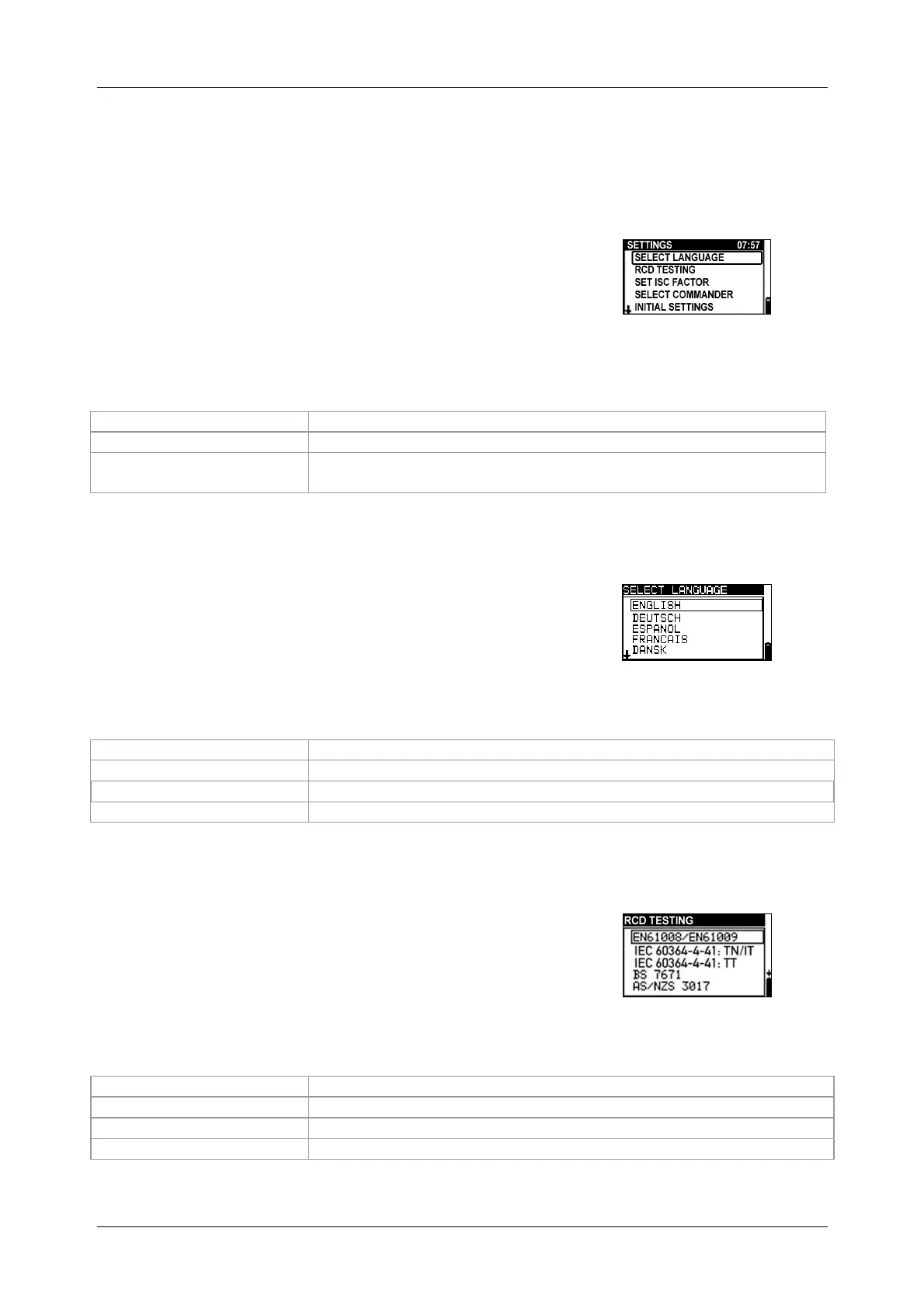
Turn the measuring function selector switch to the "SETTINGS" mode in order to make the
following settings at the tester:
SELECT LANGUAGE (GB, D, E, F, NL)
RCD TESTING (according to EN 61008 / EN 61009,
IEC 60364-4-41, BS 7671, AS/NZS 3017)
SET I
SC
FACTOR (0.20 - 3.00)
COMMANDER ON/OFF
INITIAL SETTINGS (reset to factory settings)
Figure 4.3:
"SETTINGS" mode
Keys used:
Selects the respective option
Confirms the selected option
switch
Back / cancel without any changes
4.3.1 Language
In this menu, it is possible to select the respective
language.
Figure 4.4:
Selecting the language
Keys used:
Selects the language
Confirms the selected language and returns to the Settings menu
Back / cancel to the Settings menu
Back / cancel to the selected measuring function
4.3.2 RCD testing
In this menu, it is possible to set the standard used for RCD
testing.
Figure 4.5:
Selecting the RCD standard
Keys used:
Selects the standard
Confirms the selected standard and returns to the Settings menu
Back / cancel to the Settings menu
Back / cancel to the selected measuring function



 To Next Page