17 Display installation guide
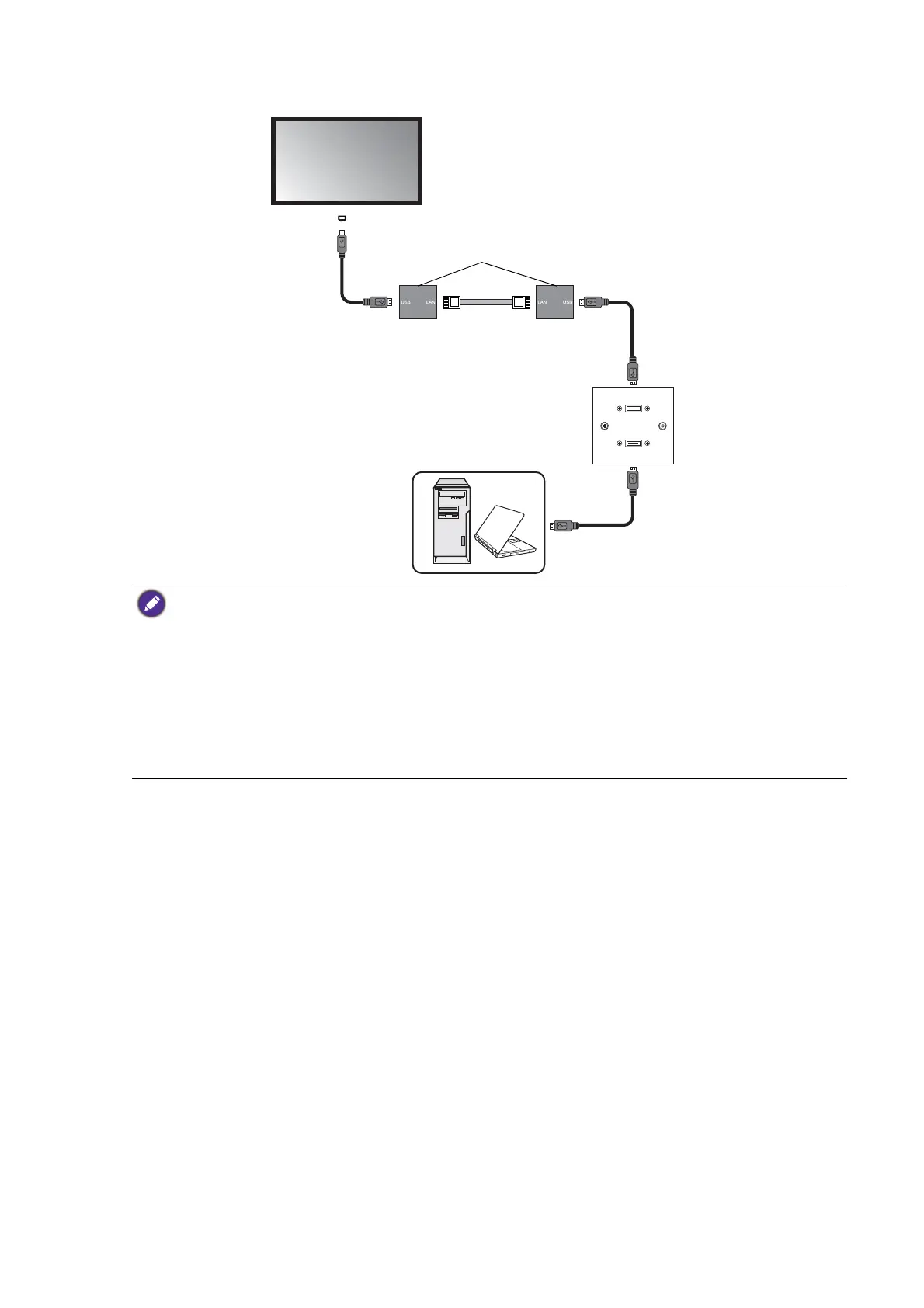
4. Connect the computer to the faceplate using a suitable USB cable.
• Refer to the documentation of the active USB-CAT converter for the maximum length of the Category
5/5e/6 network cable.
• The type of USB port and plug on the active USB-CAT converter may be different from the description
above. Use a USB cable that matches the USB jack on the display and the USB port on the active USB-
CAT converter.
• Keep the Category 5/5e/6 network cable away from power lines and cables to avoid electronic
interference.
• The total length of the USB cables used to connect the display to the active USB-CAT converter,
converter to the faceplate and computer to the faceplate should not exceed 5 meters.
USB cable
USB-CAT converter
USB cable
Category 5/5e/6
network cable
Computer
USB cable
Faceplate
Display
USB port



 To Next Page