25 Video wall installation guide
Installing edge finishing kit: PL460/PH460/PH550/PL550
Whether used as a standalone unit or as a part of a video wall, the edge finishing kit will
transform your display into a most stylish and elegant display.
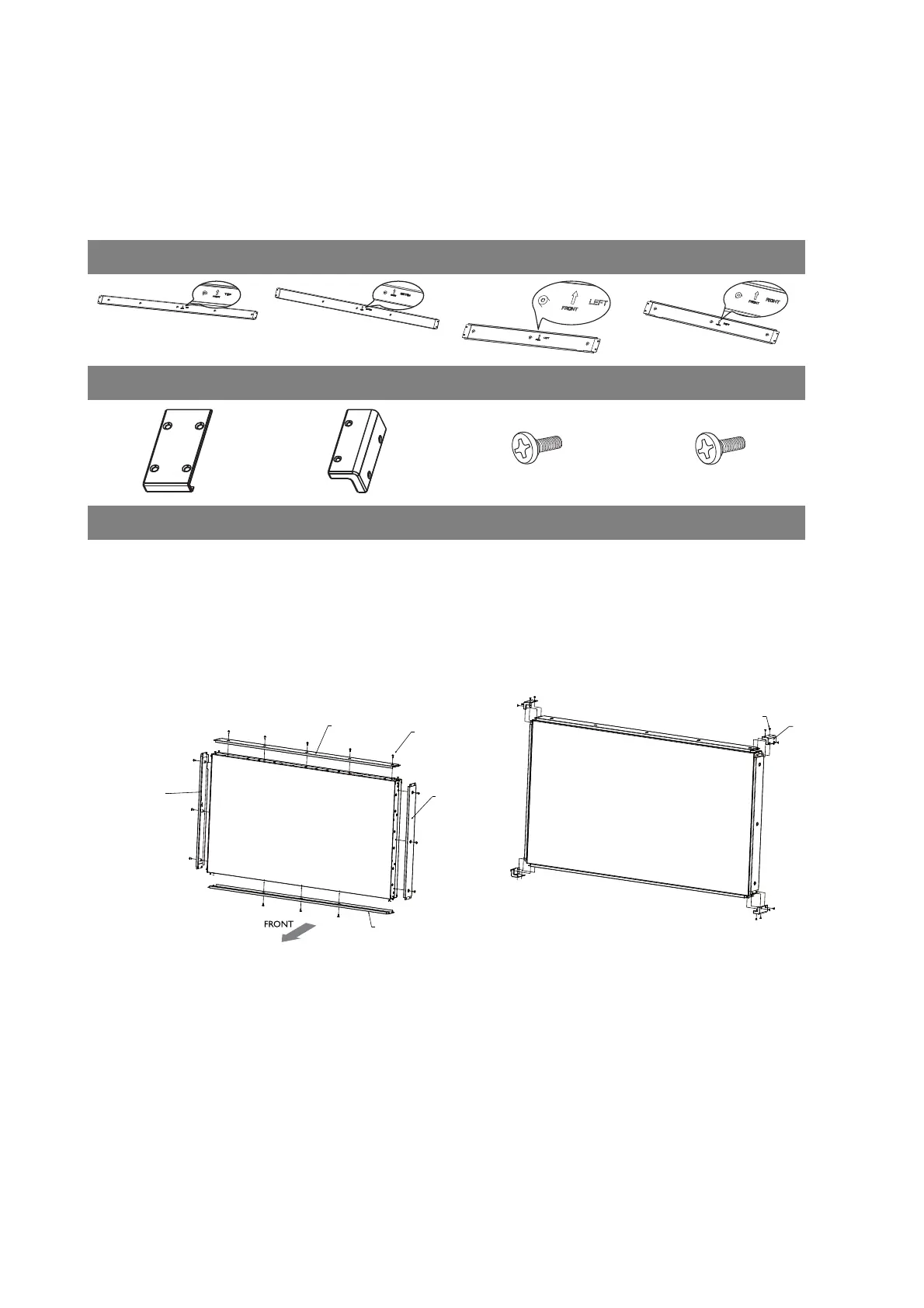
Inside your edge finishing kit you will find the following components:
Installation
For standalone unit
Cosmetic Plates
Top (A) Bottom (B) Left (C) Right (D)
Flat Enclosure (E) Corner Enclosure (F) M3 x 5 mm Screw (G) M4 x 6 mm Screw (H)
1. Mount the cosmetic plates in their
respective places on the edge of your
display, and screw in to place using the
6mm M4 screws.
2. On each corner, mount a corner enclosure
piece and fasten each one with 4 of the
5mm M3 screws.
G
F



 To Next Page