54 Mounting installation
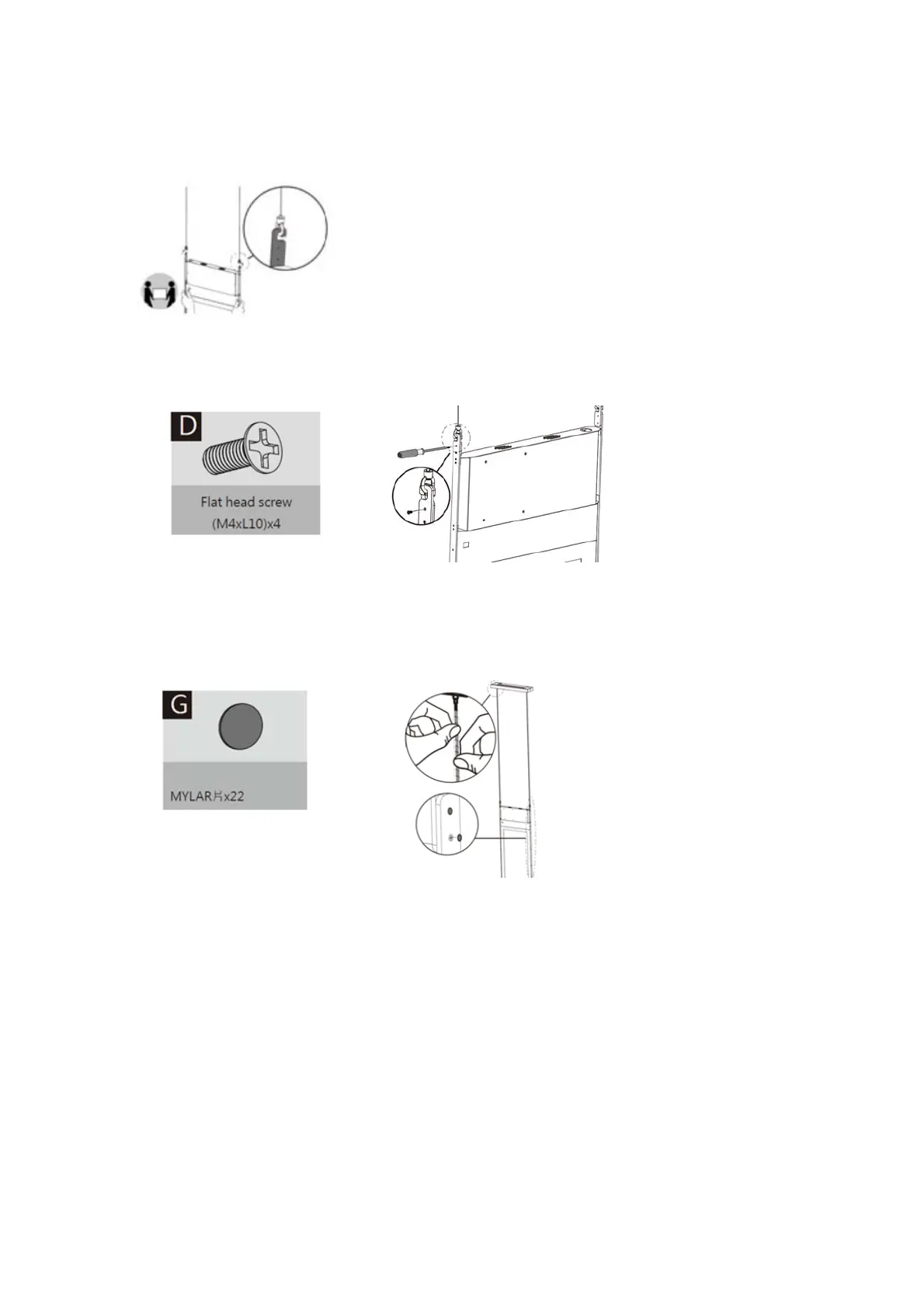
Secure panel display to the bracket
1. Secure panel display to the bracket.
2. Secure the bracket to the panel display with the included flat head screws (M4xL10) (D) by
a Phillips screwdriver.
Protect with spiral wraps
Shield cables with spiral wraps.
Notice
1. Always set the front side the display 1 and the back side the display 2.
2. When using a computer, set the display to extension mode.
3. You need two different player software to have both sides of the display work at the same
time (e.g.,Windows Media Player and RealOne Player). Each side needs a different player.
4. Due to the size and weight of this display, it is recommended to move it with at least two
persons.
5. Power function of the remote controller works only when pointing to the front side of the
display; the other functions work at either side.



 To Next Page