53 Mounting installation
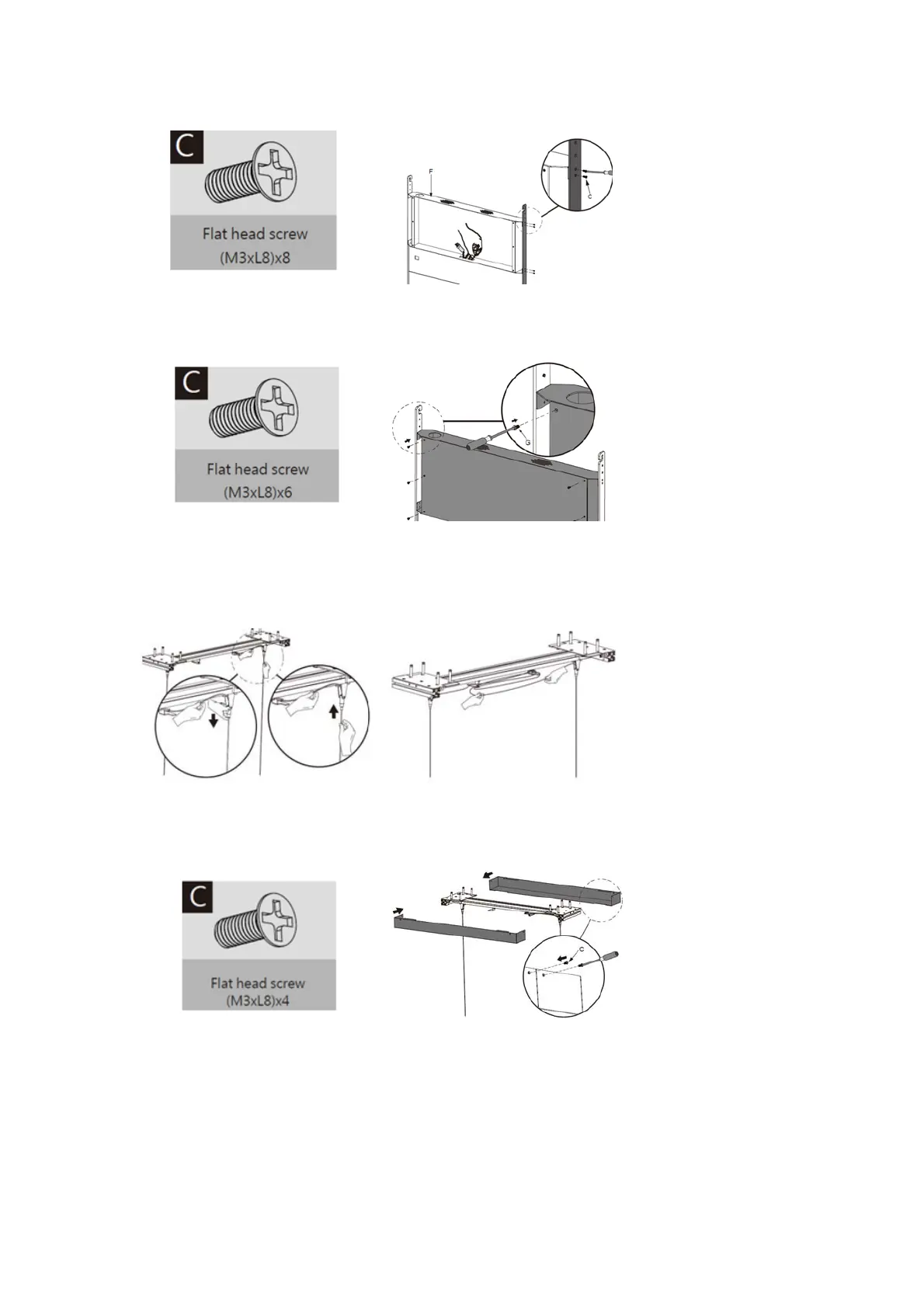
3. Lead cables out of outlet at bottom of device box for cabling.
4. Secure the front cover of the device box (F) to the later with the included flat head screws
(M3xL8) (C) by a Phillips screwdriver.
Adjust cable length
1. Leave appropriate cable length by winding the excessive section around the cable slot.
2. Replace the plastic covers to the left and right of the bracket before securing them with
the included flat head screws (M3xL8) (C) by a Phillips screwdriver.



 To Next Page