52 Mounting installation
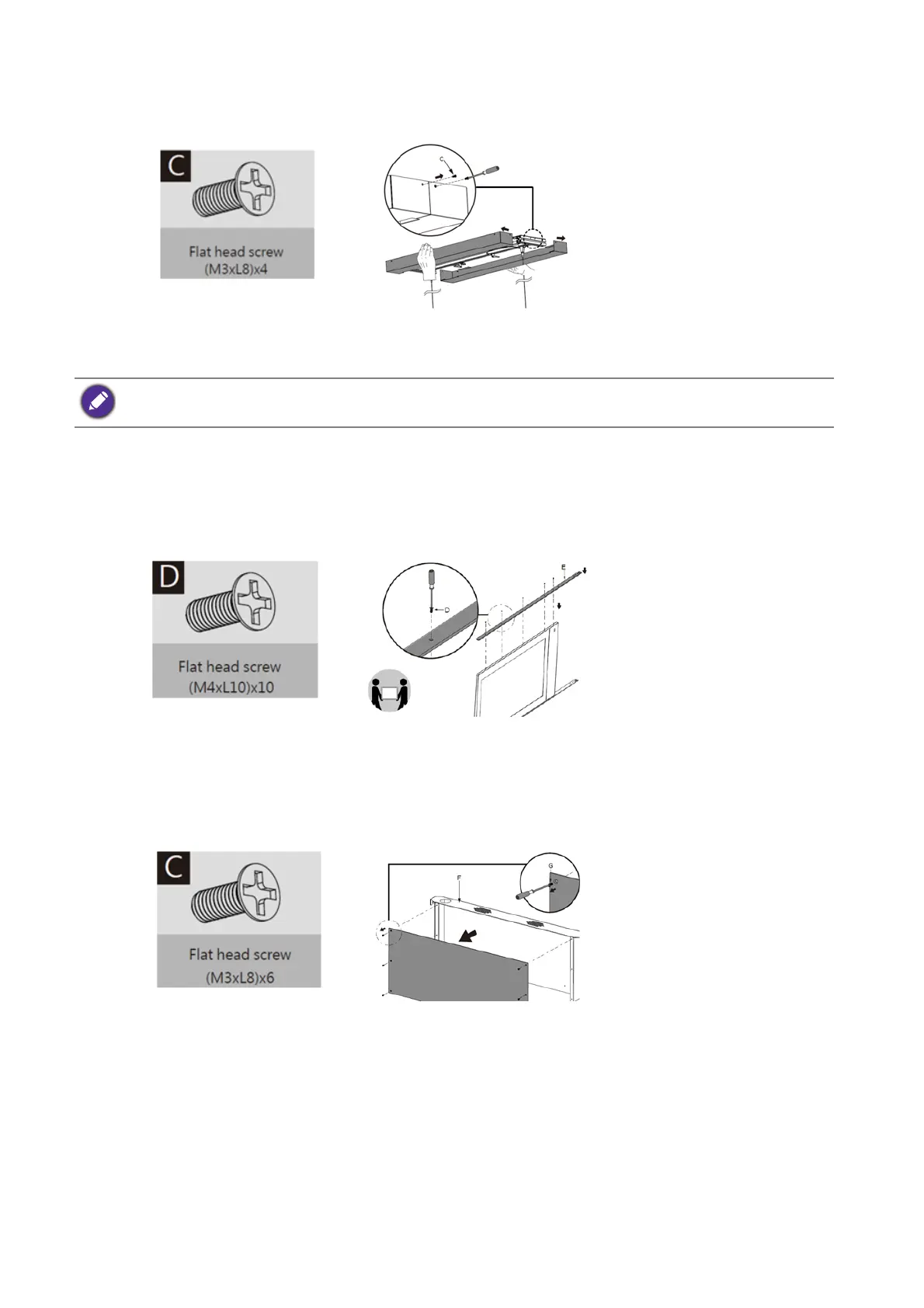
4. Remove the flat head screws (M3xL8) (C) with a Phillips screwdriver before pulling open
the plastic cover to the left and right.
5. Remove the spring washer and nut from the expansion screw and secure the bracket (A)
to the ceiling.
Install panel display to the bracket
Secure the display frame (E) to the display with the included flat head screws (M4xL10) (D) by a
Phillips screwdriver.
Secure device box to the bracket
1. Remove flat head screws (M3xL8) (C) with a Phillips screwdriver before removing the front
cover of the device box (F).
2. Secure the display box (F) to the display with the included flat head screws (M3xL8) (C) by
a Phillips screwdriver.
Places washers in sequence as shown below when securing the bracket to ceiling: Bracket (A)=> spring washer
=> nut



 To Next Page