Parts of the display and their functions 9
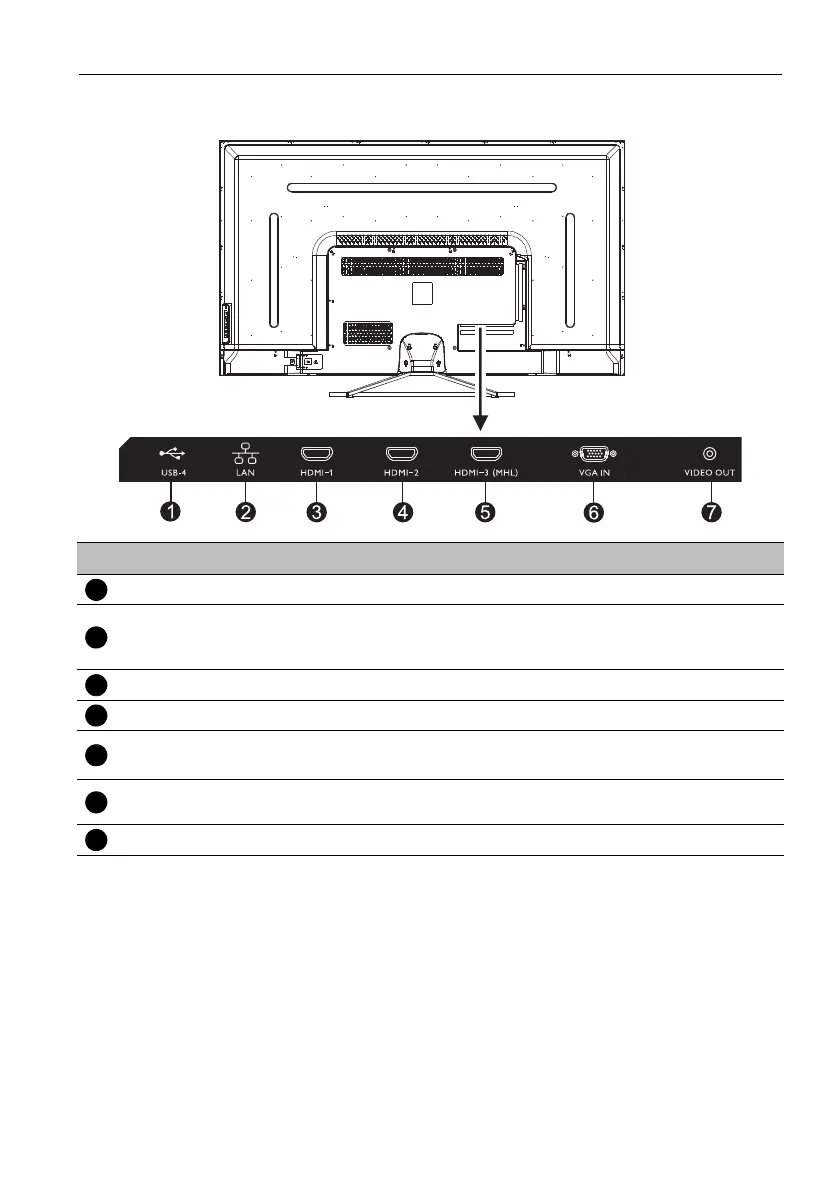
Input/output terminals
No. Name Description
USB-4 Access multimedia files on USB drives directly.
LAN
Receive the control signals from LAN interface /a computer,
connecting RJ45 terminals (This network port is only used for the
closed Android OS on this product).
HDMI 1 Receive 4K2K 30Hz supported signals from an external device.
HDMI 2 Receive 4K2K 30Hz supported signals from an external device.
HDMI 3(MHL)
4K2K 30Hz / MHL supported
An interface which connects the handset devices and the display.
VGA IN
Receive analog RGB signals from an external device (such as a
computer).
VIDEO OUT Output composite video signals to another display.



 To Next Page