Multimedia operation 27
Multimedia operation
The multimedia provides a variety of functions when the display is connecting to USB
drives.
Playing Files in the local disk device:
1. Before playing files in the local disk, insert the USB mass storage device into the USB
interface. See Connecting the multimedia inputs on page 17 for details.
2. When a USB flash is inserted in ST550K, a message will pop up to inform the users
to turn on the APP. The users can decide if they want to turn the APP on or not.
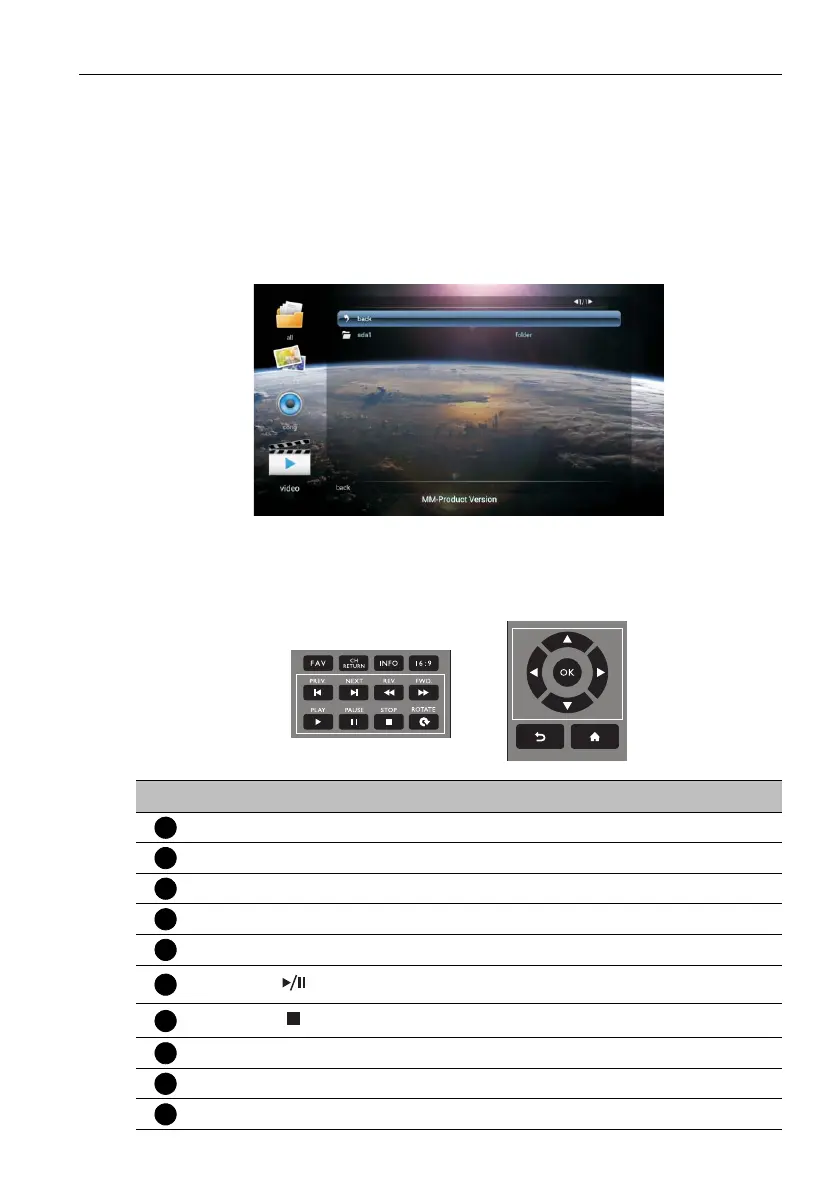
3. Select your desired menu to operate.
Multimedia buttons on the remote control
To operate the multimedia buttons, use the buttons on the remote control.
No Name Description
MENU
Switch to the OSD menu.
BACK
Go back to the root page of the disk selection.
OK
Select/deselect an item.
///
Directional arrows for selecting a desired item.
REV
Fast rewinds the current selected item.
Starts/resumes/pauses playback.
Stops image playback.
FWD
Fast forwards the current selected item.
PREV
Go back to the previous selected item.
NEXT
Go to the next selected item.



 To Next Page