Connection16
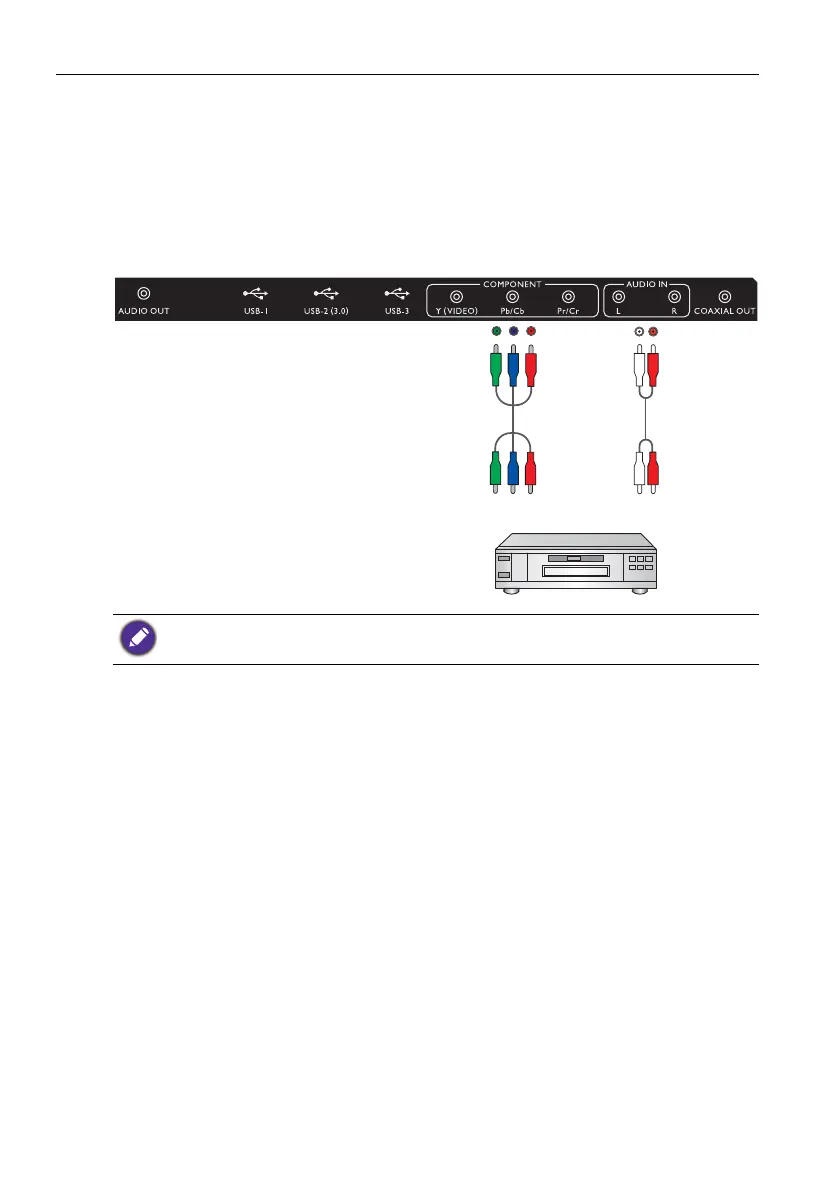
Connecting the YPbPr component video input
1. Connect the YPbPr jacks on the display to the component output jacks on an A/V
device (such as a VCR or DVD player) using a component video cable.
2. Connect the DVD player's audio output jacks to the L/R jacks on the display using a
suitable audio cable.
3. To view a video image from this input, press the INPUT button and choose YPbPr.
The cables are not supplied and should be purchased separately.
Audio
cable
DVD player / VCR
Component
video cable



 To Next Page