USER HANDBOOK 2.0 | DC20XX, ET20XX, ECC21XX SLIM
Berghof Automation GmbH | Harretstrasse 1 | 72800 Eningen | www.berghof.com
Dialog-Controller-DC20XX_EN.docx
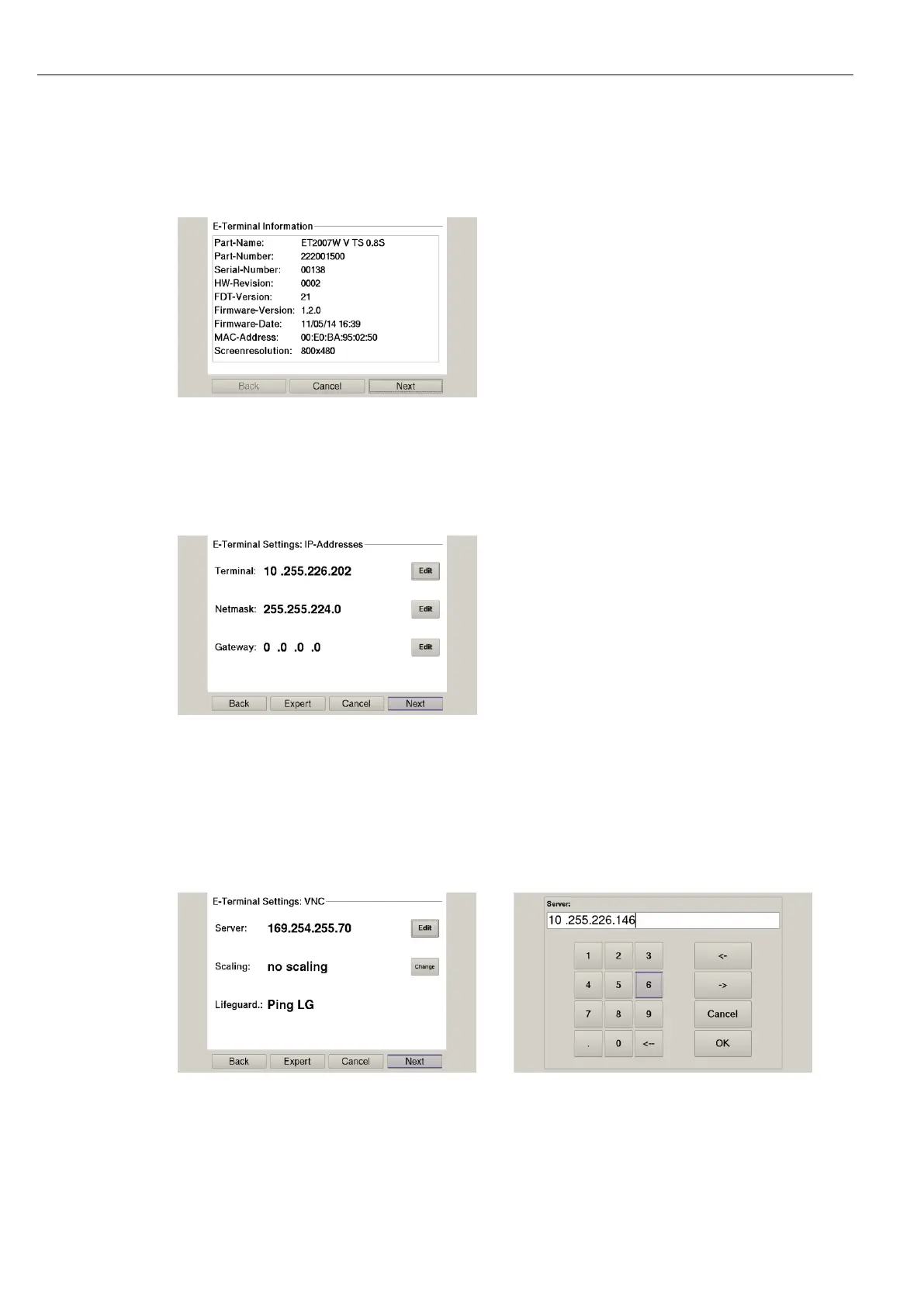
A page with further information appears.
Fig. 37: Info page
3rd Press the button ”Next”.
The page with the current network settings of the device appears.
Fig. 38: Network settings of the device
4th Where necessary press the button ”Edit” to change the network setting accordingly (IP-address,
netmask, gateway).
5th Press the button ”Next”.
The page with the settings of server IP and lifeguard appears.
Fig. 39: Netzwerkeinstellungen des Geräts
6th If necessary, press the button ”Edit” to change the server IP.



 To Next Page